Section 4 - Operations
HV-18 revised 11/18 SCHWARZE HYPERVAC 45
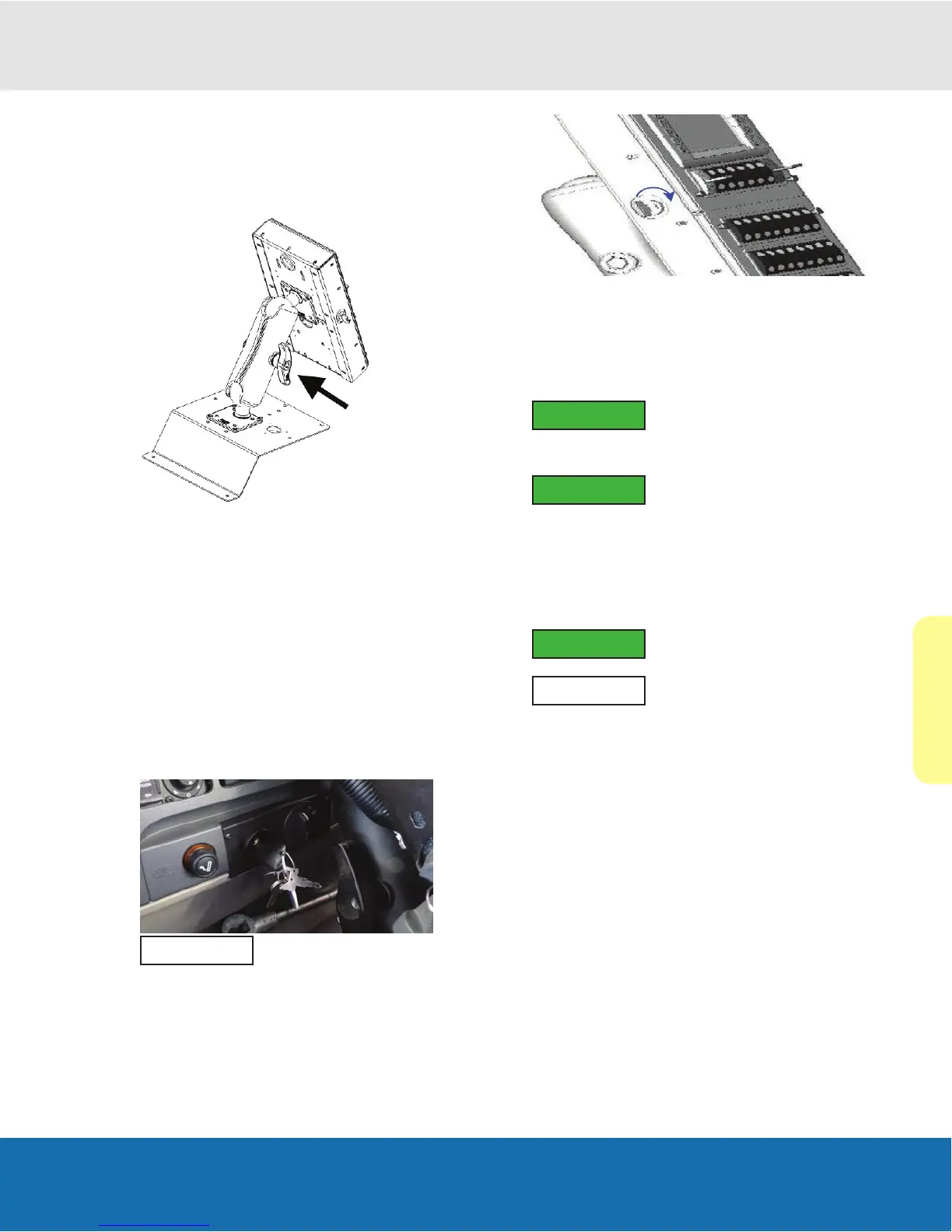
Positioning The Control Console
To swivel the control console, locate the wing screw
located underneath the control console on the double arm
socket.
Loosen the wing screw on the swivel arm and swivel
the console left or right, then tighten the screw when the
desired position is found.
Starting The Auxiliary Engine
Warning: Before starting the auxiliary engine in a
conned area, verify that proper outlet exhaust ventilation
equipment is installed. Always use safety approved fuel
storage and piping.
1. Start chassis engine, wait for display screen to cycle
through splash screen and Icon test (where all icons
are displayed), wait for chassis air pressure to rise
above 100 psi.
NOTE
Your truck ignition may vary.
2. Turn console key clockwise to ignition. Standby
buttons will ash and DEF (diesel exhaust uid) level,
engine coolant temp will be displayed.
Warning: Turning key clockwise will crank the engine.
Engine should not be cranked if anyone is on the sweeper
outside the cab.
3. When the engine starts, release the key so that it
returns to the “Run” position.
IMPORTANT
To prevent damage to the engine: If
you release the key switch before the
engine starts, you must wait until the engine comes to a
complete stop before attempting to restart.
IMPORTANT
Allow engine to idle for >10 seconds.
4. Check for any alarms and address as needed. See
the following Main Screen Alarms below for more on
this.
5. Check all gauges on the display module for normal
engine operation.
IMPORTANT
If operation is not normal, stop the
engine and notify your supervisor.
NOTE
The Auxiliary engine must be on for
console buttons and switches to
function during normal operation.


 To Next Page