Section 6 - Service
84 SCHWARZE HYPERVAC HV-18 revised 11/18
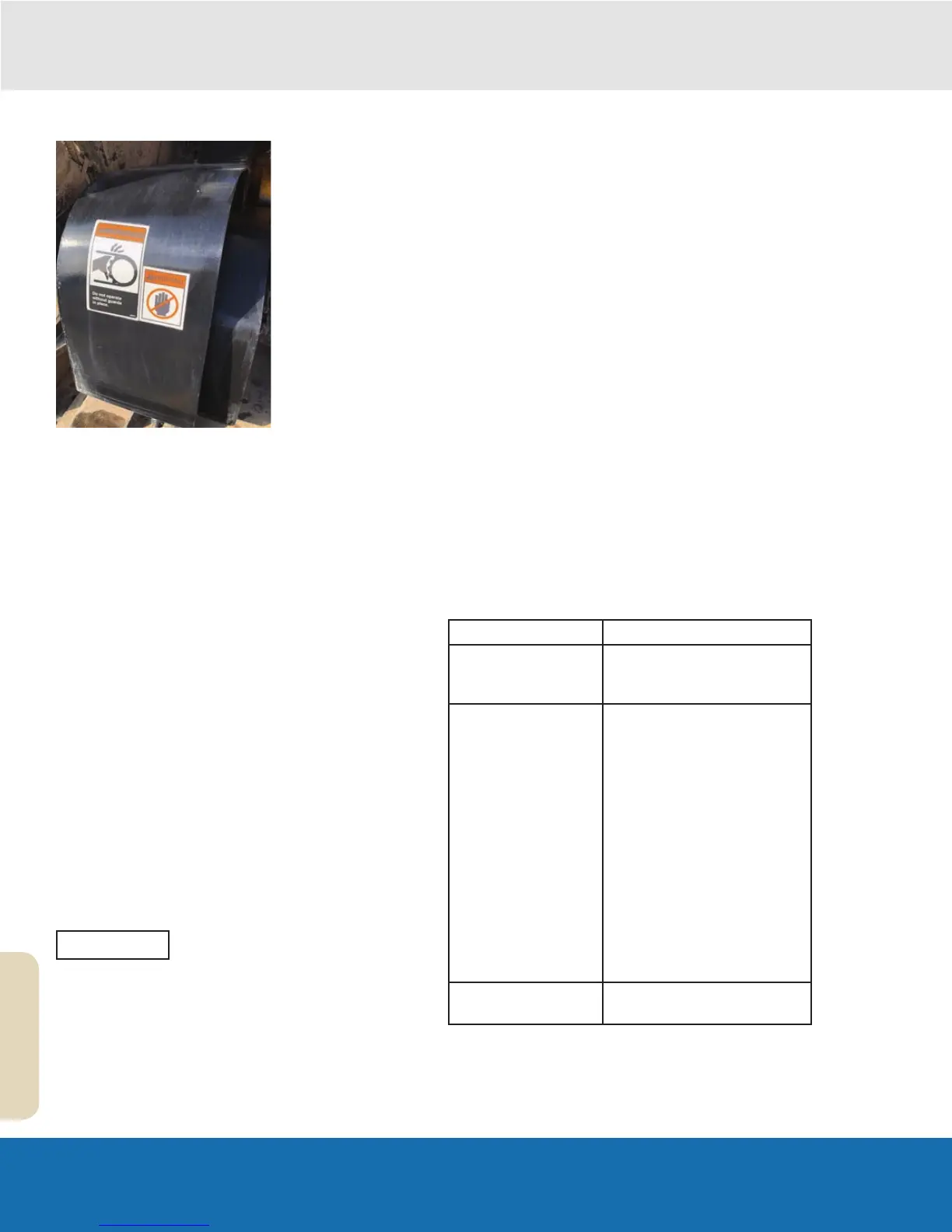
Replacing the Fan Guard
1.
Remove the hardware retaining the Fan guard located
on the top and side of the guard to obtain excess the
Hydraulic pump and Fan Drive belts.
Caution: Do not remove while Aux engine is running,
Replacing the Fan Shaft Bearing
Under normal operating conditions, the bearings should
last approximately 2500 hours (check the auxiliary
engine’s hour meter). Bearing failure is accompanied by
abnormal noise, vibration and/or the slinging of grease
caused by ruptured bearing seals. Worn bearings should
be replaced immediately to prevent damage to other
sweeper components. Usually, accompanying drive belts,
pulleys and bushings are also replaced. This ensures
proper performance and eliminates repetitive maintenance
and downtime.
Disassembly
1. Follow the procedures outlined in steps 1-7 in section
‘Replacing the Fan System Fan’ of this manual
2. Follow the procedures outlined in steps 1-4 in section
‘Drive Belt Tension Adjustment’ of this manual
3. Remove fan pulley off load adapter assembly shaft.
4. Remove the 8 bolts holding load adapter to fan
housing support upright and remove load adapter.
The adapter is services as a complete
unit.
5. Inspect the fan shaft drive pulley and drive belt. If
either is damaged or too worn for reuse, discard and
replace.
Replacement
1. Install the 8 bolts holding load adapter to fan housing
support upright.
2. Replace fan pully onto new load adapter shaft.
3. Check the alignment of the pulleys, using a string or
straight edge, from the face of one pulley to the face
of the other to determine whether the pulleys are in
line with each other.
4. If the pulleys are misaligned, back the fan shaft
drive pulley off its bushing, move both in the proper
direction for alignment, then retighten the bushing/
pulley bolts.
5. Inspect the drive belt for wear and replace it with a
new one if needed.
6. Slide the drive belt onto the engine and fan shaft
pulleys.
7. Adjust the drive belt tension.
8. Inspect the fan for wear and replace it with a new one
if needed.
9. Follow the steps outlined under ‘Replacement’ in
section, ‘Fan Replacement’ section of this manual.
10. Swing the hopper safety prop back into its travel
position.
11. Reconnect the engine’s battery cable, lower the
hopper and check the operation of the sweeper.
Hydraulic System Service Schedule
We recommend the service listed in the following table.
Service Frequency
Check hydraulic
system pressure and
adjust.
As Needed
Change the hydraulic
uid and lters.
• Service records show
that the new sweeper has
completed its first 500
hours of operation
• Thereafter, service
records should show that
the sweeper has been
operated 2,000 hours
since its last hydraulic fluid
change.
• If the hydraulic fluid
becomes cloudy, water
has contaminated the
system. It should be
changed and flushed.
Check hydraulic uid
level.
Daily
NOTE


 To Next Page