Section 4 - Operations
HV-18 revised 11/18 SCHWARZE HYPERVAC 51
Auxiliary Engine Speed Controls
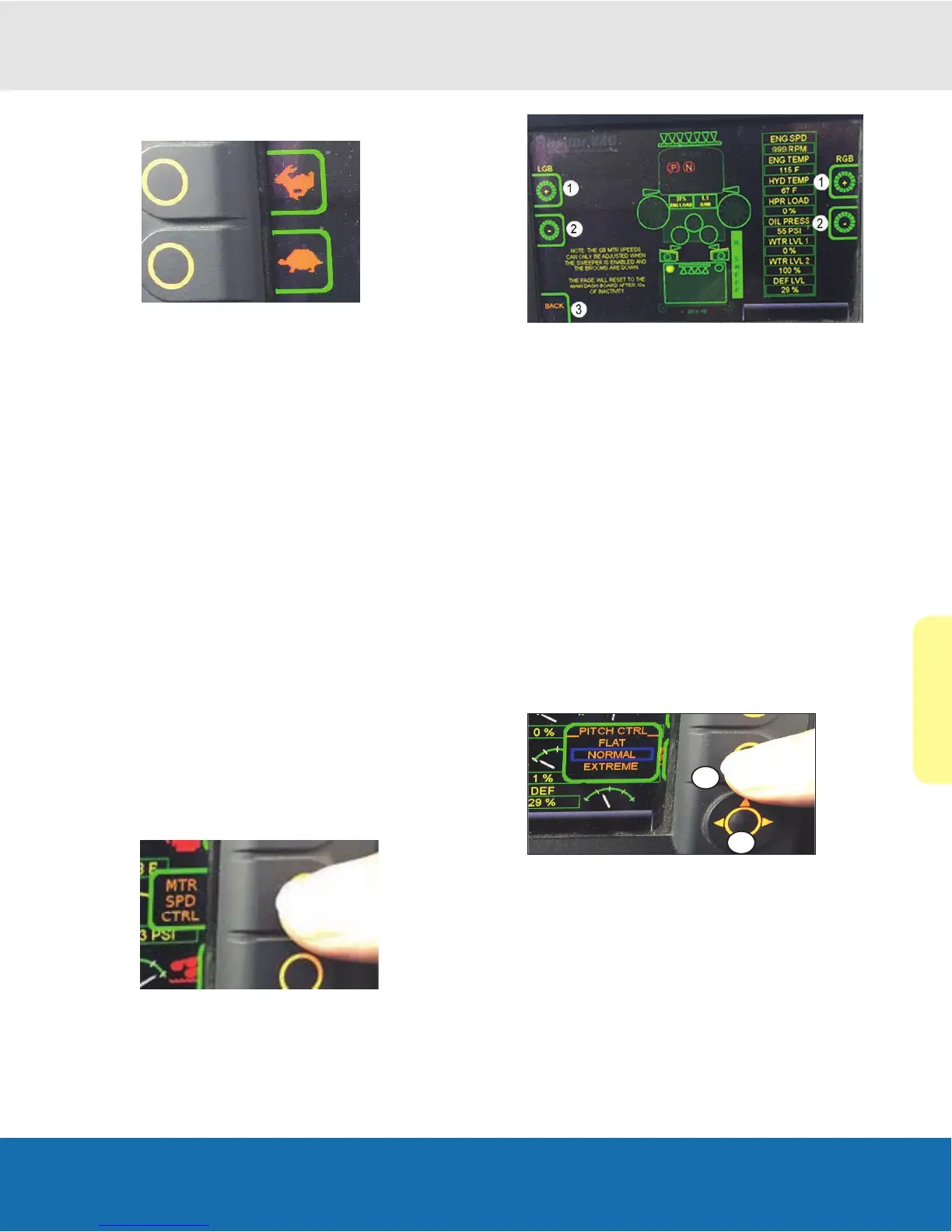
These two buttons adjust the auxiliary engine speed and
are indicated with a rabbit and tortoise icon.
Recommended Auxiliary Engine Speeds
Light sweeping operation 1200-1800 rpm
Normal sweeping operation 1800-2000 rpm
Heavy sweeping operation 2000-Full rpm
Important: We advise operating the engine under a lighter
load and at lower speeds than normal for the rst few
minutes after start-up.
Increasing Auxiliary Engine Speed
1. Push the upper button (rabbit icon) to increase the
auxiliary engine speed by 100 rpm increments.
2. Press repeatedly or continue to hold the button until
the engine rpm has reached the desired engine speed
or has reached full throttle.
Reduce Auxiliary Engine Speed
1. Push the lower button (tortoise icon) to reduce the
auxiliary engine speed by 100 rpm increments.
2. Press repeatedly or continue to hold the button until
the engine rpm has reached the desired engine speed
or has reached idle position.
Motor Speed Control Button
1. Push the right side, third from top button once to
expose the button.
2. Push again to select the motor speed screen.
(Motor speed screen)
Note: Right and left gutter broom speeds can be adjusted
from this screen.
Note: Speeds can only be adjusted when the sweeper is
enabled.
1. The “+” buttons increase speed for the respective side.
2. The “-” buttons decease speed.
Note: Adjusting the gutter broom speed will also change
the center broom speed to correlate with the gutter broom.
3. Use the back button to go back to the main screen.
Note: Pitch will return to minimum when broom is under
min GEO setting to avoid damage.
Pitch Control Button
Note: Both left and right gutter brooms can be adjusted to
pivot forward and backward.
1. Push once to expose.
2. Push again to toggle between options.
Note: Normal is the standard pitch setting.
Note: The pitch cannot be adjusted when the GUTTER
BROOM is in the transfer position.


 To Next Page