Section 4 - Operations
HV-18 revised 11/18 SCHWARZE HYPERVAC 53
Temporarily Stopping The Gutter Broom Rotation
• Press the toggle switch once to the “down” position.
The gutter broom will keep in contact with the surface but
will stop spinning.
To resume the gutter broom again, toggle the switch once
again in the “down” position.
Stopping And Retracting The Gutter Broom
• Press the toggle switch once to the “up” position.
The gutter broom will raise from the ground, retract and
stop spinning.
Gutter Broom Tilt/Pitch
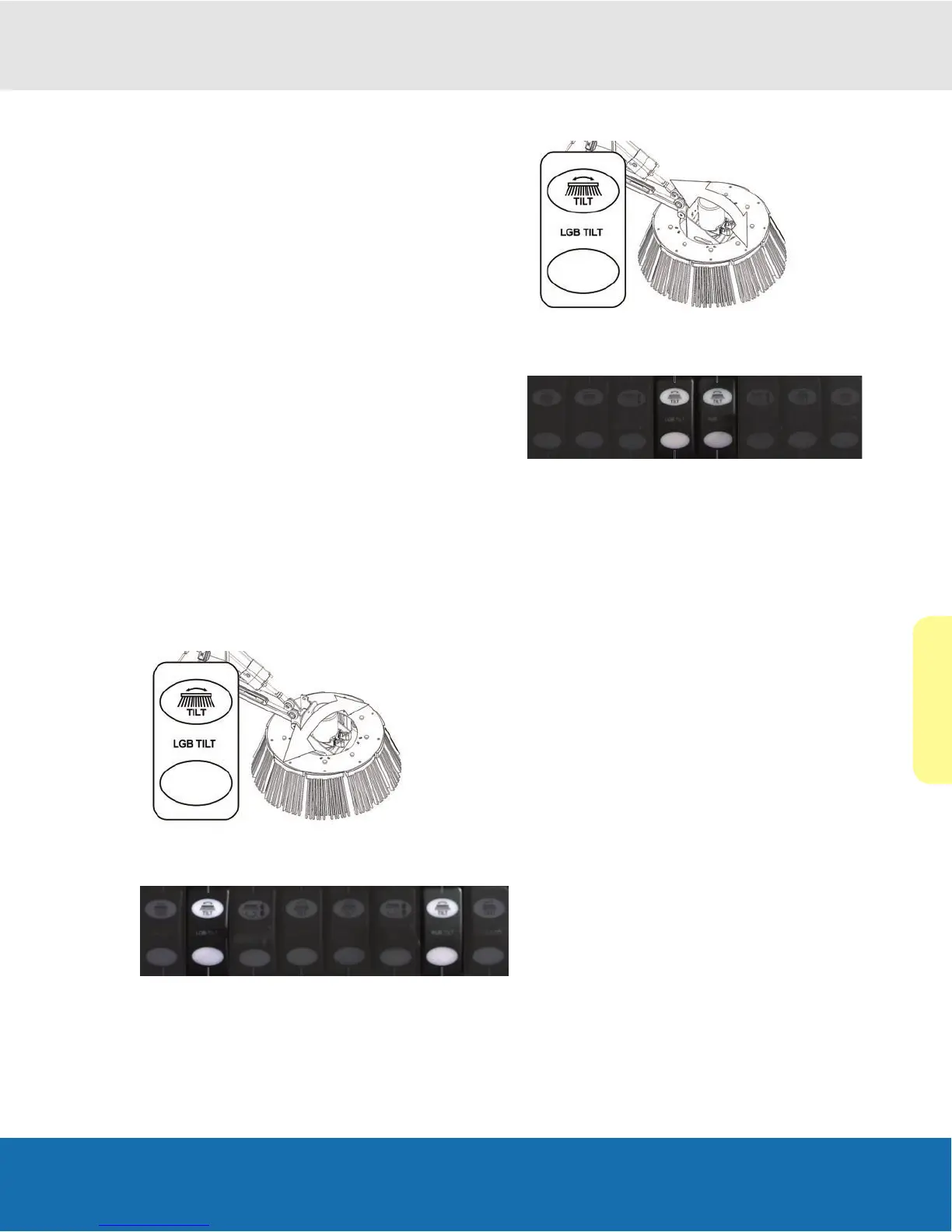
Both left and right gutter brooms can be adjusted to pivot
to the left or right and forward or backward.
The gutter broom tilt allows the operator to adjust the gutter
broom tilt without having to exit the sweeper and manually
adjust the tilt.
Note: Use of this function requires the gutter broom to be
on the surface and spinning.
Note: There are two left tilt switches and two right tilt
switches on the GUTTER BROOM switch bank.
Left/Right Tilt
Left to right tilt movement is controlled by the two outer tilt
switches.
Forward/Backward Tilt (pitch)
The forward and reverse tilt movement, or pitch, is affected
by the two middle tilt switches.
Tilting The Gutter Broom
1. Locate the switch on the cab console control panel.
2. Press the toggle switch to the “up” position.
3. Continue to hold the switch until the desired gutter
broom tilt has been established.
Returning The Gutter Broom To Its Normal Level
Position
1. Press the toggle switch to the “down” position.
2. Continue to hold the switch until the gutter broom has
returned to its normal level operating position.
Note: For optimum travel clearance, always return the
gutter broom to its normal level operating position before
retracting the broom.


 To Next Page