Section 09 ELECTRICAL SYSTEM
Subsection 05 (INSTRUMENTS AND ACCESSORIES)
SMR2000-063_09_05A.FM 09-05-5
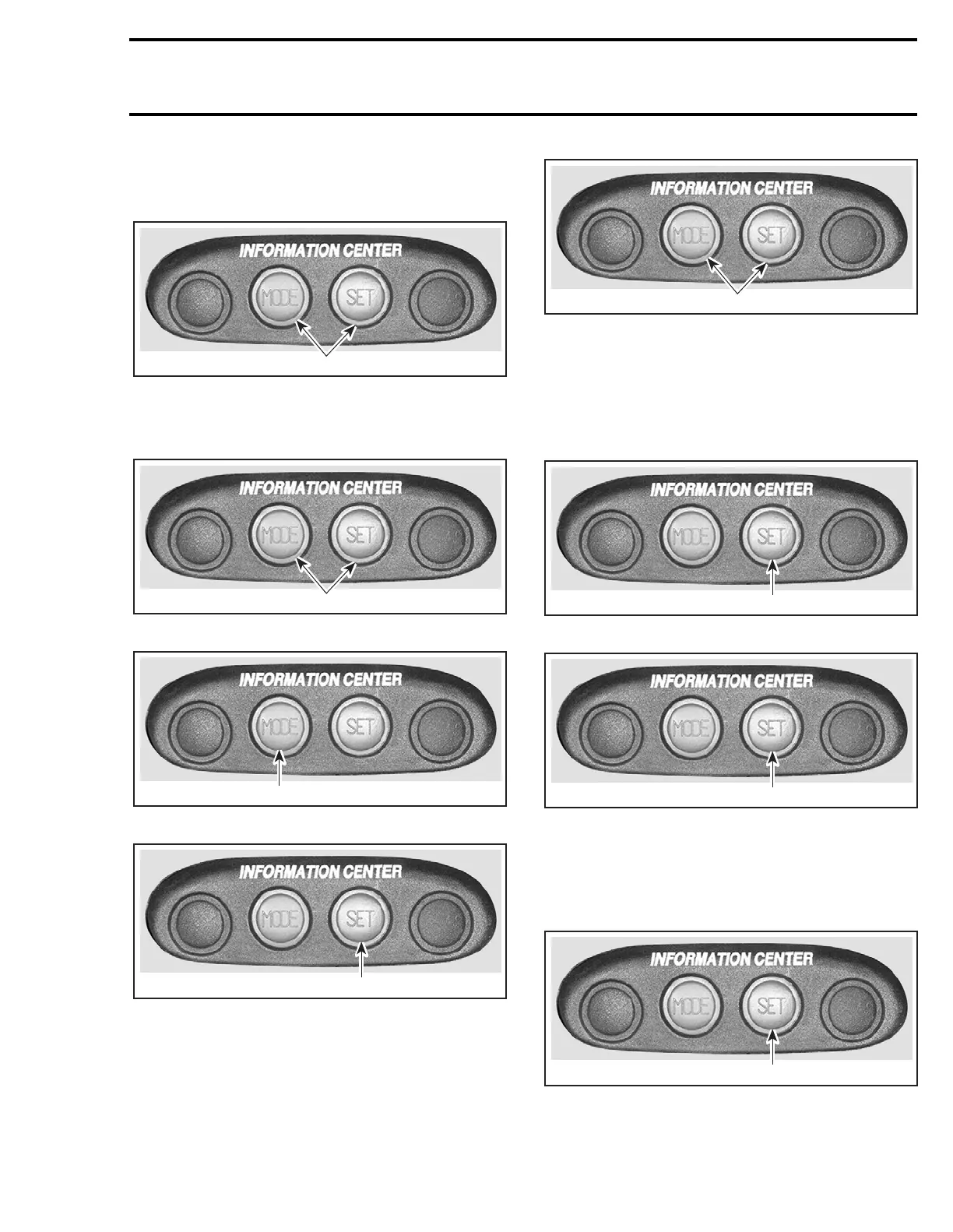
English/Metric System
Allows to display the units in the metric system or
in the SAE English system.
1. Press TOGETHER and hold for 2 seconds
Clock Adjustment
While in the clock/compass mode:
1. Press TOGETHER and hold for 2 seconds
1. Repeatedly press to adjust HOURS
1. Repeatedly press to adjust MINUTES
1. Press TOGETHER to end
NOTE: If MODE and SET buttons are not pressed
at the end, the default display will come back after
10 seconds and the time entered will remain.
Chronometer
While in the chronometer mode:
1. Press to start or stop chronometer
1. Press and hold for 2 seconds to reset
Maintenance Information
When the watercraft is due for a maintenance in-
spection, the message MAINT will blink.
To clear the warning message while it is blinking:
1. Press and hold for 2 seconds to reset
F00L2BD
1
F00L2BD
1
F00L2BB
1
F00L2BC
1
F00L2BD
1
F00L2BC
1
F00L2BC
1
F00L2BC
1




 To Next Page