Audio and Media Mode
Display: Meaning
AF off
The tracking of alternative frequencies is
disabled.
Note
●
The availability of AM and DAB bands de-
pends on the country and/or equipment. In
the event that the AM and DAB bands are
not available, the BAND function button
text will not be shown.
●
Bear in mind that being underground, in
tunnels, in areas with tall buildings or
mountains can interfere with radio signals.
●
Foil or metal-coated stickers attached to
the windows may affect reception on vehi-
cles with a window aerial.
●
Radio stations are responsible for the
content of the information they transmit.
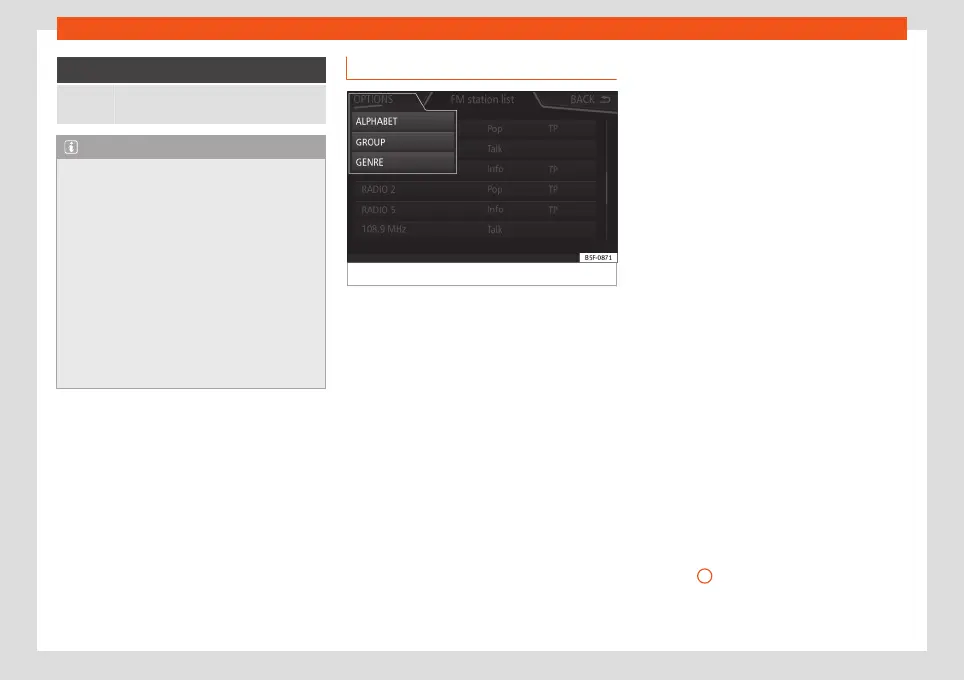
RDS radio data services (FM band)
Fig. 25
Standard display: FM station list menu
The RDS (Radio Data System) offers addi-
tional information in FM such as the visualisa-
tion of the station name, automatic station
tracking (AF), text emitted by radio (Radio
Text), traffic reports (TP) and station types
(PTY).
Depending on the country and the unit in
question, the RDS can be deactivated in the
FM Settings
menu
›››
page 36.
Without RDS it is not possible to use radio
data services.
Name of the station and automatic station
tracking
If equipped with the RDS function, the names
of the stations can be displayed in the main
RADIO menu and in the
FM station list
.
FM radio stations may occasionally or contin-
uously broadcast different content on differ-
ent regional frequencies under the same sta-
tion name (e.g. Station 3).
By default, automatic station tracking always
switches to the currently selected station's
frequency that offers the best reception, as
the vehicle travels from one area to the next.
As a result, this may cause the regional signal
to be lost.
Automatic frequency changing and automat-
ic station tracking can be deactivated in
FM
setup
›››
page 36.
Setting a station name
In some cases the name of the station is too
long. This text may be blocked/unblocked by
pressing on the station name for 3 seconds
until hearing an audible signal (a dot will ap-
pear/disappear on the left and right of the
station name).
Radio text
Some RDS-enabled stations also broadcast
additional text information known as radio
text.
Radio Text is displayed in the upper half of the
screen above the memory buttons
›››
Fig. 23
A
.
The Radio Text display can be deactivated in
FM setup
›››
page 36.
»
31



 To Next Page