Audio and Media Mode
Station list order
Stations that are available at a certain time
are displayed on the station list screen (
STA-
TION LIST
function button). This list may be
ordered by station group, by genre or alpha-
betically
›››
Fig. 25.
Note
Due to matters of infrastructure, RDS func-
tions may be limited in certain countries,
and you may not be able to receive traffic
announcements, automatic station track-
ing (AF) or programme types (PTY).
1)
Digital radio mode (DAB, DAB+ and
audio DMB)*
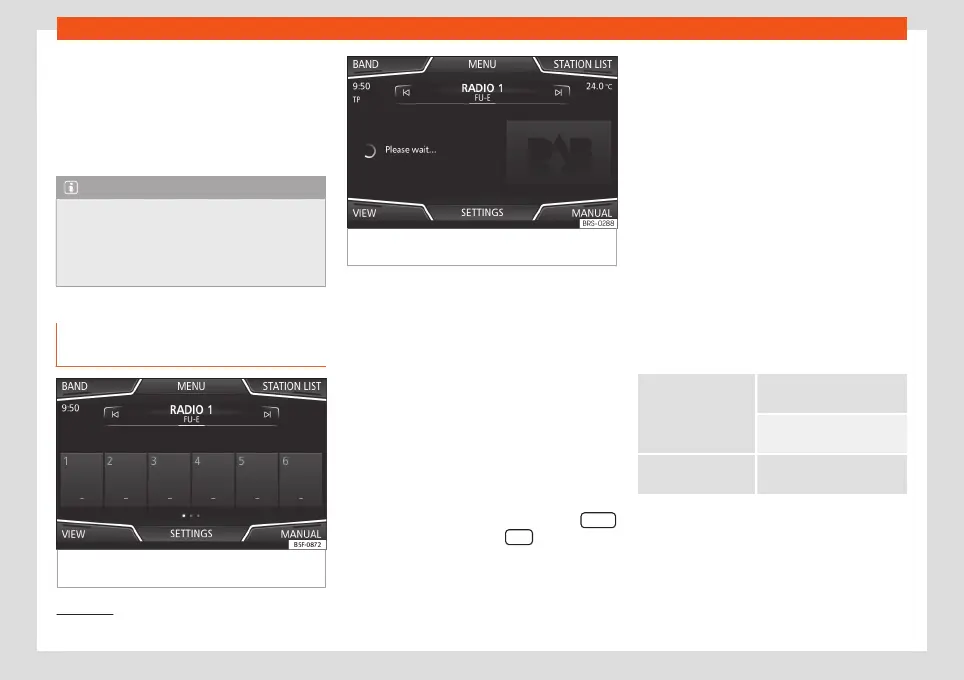
Fig. 26
Display of memory buttons in DAB
mode.
Fig. 27
Display of station information in DAB
mode.
The DAB radio receiver supports the DAB,
DAB+ and DMB-Audio broadcasting stand-
ards.
In Europe, digital radio is transmitted via band
III frequencies (from 174 MHz to 240 MHz).
The frequencies are referred to as “chan-
nels” and each one has a channel name
(e.g.
12 A
).
Several available DAB stations are combined
into one channel in an “ensemble”.
Starting Digital radio mode
●
From the RADIO main menu press the BAND
function button and select DAB .
The DAB radio station that was last selected
will be played if it can still be received at the
current location.
The selected DAB station is displayed in the
upper bar of the screen; the group of selec-
ted stations is displayed below
›››
Fig. 26.
Additional DAB stations (Secondary Serv-
ice Components)
Some DAB stations temporarily or perma-
nently offer additional stations, (for exam-
ple, for broadcasting sports events).
DAB stations containing additional stations
are identified in the station list by means of
the symbol
.
Selecting additional stations
From the main screen Press the name of the main
station
Press the memory button of
the main station
From the station list Select the additional station
from the list
The DAB main menu shows the name of the
additional selected station on the right
alongside the abbreviated name of the main
DAB station.
1)
Depends on the market and unit in question.
32



 To Next Page