Audio and Media Mode
Memory buttons
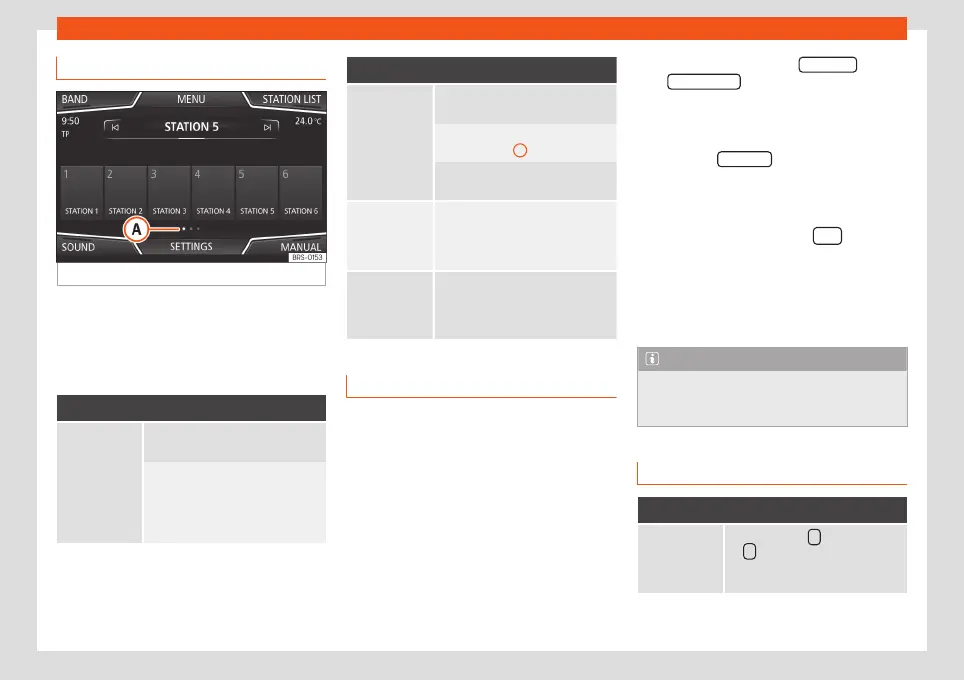
Fig. 28
RADIO main menu.
In the RADIO main menu, you can store sta-
tions from all available frequency wave-
lengths on the numbered function buttons.
These function buttons are called “memory
buttons”.
Functions of the memory buttons
Selecting the
station from
the memory
buttons
Press the memory button corre-
sponding to the desired station.
The stored stations can only be
played by pressing the corre-
sponding memory button provided
it can be received at your current
location.
Functions of the memory buttons
Change mem-
ory bank
Move your finger over the screen
from left to right or vice-versa.
OR: Press one of the function but-
tons
›››
Fig. 28
A
The memory buttons are displayed
in three memory banks.
Storing the
station on the
memory but-
tons
See: Storing stations
›››
page 35.
Storing the
station logo on
the memory
buttons
A station logo can be assigned to
the stations stored on the memory
buttons
›››
page 34.
Storing station logos
Store automatically (only in FM and DAB
mode)
When a station is stored the station logo is
automatically assigned.
If there are 2 or more logos in the database, it
gives the option to choose the correct one.
Store manually
The station logos can be imported from a
compatible data medium (for example, mem-
ory card or memories with USB port).
●
Press the function button SETTINGS and
then Station logos .
●
Press the station button where you wish to
store the logo of a station.
●
Select the source where the logo is stored
(for example, SD card 1 ). We recommend sav-
ing logos in the memory unit’s root directory.
●
Select the station logo.
●
Repeat the process to assign other logos;
press the infotainment button
to return
to the RADIO main menu.
●
If you wish to change the logo of a memory
button that already has one assigned to it, it
must first be deleted from the button in ques-
tion.
Note
Not all stations are stored in the database
and therefore it is not always possible to
assign logos automatically.
Select, tune and store stations
Selecting stations
Select stations
with the arrow
buttons
Press either the function button
or
›››
Fig. 23.
This will change between available
stations
›››
page 36.
34



 To Next Page