Telephone management system
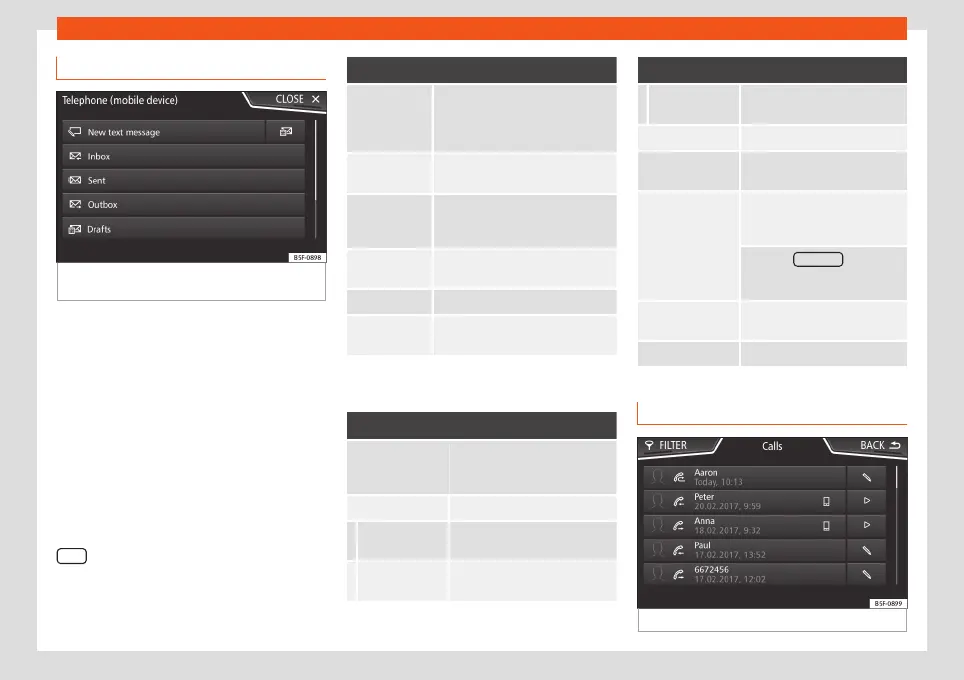
Short messages menu (SMS)
Fig. 75
Short messages menu (Text messag-
es).
If the mobile phone connected to the HFP
profile also supports the SMS profile, a new
function button will appear in the top left-
hand corner of the Telephone menu, which
will allow SMS messages to be received,
viewed and sent by the Infotainment system.
The proper operation of the functions men-
tioned above will depend on the compatibili-
ty of the connected mobile telephone.
Buttons on the Short messages (SMS)
menu
●
From the Telephone main menu, press the
SMS function button.
Function button: function
New text
message
To write and send a text message
(includes the possibility of access-
ing templates with predefined
messages).
Inbox To open the received text messag-
es folder.
Outbox To open the outbox folder. This is
where any unsent text messages
are stored.
Sent To open the sent text messages
folder.
Drafts To select a stored unsent message.
Send contact
details
To send the details of a contact
from the phonebook.
Possible function buttons for the subme-
nus
Function button: function
Read
In order for the speech control
system to play the text mes-
sage.
Options Open the Options menu.
Reply with
template
To select a text template from a
list.
Delete current
text message
Deletes the text message from
the
Inbox
.
Function button: function
Display tele-
phone number
Displays the sender's tele-
phone number.
Forward To forward a text message.
Reply
To reply to an incoming text
message.
Enter number
To enter a telephone number or
to select a recipient from the
phonebook.
Press the Recipients function
button to select multiple recipi-
ents.
Recipients
To select multiple recipients
from the phonebook.
Delete To delete a text message.
Call Menu (call lists)
Fig. 76
Call lists menu.
»
87



 To Next Page