Car menu
Symbols
›››
Fig. 65: Meaning
C
The current vehicle speed is having a negative
impact on fuel consumption.
D
Ecological driving style.
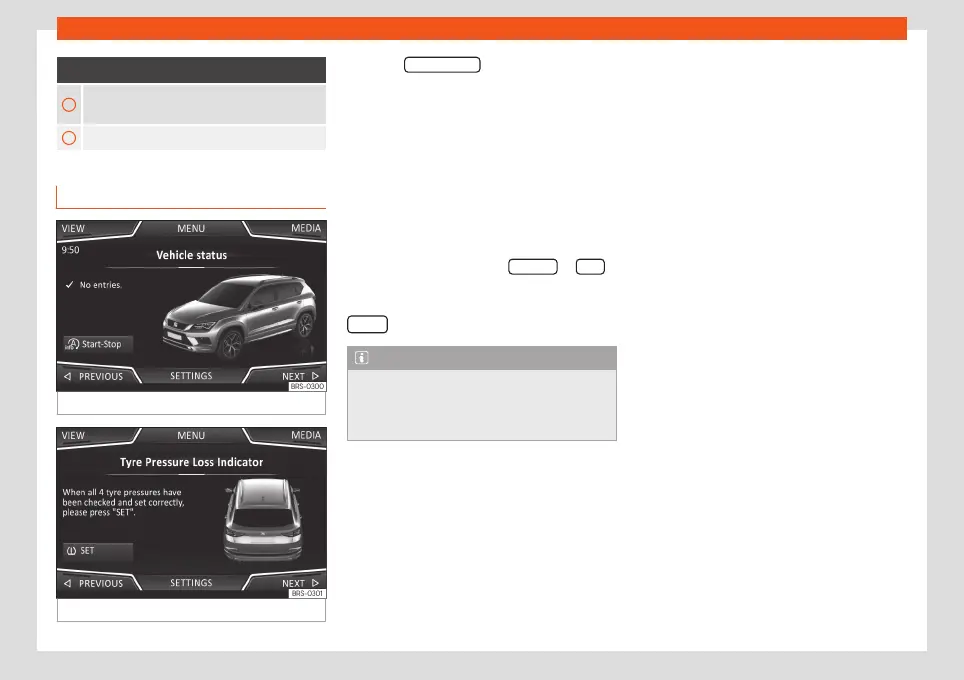
Vehicle status
Fig. 66
Standard display: vehicle status.
Fig. 67
Standard display: vehicle status.
Press the
Vehicle status button to access infor-
mation on the Vehicle status messages
and
Start-Stop system
. The Vehicle status
messages are displayed
›››
Fig. 66, in addi-
tion to being specified on the corresponding
button.
Depending on the parts affected by these
messages, they will be indicated in different
colours (depending on their significance) in
the vehicle display.
To access the
Tyre Pressure Monitoring
System
you must press the Previous
or Next
buttons.
From this same menu, using the button
SET
, the tyre pressures are stored.
Note
The values that appear in the figures
›››
Fig. 62,
›››
Fig. 63,
›››
Fig. 66 and
›››
Fig. 67
are indicative and may vary depending on
the features.
78



 To Next Page