Audio and Media Mode
Controlling playback via the MEDIA main
menu
Action Function
Briefly press the
function button once.
Goes to the start of the
current track. If the track
has been playing for less
than 3 seconds, it skips to
the beginning of the pre-
vious track.
Quickly press the
function button twice.
If the track has been
playing for more than 3
seconds, it skips to the
beginning of the previous
track; from the first track it
skips to the last track on
the data storage device
being played.
Briefly press the
function button once.
Goes to the next track. It
changes from the previ-
ous track to the first track
of the data storage de-
vice being played.
Press and hold the
function button.
Fast rewind.
Press and hold the
function button.
Fast forward.
Slide your finger hori-
zontally across the
screen.
Changes to the previ-
ous/next track, respect-
ing the same playing
times as when changing
tracks with the
or
buttons.
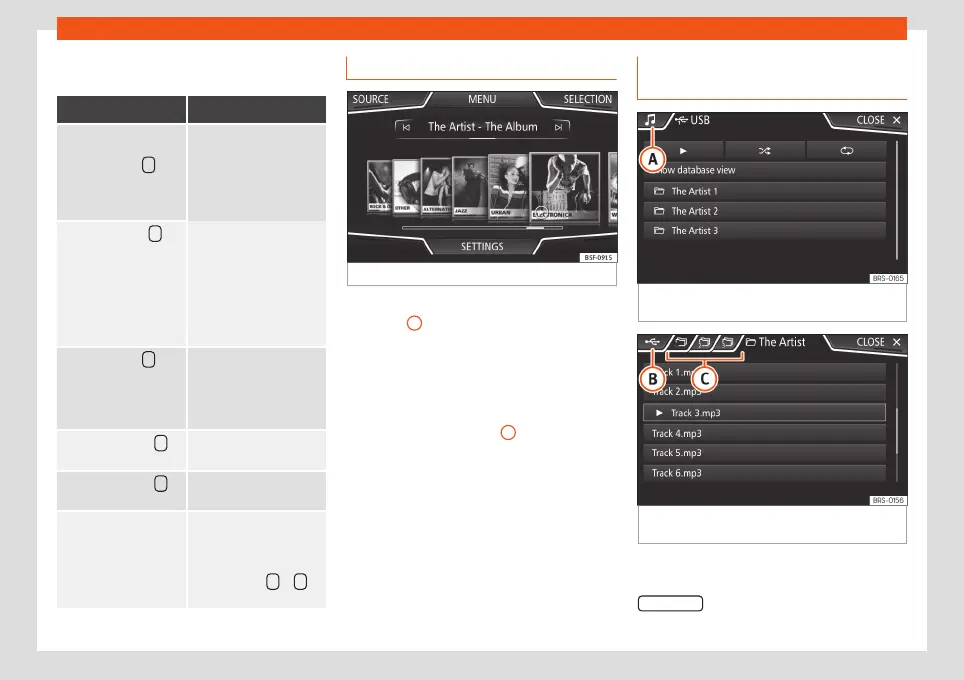
Selecting an album by its cover
Fig. 34
Selecting by cover.
When pressing the current cover
›››
Fig. 33
1
, it displays all the album covers
available in the active media source
›››
Fig. 34.
It is possible to browse through all the albums
by sliding the covers left or right, by using the
bottom horizontal slide bar, or by using the
adjustment knob
›››
Fig. 2
12
.
The selection by cover view will close after
approximately 5 seconds of inactivity and will
return to the main Media menu.
Selection of a track from a list of
tracks
Fig. 35
Media mode: list of folders on a media
source.
Fig. 36
Media mode: list of tracks on a media
source.
Opening a track list
●
From the MEDIA main menu, press the
SELECTION
›››
Fig. 33 function button to open
46



 To Next Page