4.2. USING L-BAND PPP CORRECTION DATA WITH THE ASTERX-U
Step 5: Beam Selection Mode and Service
For TerraStar configuration, select the tab named TERRASTAR on the web interface. For
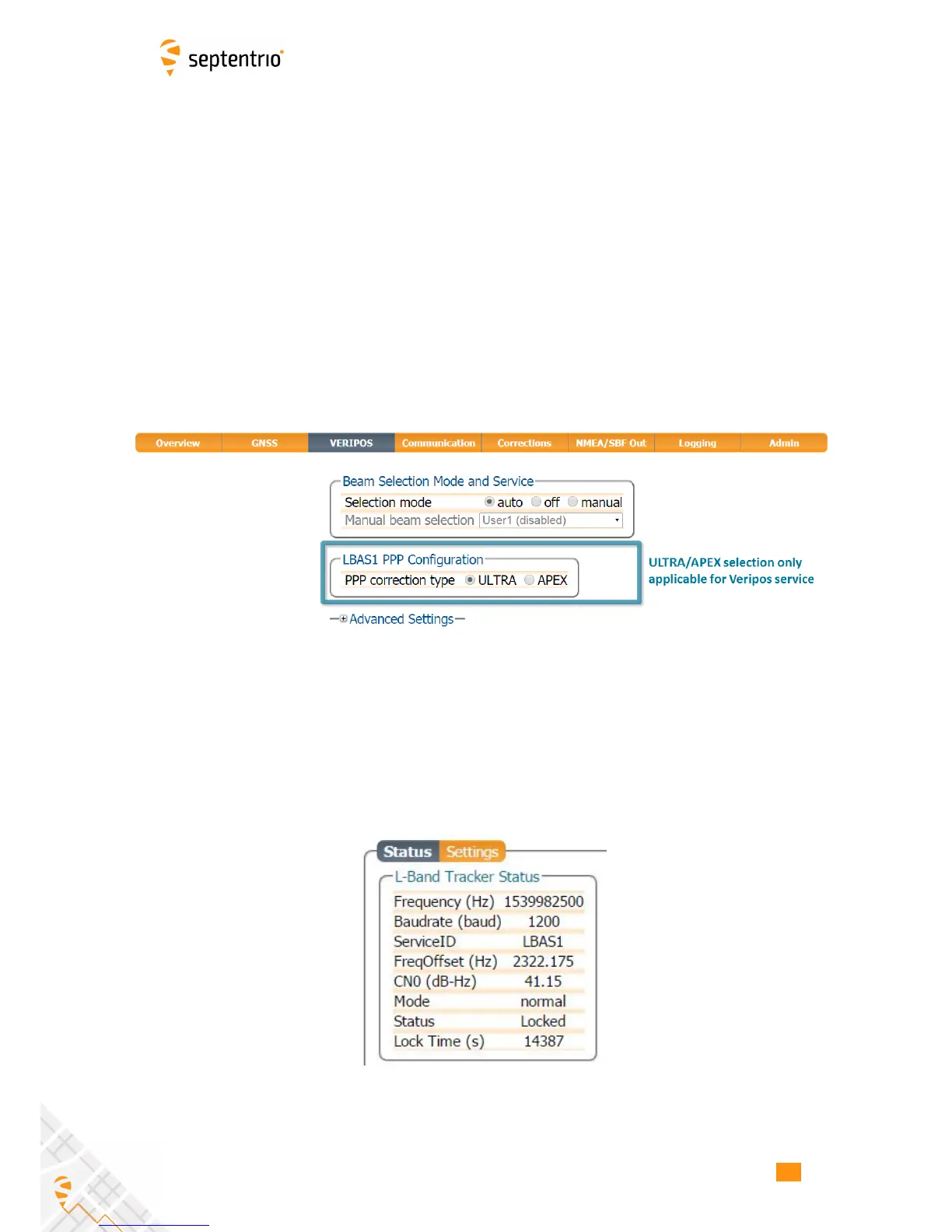
VERIPOS, the L-Band configuration window is named VERIPOS as shown in Figure 4-20.
The default L-band beam selection mode is auto as shown in Figure 4-20. In this mode, the
demodulator will try to lock on to a visible beam, preferring beams to which access has been
granted.
In manual mode, the demodulator will attempt to lock on to the beam selected from the
‘Manual beam selection’ drop-down list ignoring all other beams. The beams in this list
can be pre-set in the ‘Advanced Settings’ expandable field. A beam is characterized by a
frequency and data rate.
Users of the VERIPOS corrections, will have purchased either ULTRA or APEX services which
should be selected as the PPP correction type as shown.
Figure 4-20: Select L-Band beam and APEX/ULTRA correction type (only applicable
for VERIPOS service)
Without a TerraStar or VERIPOS subscription, the AsteRx-U will still be able track visible
L-Band signals. Figure 4-21 shows the L-Band Tracker Status field when the AsteRx-U
is locked onto signals from the AORE satellite which transmits at 1539.9825 Mz. After
purchasing a subscription you will need to track one of the beams for activation over the
air.
Figure 4-21: L-Band Tracker Status field when locked on to an L-Band signal
45



 To Next Page