75
Electronics
Remove and Replace the Control Module Assembly
CAUTION:
The Eclipse contains electrostatic sensitive components. Do not open
or handle except at a static free workstation.
NOTE:
The Control Module Assembly is factory calibrated as a single unit. Do
not disassemble the Control Module Assembly.
1. Remove the Unit Cover as described in the section Remove and Replace the Unit Cover.
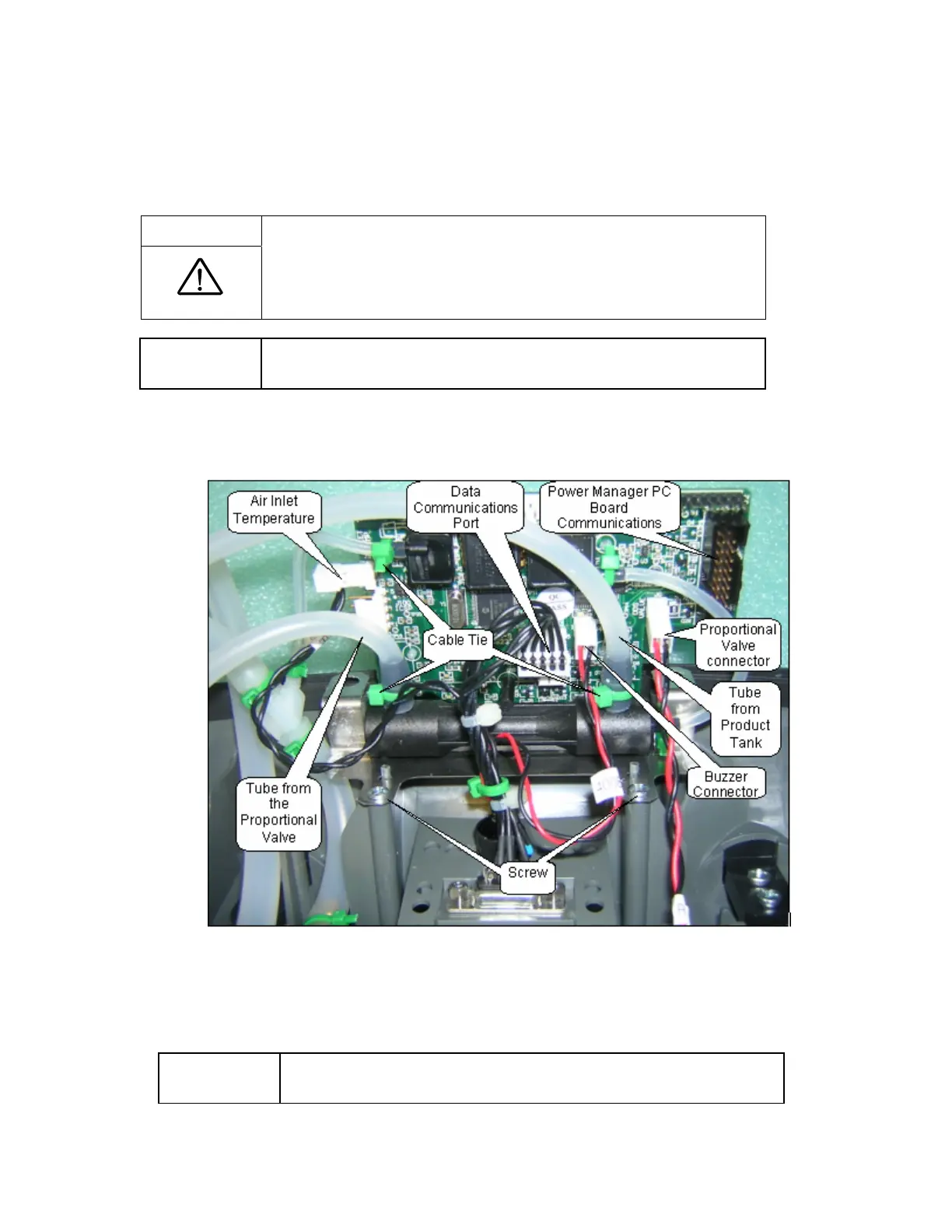
Figure 38: Control Module Removal (ATF Module not shown for clarity).
2. Remove the 2 screws (M3x10 Plastite Screw, P/N 6950-310) holding the Control Module
Assembly to the Unit Case as shown in Figure 38.
NOTE:
Use a magnetized Phillips #1 screwdriver to remove the screws. This
greatly reduces the chances of dropping a screw in the Unit Case.



 To Next Page