83
Compressor
Remove and Replace the Compressor Box
NOTE:
There are no field serviceable parts inside the Compressor Box. Do
not attempt to disassemble or modify the Compressor Box in the field.
1. Remove the Unit Cover as described in the section Remove and Replace the Unit Cover.
CAUTION:
The Eclipse contains electrostatic sensitive components. Do not open
or handle except at a static free workstation.
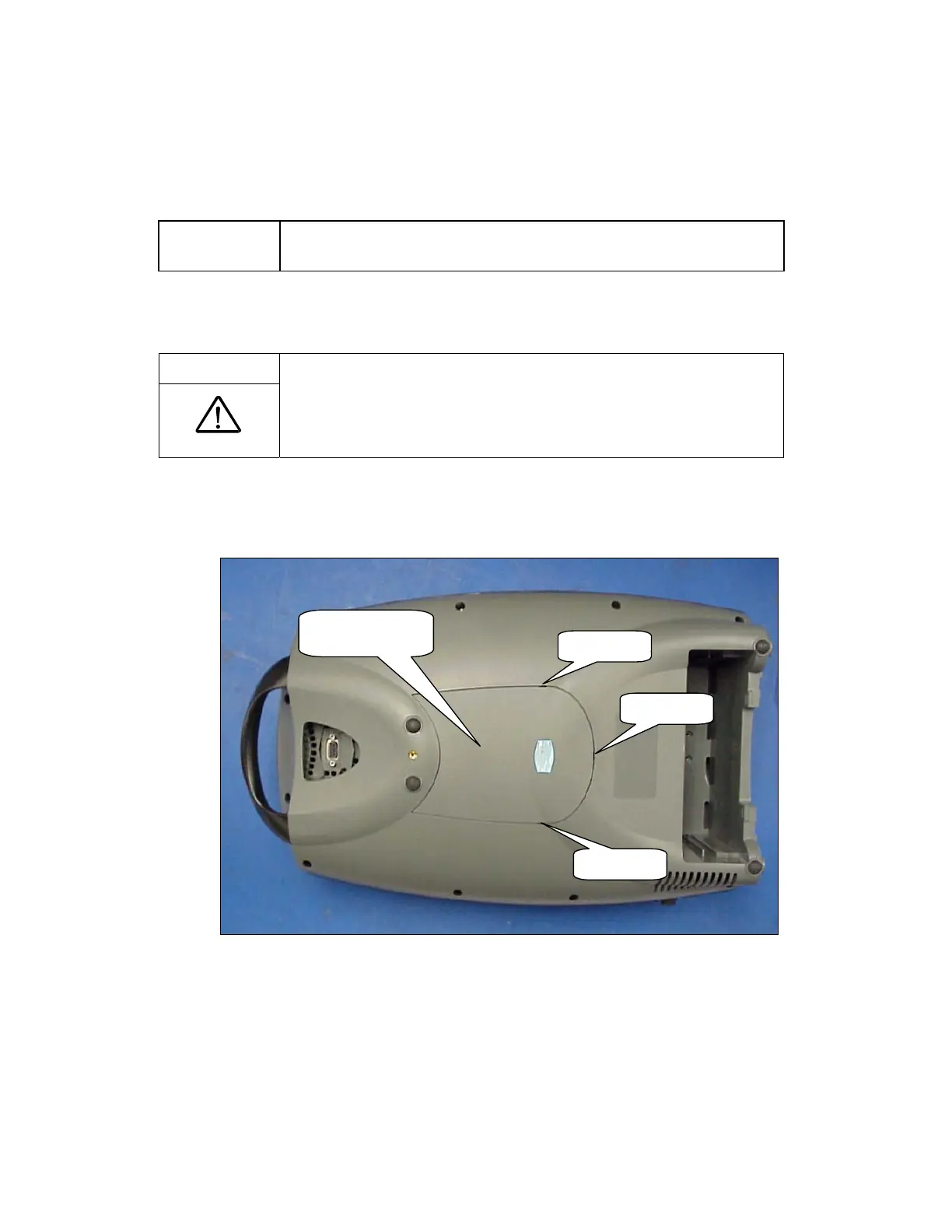
2. Flip unit over onto a padded ESD safe surface. Using a small flat tip screwdriver to pry open the
cover at each pry point, remove the Case Bottom Cover as shown in Figure 48.
Pry Point
Pry Point
Pry Point
Case Bottom
Cover
Figure 48: Case Bottom Cover Removal.
3. Disconnect the 3 wire harnesses shown in Figure 49.



 To Next Page