79
Remove and Replace the Power Manager Printed Circuit Board
CAUTION:
The Eclipse contains electrostatic sensitive components. Do not open
or handle except at a static free workstation.
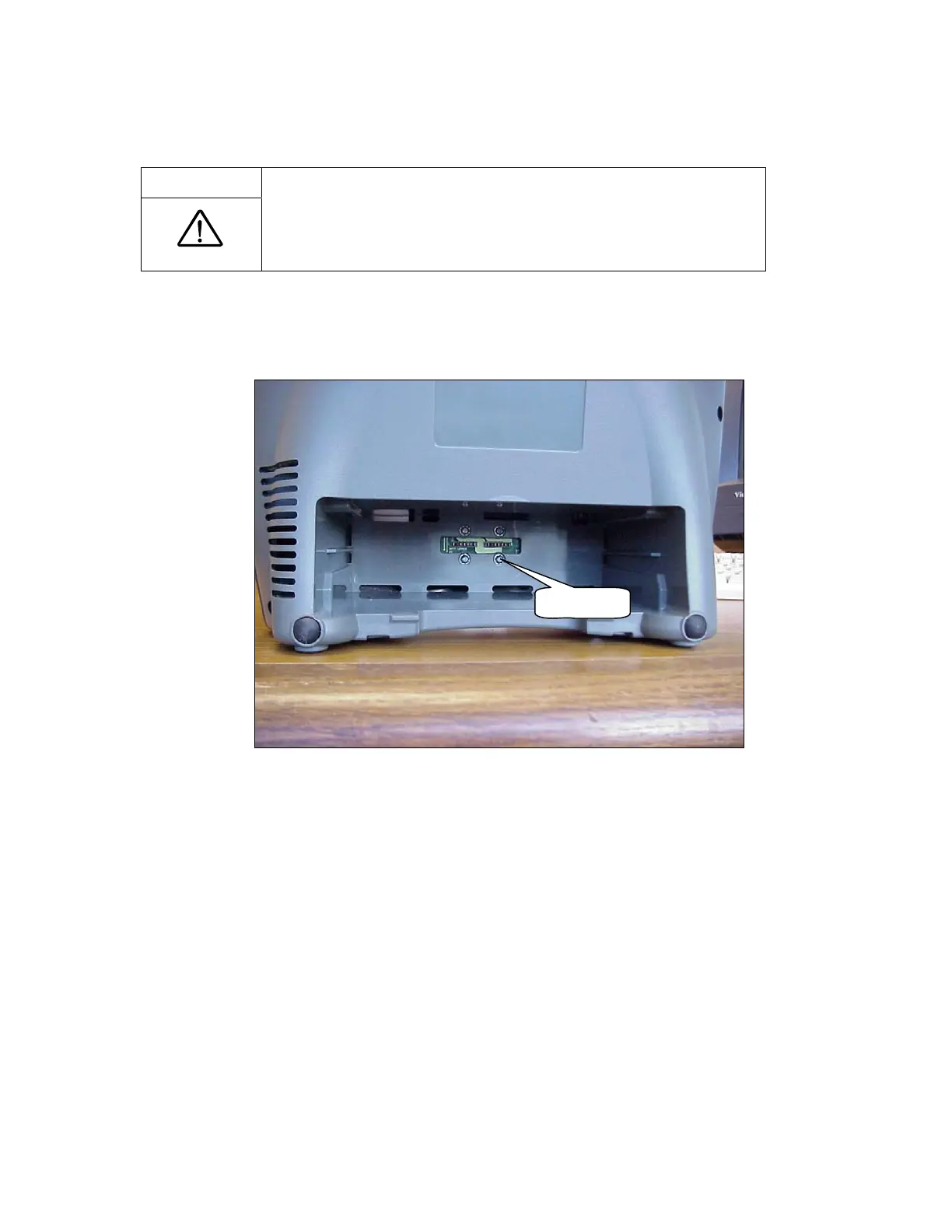
1. Remove the Power Cartridge and unscrew the 4 screws (M3x12 Pan Head SEM Screw, P/N
6974-312) shown in Figure 43.
4 Screws
Figure 43: Battery Bridge Board Removal.
2. Remove the Unit Cover as described in the section Remove and Replace the Unit Cover.
3. Disconnect the 5 wire harnesses as shown in Figure 44. Remove the Battery Bridge PCB as
shown in Figure 44



 To Next Page