Plasma Gas Analyzer
12 02001001A_9
3 UNPACK THE ANALYZER
WARNING
The analyzer is heavy (see Section 2.1). Care must be taken when
handling. It is recommended that they are lifted with hands positioned
on either side on the base of the chassis.
Remove the analyzer and any other equipment from its packaging.
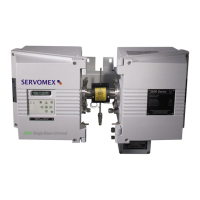
Remove any protective caps from the sample gas inlets and outlets on the rear of
the analyzer (see Figure 1 - FRONT OF THE ANALYZER and Figure 2 - REAR
OF THE ANALY.
It is advisable that the protective caps are kept on prior to fitting.
Inspect the analyzer and the other items supplied, and check that they are not
damaged. If any item is damaged, immediately contact Servomex or your local
Servomex agent.
Check that you have received all of the items that you ordered. If any item is
missing, immediately contact Servomex or your local Servomex agent.
If you do not intend to use the analyzer immediately:
Refit any protective caps.
Place the analyzer and any other equipment supplied back in its protective
packaging.
Store the analyzer as described in Section 8.1.
Retain the shipping documentation and packaging for future use (for example,
return of the analyzer to Servomex for servicing or repair).













 To Next Page