Operating Instructions – MOVIFIT® basic
33
5
Connection of operator terminals LT-BG and MB-LC
Electrical installation
5.8 Connection of operator terminals LT-BG and MB-LC
MOVIFIT
®
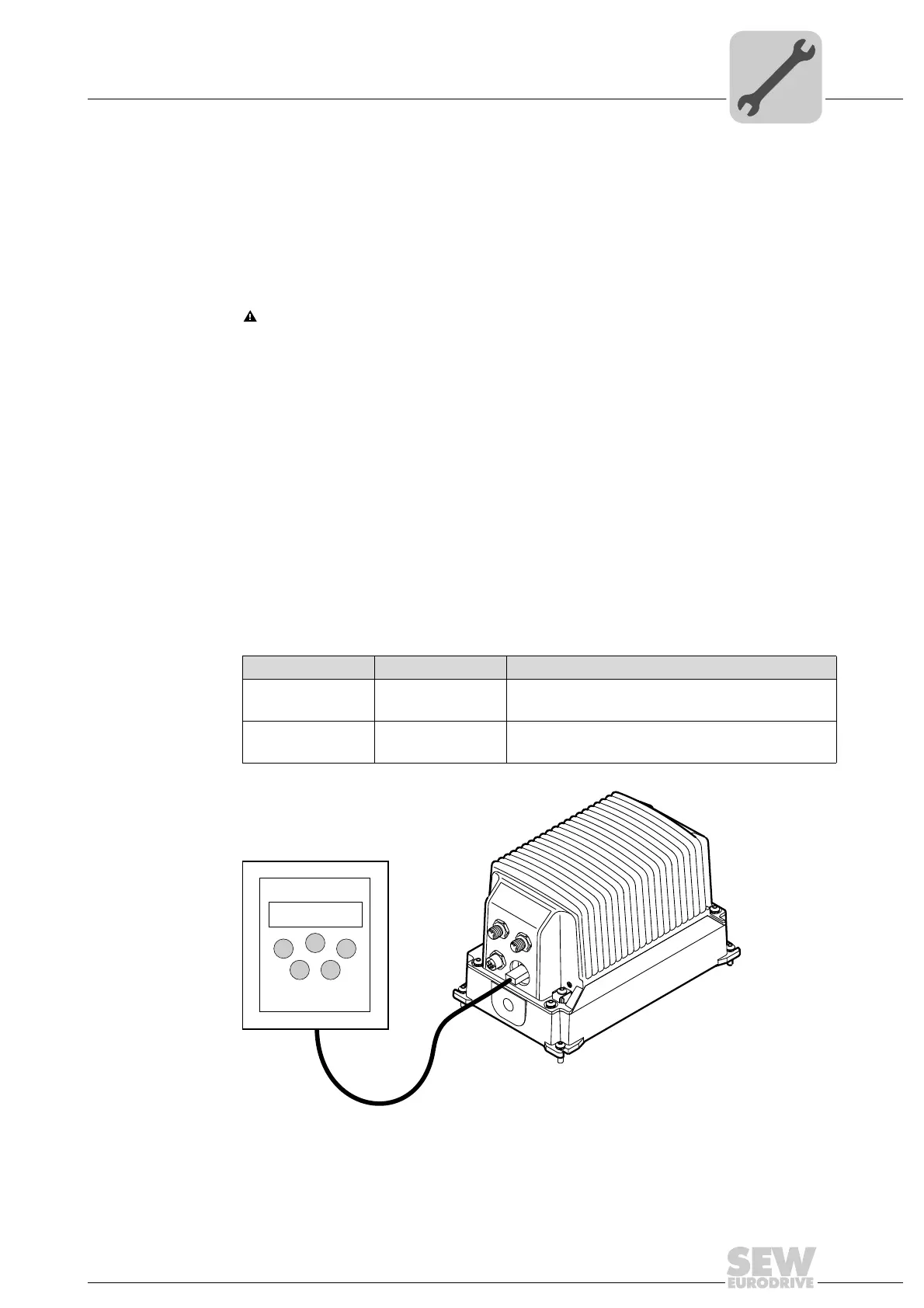
basic units are equipped with an X50 diagnostic interface (RJ11 socket).
The diagnostics interface is located in the connection block of the control unit.
You must remove the screw plug before plugging in the connector into the diagnostic
interface.
WARNING Danger of burns due to hot surfaces of the MOVIFIT
®
basic unit.
Severe injuries.
• Wait for the MOVIFIT
®
basic unit to cool down sufficiently before touching it.
NOTICE Loss of the ensured degree of protection if the screw plug of the diagnostic in-
terface X50 is not installed.
Damage to the MOVIFIT
®
basic unit.
• If there is no screw plug covering the diagnostic interface, you have to make sure that
no moisture can ingress into the MOVIFIT
®
basic unit.
Use the cable enclosed with the operator terminal to connect the operator terminal to
the MOVIFIT
®
basic unit.
Scope of delivery:
Type Part number Scope of delivery
LT-BG 1 820 864 9 – LT-BG operator terminal
– Cable with RJ11 – RJ11 plug connectors
MB-LC 2 820 126 4 – MB-LC operator terminal
– Cable with RJ45 – RJ11 plug connectors
18014401325896459



 To Next Page