Operating Instructions – MOVIFIT® basic
45
6
Parameterization with the PC
Startup
6.7 Parameterization with the PC
(Only for MOVIFIT
®
basic inverter)
6.7.1 Parameterization with LT Shell software
Proceed as follows to change the parameter values via the PC:
1. Check the connection of the MOVIFIT
®
basic unit.
See chapter "Electrical Installation".
2. Connect the PC/laptop to the MOVIFIT
®
basic unit.
See chapter "PC connection".
3. Start the LT Shell V4.0.exe software.
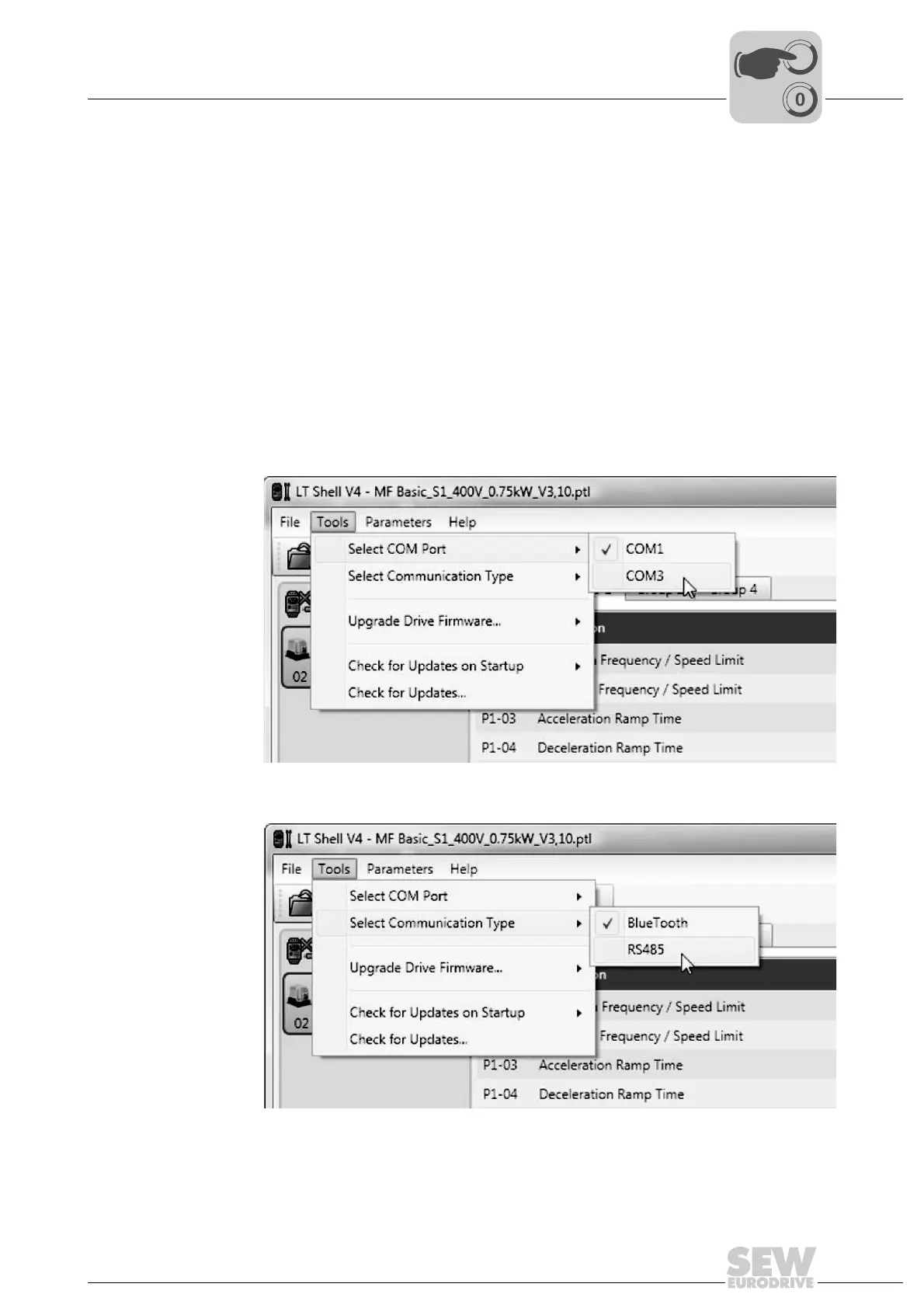
4. Select the COM port of the PC/laptop, the MOVIFIT
®
basic unit is connected to.
5. Choose the communication type RS485.
9007203037920011
7828289163



 To Next Page