Operating Instructions – MOVIFIT® basic
47
6
Parameterization with the PC
Startup
6.7.2 Real-time edit mode
In real-time edit mode, the parameter changes become active immediately in the
MOVIFIT
®
basic inverter.
Proceed as follows to change the parameter values in real-time edit mode:
1. If the MOVIFIT
®
basic unit has not been set up yet in the LT Shell software, carry
out the steps 1 to 5 of chapter "Parameterization with LT Shell software".
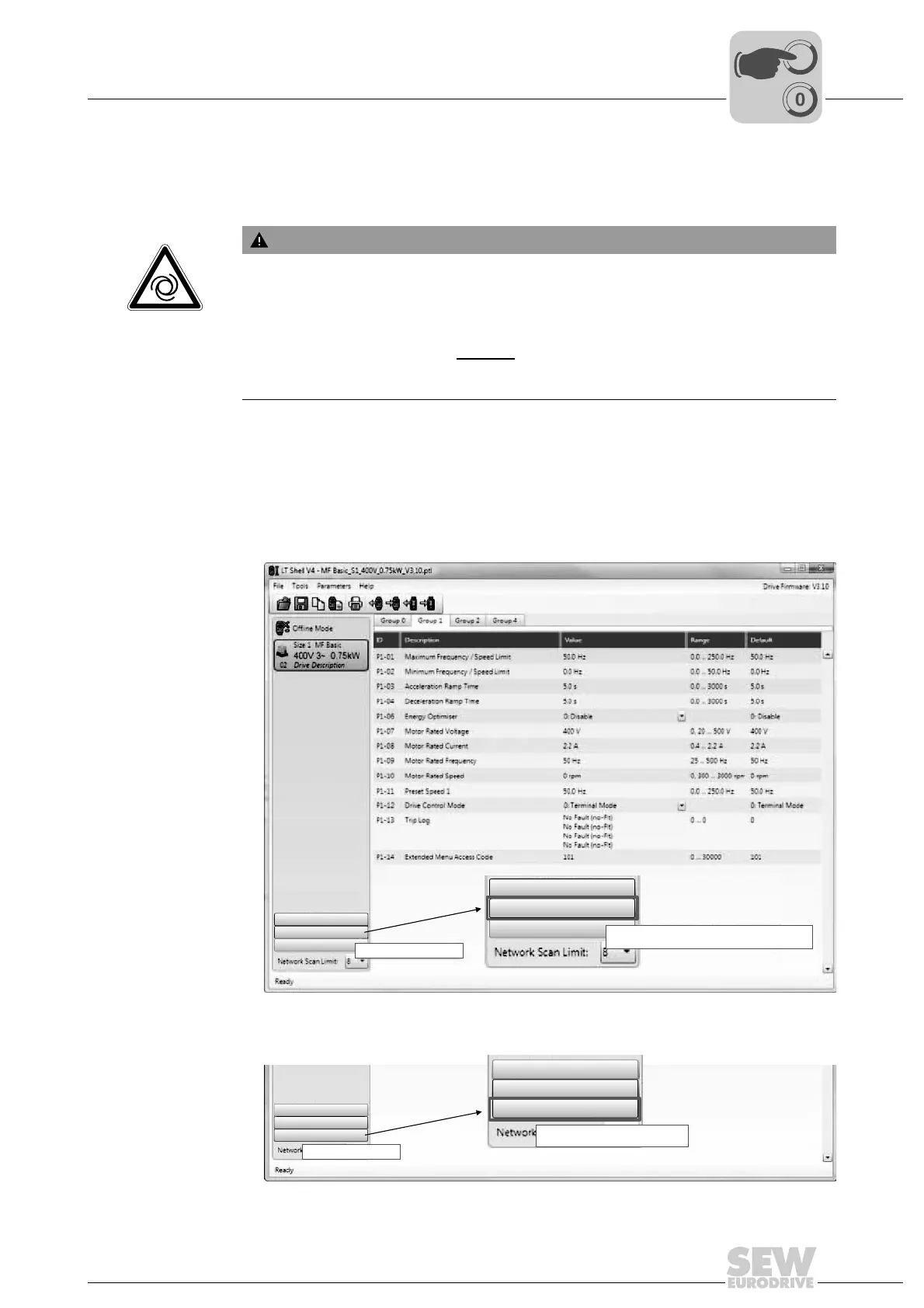
2. Scan the network for existing drives.
3. Activate the real-time edit mode by clicking the [Real-time edit mode] button.
WARNING
Risk of crushing if the drive starts up unintentionally and risk of impact due to sudden
changes in velocity. When the drive is enabled, a parameter change affects the drive
system immediately.
Severe or fatal injuries.
• Make sure that the drive is inhibited
before you activate the real-time edit mode.
• Take additional safety precautions depending on the application to avoid injury to
people and damage to machinery.
7832409995
7828297995
Add Virtual Drive
Scan Drive Nezwork
Real-Time Edit Mode
Scans for Drives on the Network
Add Virtual Drive
Scan Drive Network
Real-Time Edit Mode
Scans for Drives on the Network
Add Virtual Drive
Offline Mode
Real-Time Edit Mode
Enables Real-Time Edit Mode
Enables Real-Time Edit Mode
Add Virtual Drive
Offline Mode
Real-Time Edit Mode



 To Next Page