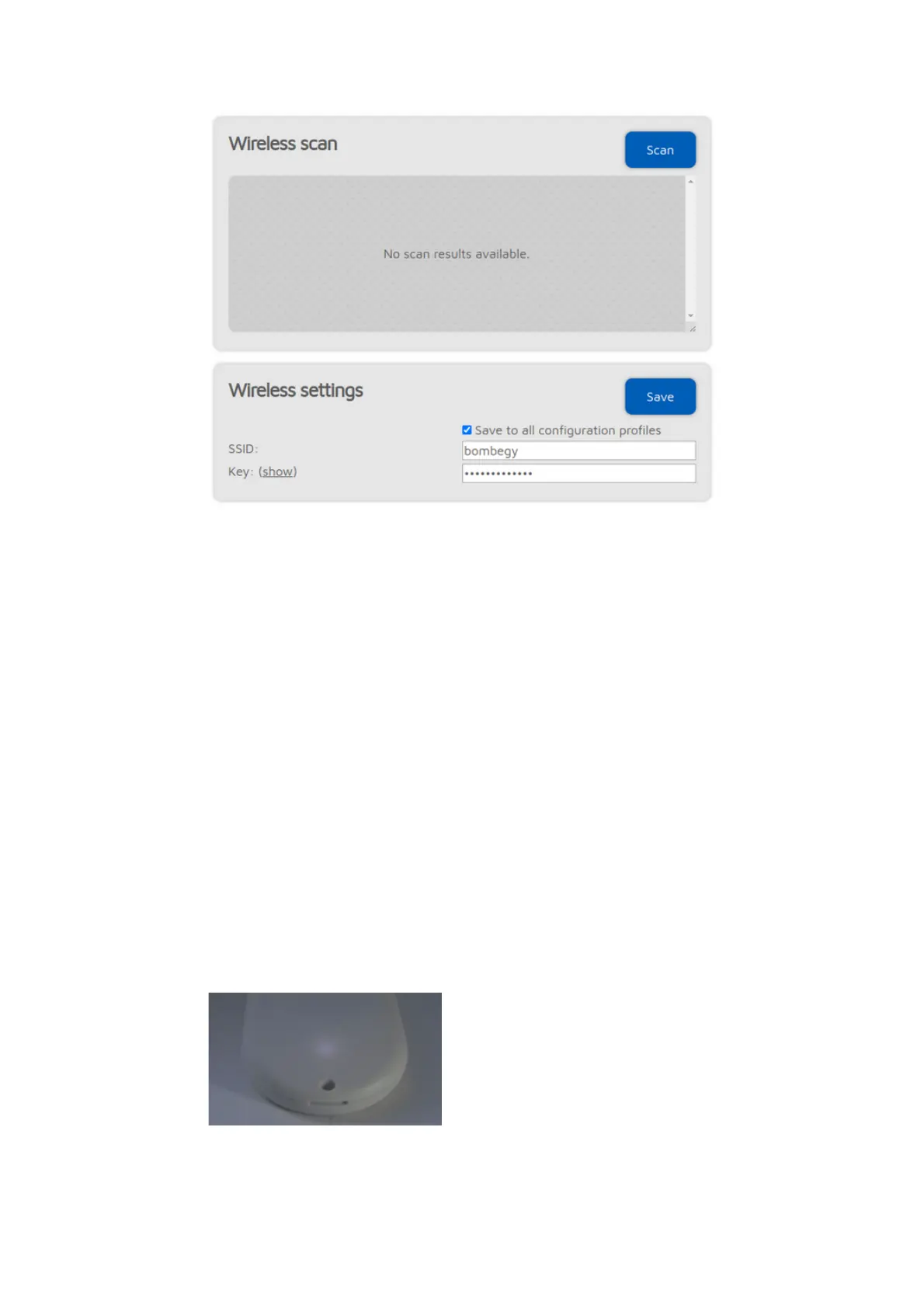
If
Advanced mode
is enabled, you can define up to 5 Wi-Fi networks (per
configuration profile) to connect. If the first configured Wi-Fi network is not
available, then the openSPOT4 will try connecting to the second one. If it's not
available either, then it'll try the third one and so on. After trying connecting to
all of the configured networks, it restarts the sequence with the first network.
If
Advanced mode
is enabled, the
Wireless scan
list will have a Save button for
all previously unsaved networks instead of the Connect button. Clicking on the
Save button lets you easily save the network to one of the 5 available Wi-Fi
network slots.
If you are manually adding a connection to an iPhone's shared internet
connection then make sure you copy and paste the phone's Wi-Fi SSID as the
iPhone uses a special apostrophe character which looks nearly the same as the
one you can enter with your keyboard, but it's different, and all characters need
to match.
If the Save to all configuration profiles is active then the configured Wi-Fi
networks will be saved to all profiles and will be common between profiles.
If no networks are configured then the openSPOT4 switches to access point
(AP) mode and starts broadcasting its own Wi-Fi network. This is indicated by
the status LED:
In this case, complete the steps described in the Initialization setup section of
the user manual to set a Wi-Fi network for the openSPOT4.



 To Next Page