Encoder – Mounting and Connection
58 ATM60 / ATM90 / KHK53
Dec 2021
10.3 Connection to the Network
There are the following different versions:
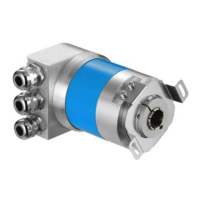
• Encoder with link adapter – connection via cable fitting
(*1)
• Encoder with bus link adapter – connection via screw-in system M12
(*1)
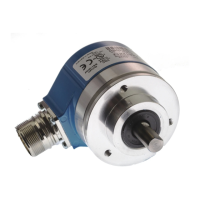
• Encoder without bus link adapter – connection directly via screw-in system M14
(*1)
(*1)
Not all versions are available for each encoder type
10.3.1 Installation Notes re: Voltage Supply
The operating voltage is generally supplied via a separate line and is not designed as a line
structure. If, for the voltage supply, the same cabling arrangement as used by the bus is imple-
mented, the following limitation applies:
Max. current flow across the plugs or terminal block in the bus link adapter is lim-
ited to 2 A
.
Max. number of encoders [series connection] is 10.
10.3.2 ATM 60 with Bus Link Adapter – Cable Fitting
ATM 60 with bus link adapter – connection via 3 cable fittings. The electrical wiring is via the in-
ternal terminal block (X1).
X1 Signal Description
1 US (24V) Operating voltage 10-32 V
2 GND 0 V (Gnd)
3 B B line Profibus DP (out)
4 A A line Profibus DP (out)
5 B B line Profibus DP (in)
6 A A line Profibus DP (in)
7 2P5 +5 V (potential separated)
(1)
8 2M 0 V (potential separated)
(1)
9 RTS Request to Send
(2)
X
X
1
1
Figure 10–3: Pinout ATM 60 with Bus Link Adapter – Cable Fitting.
(1)
For external bus termination or supplying the transmitter/receiver of a fibre-optic con-
nection.
(2)
Signal is optional, serves to detect the direction of a fibre-optic connection.



 To Next Page