Operating Instructions FLOWSIC100
Gas Velocity Monitor
Commissioning and Configuration
8012513/03-2008 © SICK MAIHAK GmbH · Germany · All rights reserved 99
4.2.4 Configuring the Analog Inputs
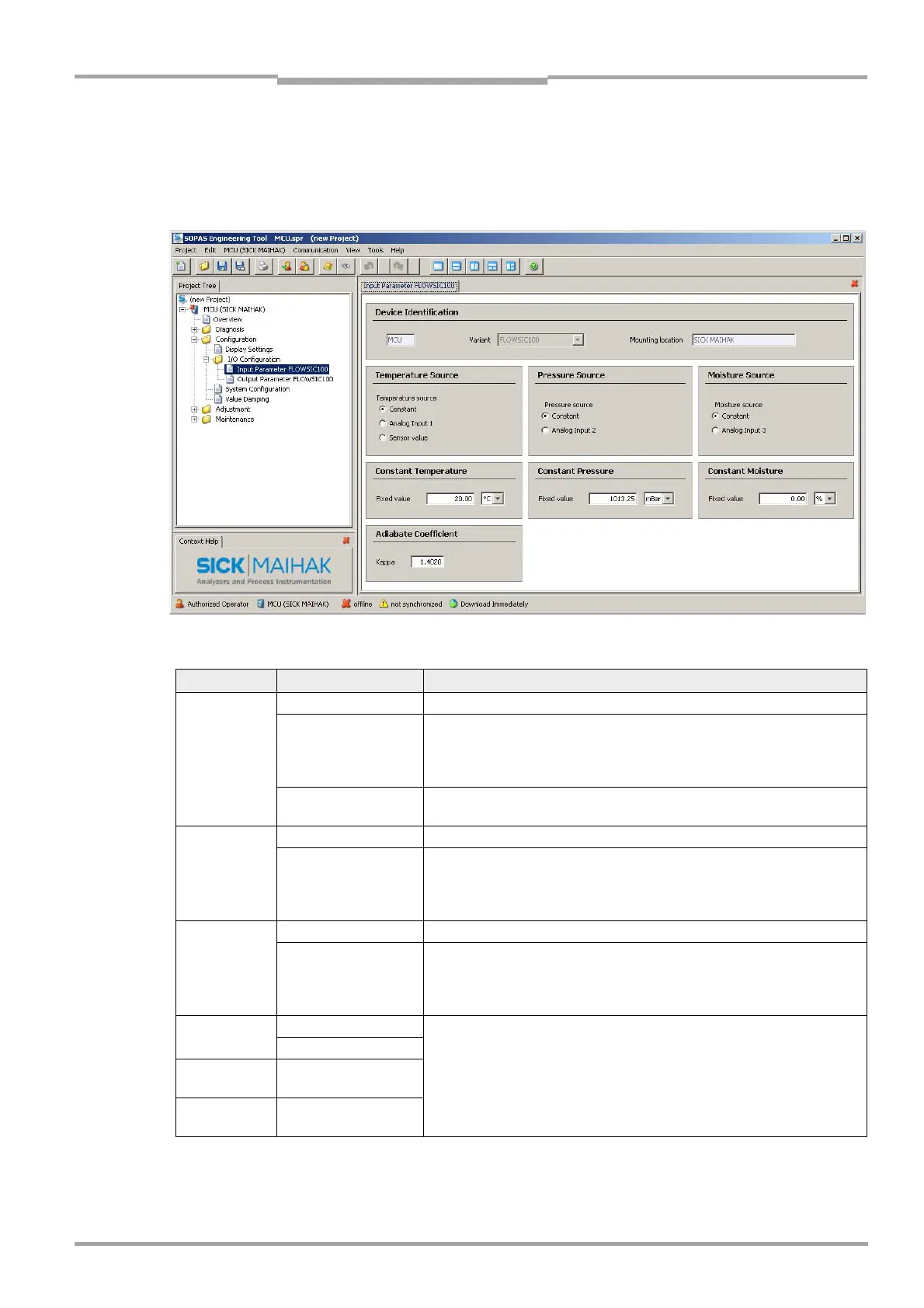
Switch to the MCU subpage "Configuration / I/O Configuration / Analog input / Input
Parameter FLOWSIC100" (see Fig. 4.14) and set the basic parameters.
Fig. 4.14: "Input Parameter FLOWSIC100" subpage
Field Parameter Description
Temperature
Source
Constant A constant value is used for the standardization.
Analog input 1
The value of an extern sensor connected to analog input 1 (standard ship-
ment) is used for the standardization.
If this field is activated, the input fields for the configuration of the input
range appear under the ‘‘Temperature” field.
Sensor measured
value
The value of the integrated temperature sensor is used for the standardi-
zation
Pressure
Source
Constant A constant value is used for the standardization.
Analog input 2
The value of an extern sensor connected to analog input 2 (standard ship-
ment) is used for the standardization.
If this field is activated, the input fields for the configuration of the input
range appear under the ‘‘Pressure” field.
Moisture
Source
Constant A constant value is used for the standardization.
Analogeingang 3
The value of an extern sensor connected to analog input 3 (standard ship-
ment) is used for the standardization.
If this field is activated, the input fields for the configuration of the input
range appear under the ‘‘Pressure” field.
Constant
Temperature
Value in °C
Setting of a value necessary for the standardization
Value in K
Constant
Pressure
Value in mbar
Constant
Moisture
Value in %


 To Next Page
 Loading...









