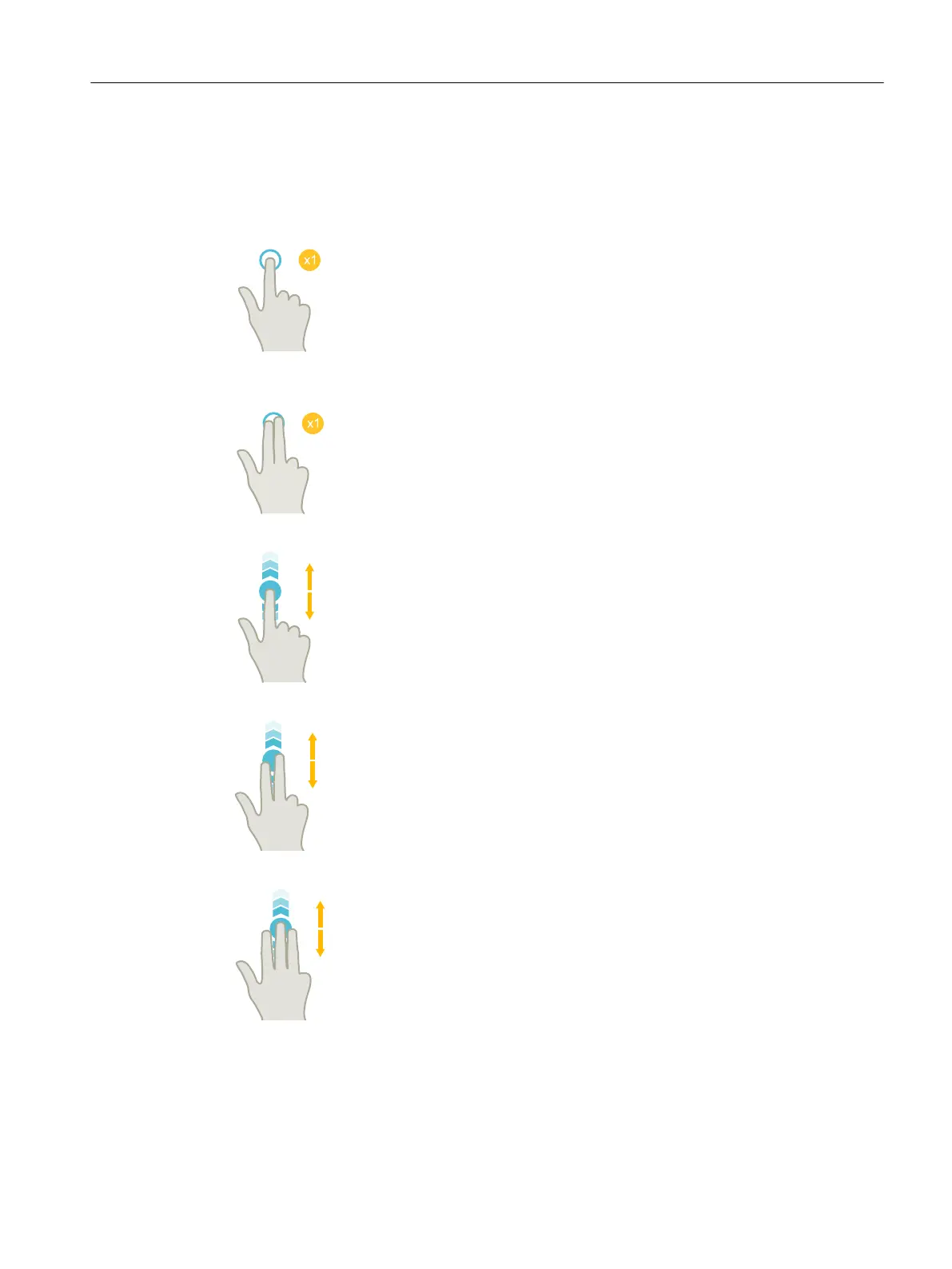
3.3 Finger gestures
Finger gestures
Tap
● Select window
● Select object (e.g. NC set)
● Activate entry field
– Enter or overwrite value
– Tap again to change the value
Tap with 2 fingers
● Call the shortcut menu (e.g. copy, paste)
Flick vertically with one finger
● Scroll in lists (e.g. programs, tools, zero points)
● Scroll in files (e.g. NC program)
Flick vertically with two fingers
● Page-scroll in lists (e.g. ZO)
● Page-scroll in files (e.g. NC programs)
Flick vertically with three fingers
● Scroll to the start or end of lists
● Scroll to the start or end of files
Multitouch operation with SINUMERIK Operate
3.3 Finger gestures
Milling
Operating Manual, 08/2018, 6FC5398-7CP41-0BA0 71











 To Next Page