SDS1000X-E&SDS1000X-U User Manual
69
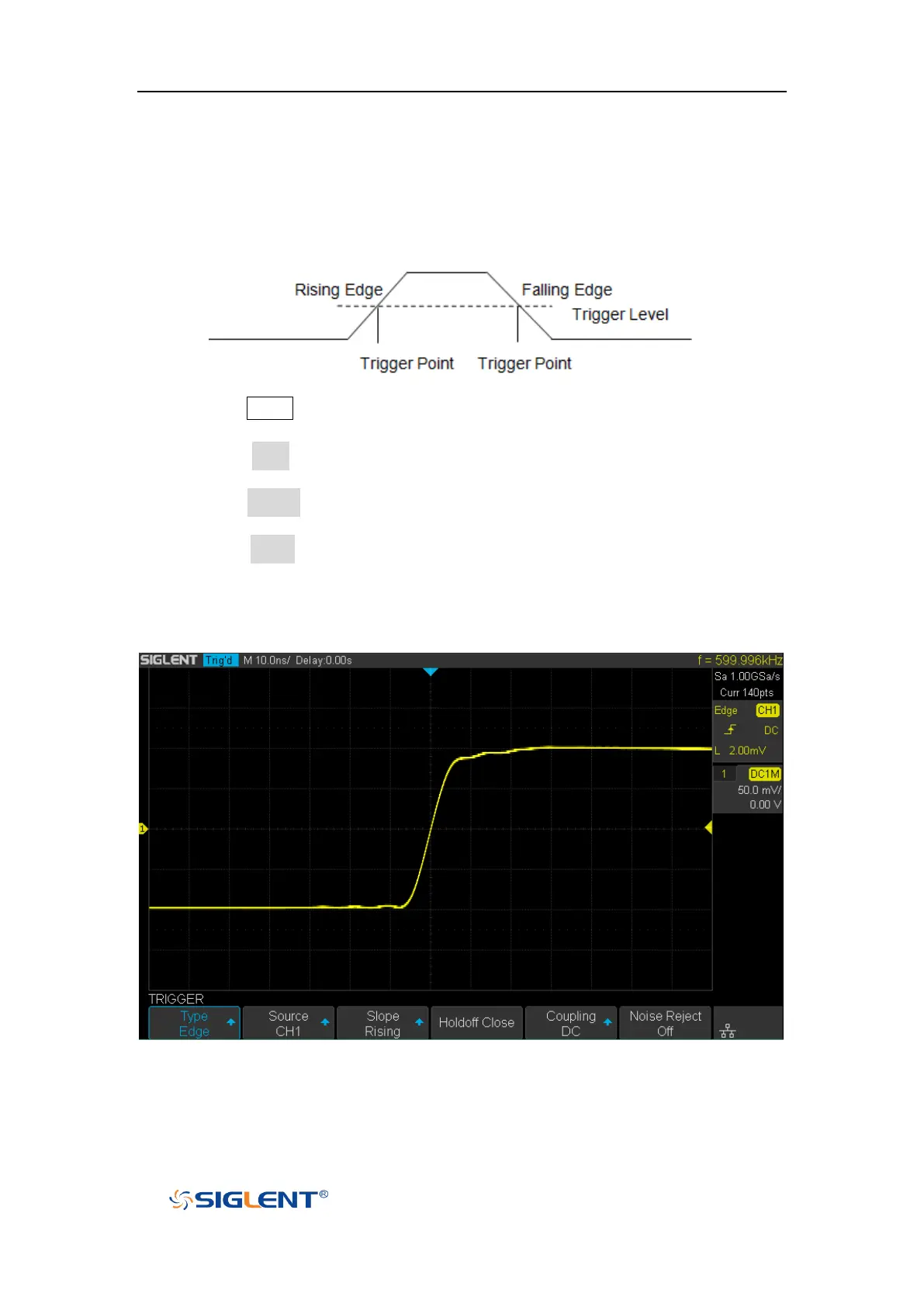
Edge Trigger
Edge trigger distinguishes the trigger points by seeking the specified edge (rising,
falling, alter) and trigger level.
1. Press the Setup button on the front panel to enter the TRIGGER system function
menu.
2. Press the Type softkey; turn the Universal Knob to set select Edge and then
push the knob to confirm.
3. Press the Source softkey; turn the Universal Knob to select the deserted trigger
source.
4. Press the Slope softkey; turn the Universal Knob to select the desired trigger
edge (rising, falling or alter), and then press down the knob to confirm. The
current trigger slope is displayed at the upper right corner of the screen.
5. Turn the Trigger Level Knob to adjust the trigger level to obtain stable trigger.
Figure 30 Edge Trigger
Holdoff, coupling and noise reject can be set in edge trigger, see the sections
"Trigger Holdoff", "Trigger Coupling" and "Noise Rejection" for details.









 To Next Page