SDS1000X-E&SDS1000X-U User Manual
73
Pulse Trigger
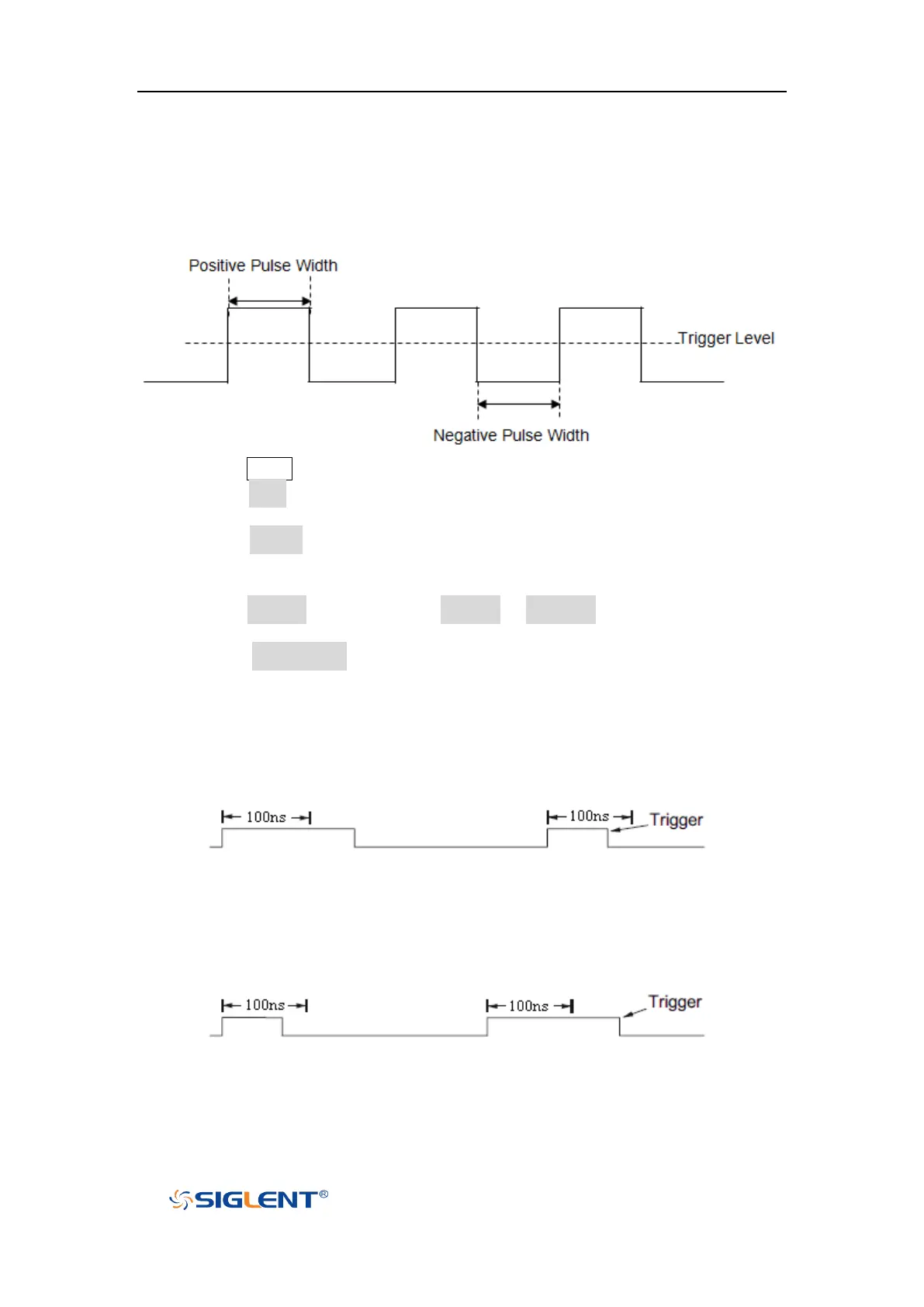
Trigger on the positive or negative pulse with a specified width.
1. Press the Setup button on the front panel to enter the TRIGGER function menu.
2. Press the Type softkey; turn the Universal Knob to select Pulse and then push
the knob to confirm.
3. Press the Source softkey; turn the Universal Knob to select CH1 or CH2 as the
trigger source.
4. Turn the Trigger Level Knob to adjust the trigger level to the desired place.
5. Press the Polarity softkey to select Positive or Negative pulse that to trigger on.
The current trigger polarity is displayed at the upper right corner of the screen.
6. Press the Limit Range softkey; turn the Universal Knob to select the desired
condition.
<= (less than a time value): trigger when the positive or negative pulse
time of the input signal is lower than the specified time value.
For example, for a positive pulse, if you set t (pulse real width) ≤ 100ns,
the waveform will trigger.
>= (greater than a time value): trigger when the positive or negative pulse
time of the input signal is greater than the specified time value.
For example, for a positive pulse, if you set t (pulse real width) ≥ 100ns,
the waveform will trigger.
[--,--] (within a range of time value):trigger when the positive or negative
pulse time of the input signal is greater than the specified lower limit of
time and lower than the specified upper limit of time value.









 To Next Page