SDS1000X-E&SDS1000X-U User Manual
108
UART Serial Decode
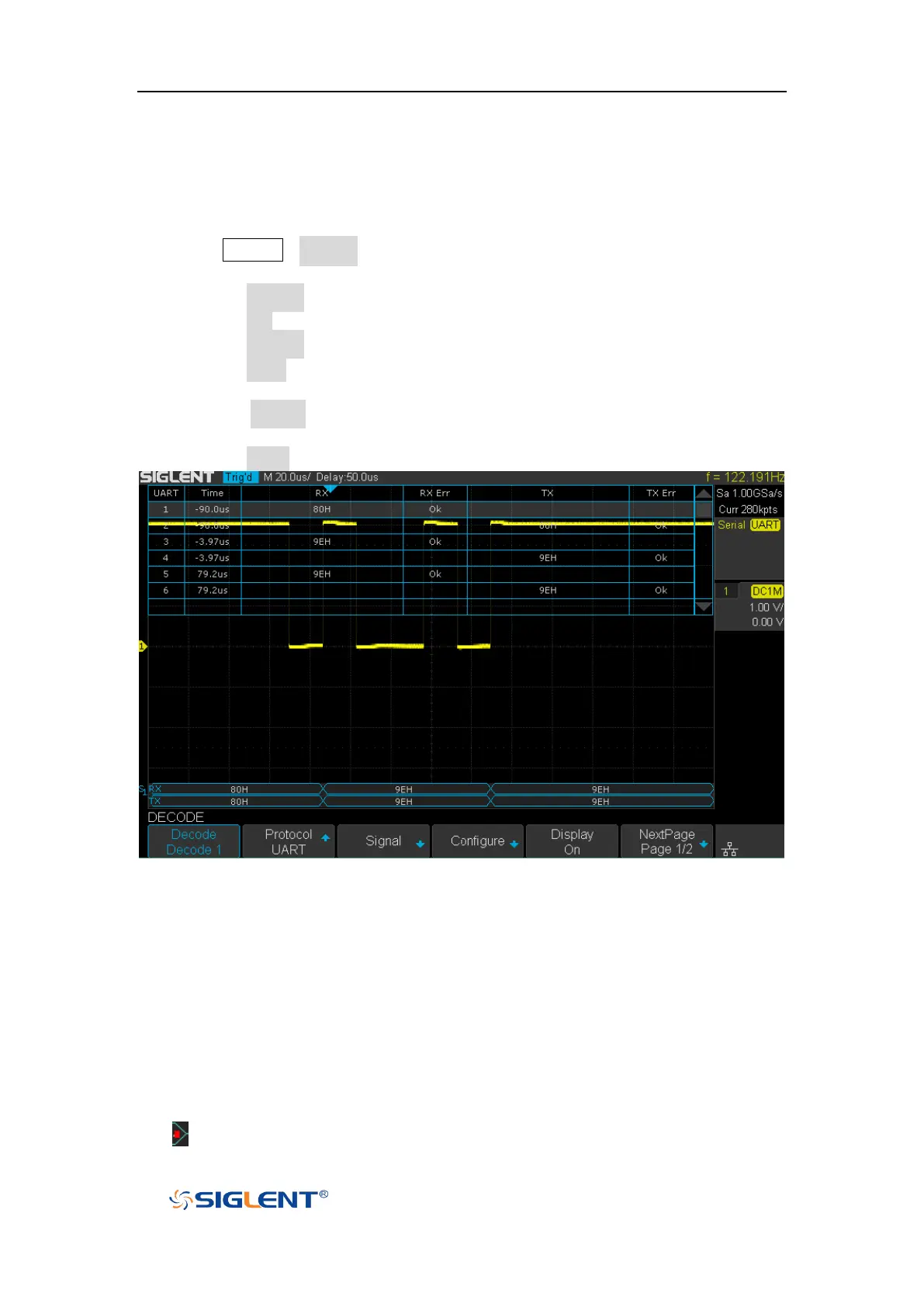
After completing the setup of UART signal and trigger, we will decode UART signals.
Operation steps as follows.
1. Press Decode→Decode. Select one of the options from the Decode1 and
Decode2.
2. Press the Display and select On to display the result of decoding.
3. Press the List to enter the LIST function menu.
4. Press the Display and choose the same options as the first step.
5. Press the Lines and set the number of lines by Universal Knob. The range of the
lines is 1 to 7.
6. Press the Format to change the character encoding format of the decoding’s
result.
7. Press the Scroll and turn the Universal Knob to view all frames.
Figure 57 UART Decode
Interpreting UART Decode
The frames of decoding result:
RX — the decoding result of the data received.
TX — the decoding result of the data transmitted.
Indicates there is not enough space on the display to show the complete









 To Next Page