SDS1000X-E&SDS1000X-U User Manual
155
Persistence
With persistence, the oscilloscope updates the display with new acquisitions, but
does not immediately erase the results of previous acquisitions. All previous
acquisitions are displayed with reduced intensity. New acquisitions are shown in
their normal color with normal intensity.
Do the following steps to set and clear persistence:
1. Press the Display/Persist button on the front panel to enter the DISPLAY
function menu.
2. Press the Persist softkey; then turn the Universal Knob to select the desires
option.
Off —turn of persistence.
Variable persistence time (1 second, 5 seconds, 10 seconds, 30 seconds )
— select different persistence time, the results of previous acquisitions are
erased after a certain amount of time
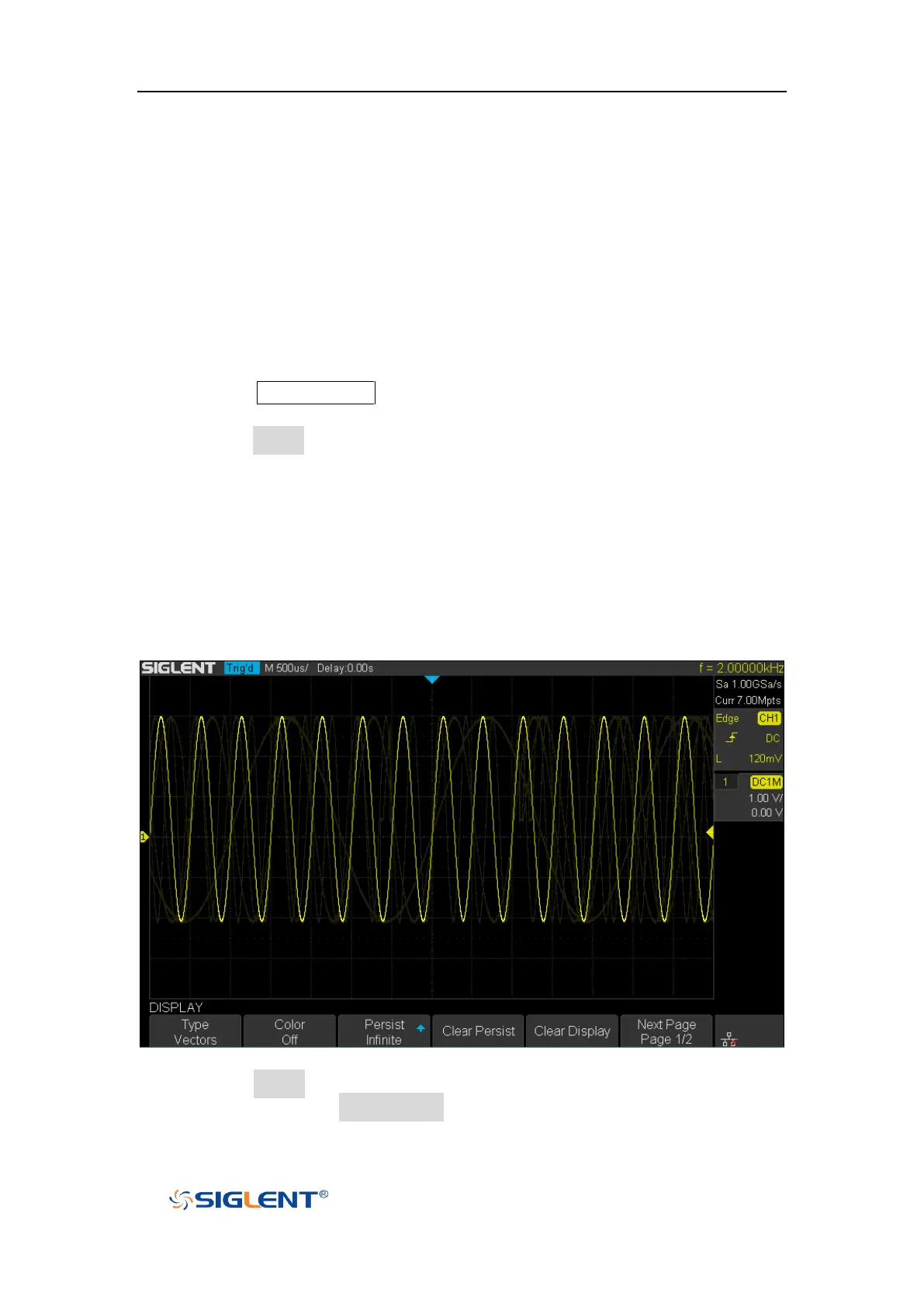
Infinite —select “Infinite” Results of previous acquisitions are never
erased. Use infinite persistence to measure noise and jitter, to see the
worst- case extremes of varying waveforms, to look for timing violations,
or to capture events that occur infrequently.
Figure 97 Persist Set to Infinite
3. When the Persist is On, to erase the results of previous acquisitions from the
display, press the Clear Persist softkey. The oscilloscope will start to
accumulate acquisitions again.









 To Next Page