SDS1000X-E&SDS1000X-U User Manual
151
Gate Measurement
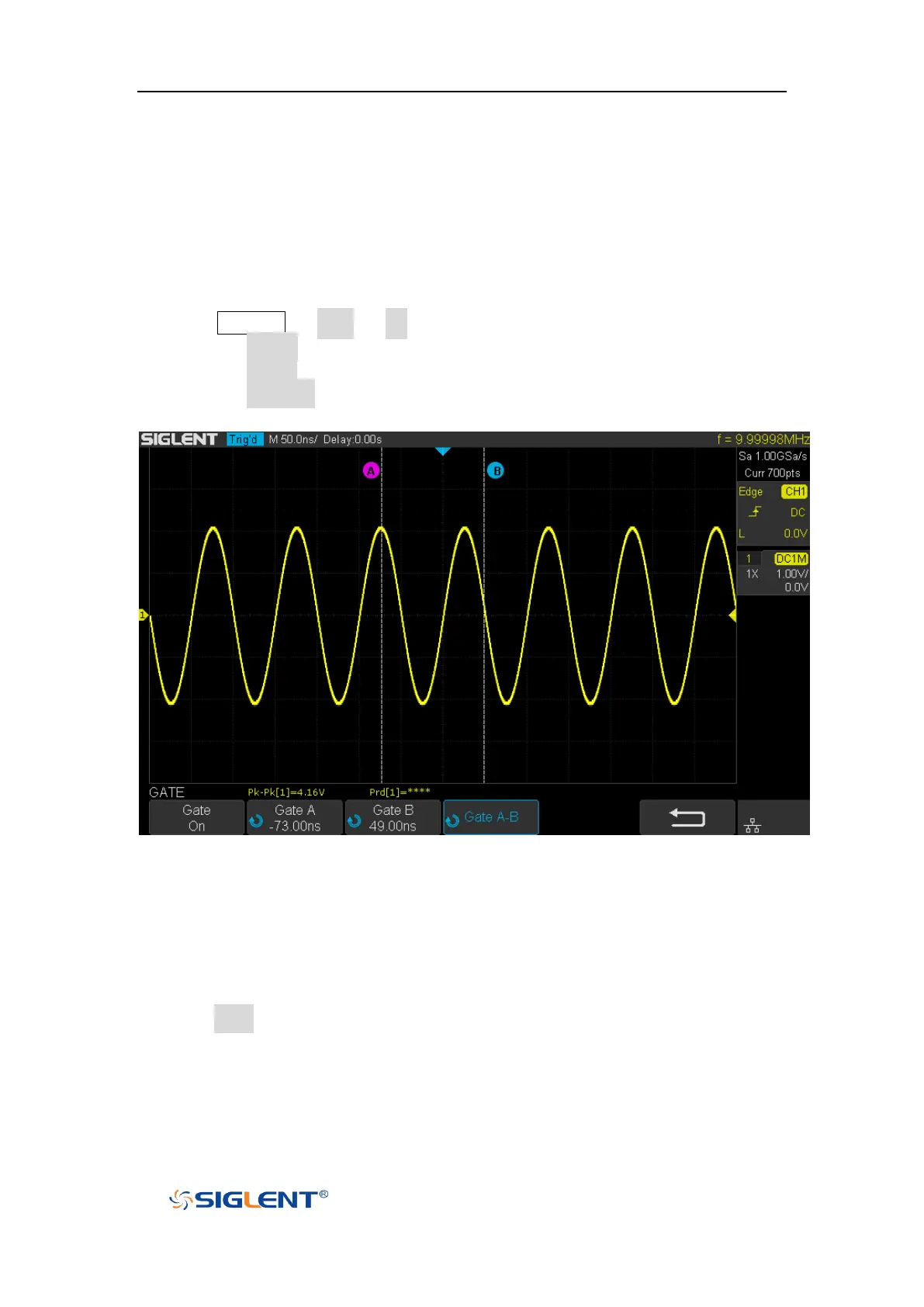
The SDS1000X-E/SDS1000X-U support gate measurement and perform the selected
measurement within the upper and lower limits of the gate. Setting the gate will
affect the measurement of all voltage, time, and delay parameters.
1. Press Measure → Gate → On to open the gate measurement.
2. Press the Gate A to move the position of gate A by the Universal Knob.
3. Press the Gate B to move the position of gate B by the Universal Knob.
4. Press the Gate A-B to move the positions of the gate A and B simultaneously by
the Universal Knob.
Figure 93 Gate Measurement
Clear Measurement
Press the Clear softkey to clear all the measurement parameters that are displaying
on the screen.









 To Next Page