SDS1000X-E&SDS1000X-U User Manual
23
User Interface
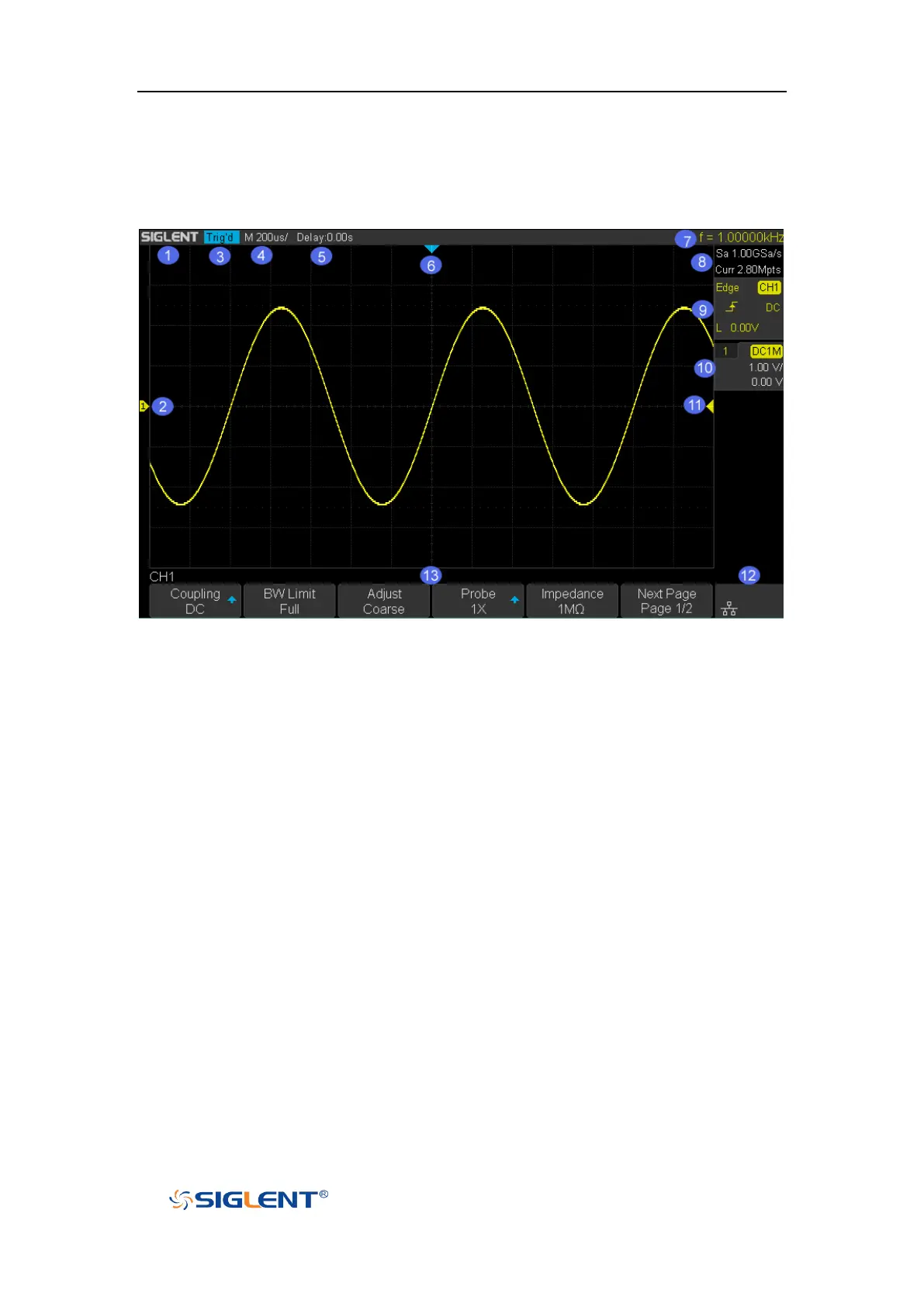
Figure 15 User Interface
1. Product Logo
SIGLENT is the registered trademark of SIGLENT TECHNOLOGIES CO., LTD.
2. Channel Label/Waveform
Different channels are marked by different colors and the color of the
waveform complies with the color of the channel.
3. Trigger Status
Available trigger status includes Ready, Auto, Stop, Arm, Trig’d, FStop.
4. Horizontal Time Base
Represent the time per grid on the horizontal axis on the screen.
Use the HORIZONTAL SCALE Knob to adjust the parameter. The available
range is from 1.0 ns to 100 s for SDS1000X-E; while from 2.0 ns to 100s for
SDS1000X-U.
5. Trigger Position
Turn the Horizontal Position Knob to adjust the parameter. Push the knob to set
the value to 0 automatically.









 To Next Page