SDS1000X-E&SDS1000X-U User Manual
206
Connect the oscilloscope and the external AWG via LAN.
If LAN is selected, press the Set IP softkey, and set the IP of AWG in the
pop-up dialog box.
Press the Connection Test softkey to check the connection.
2) Press the Sweep Type softkey to select Simple or Vari-level. Press the Set
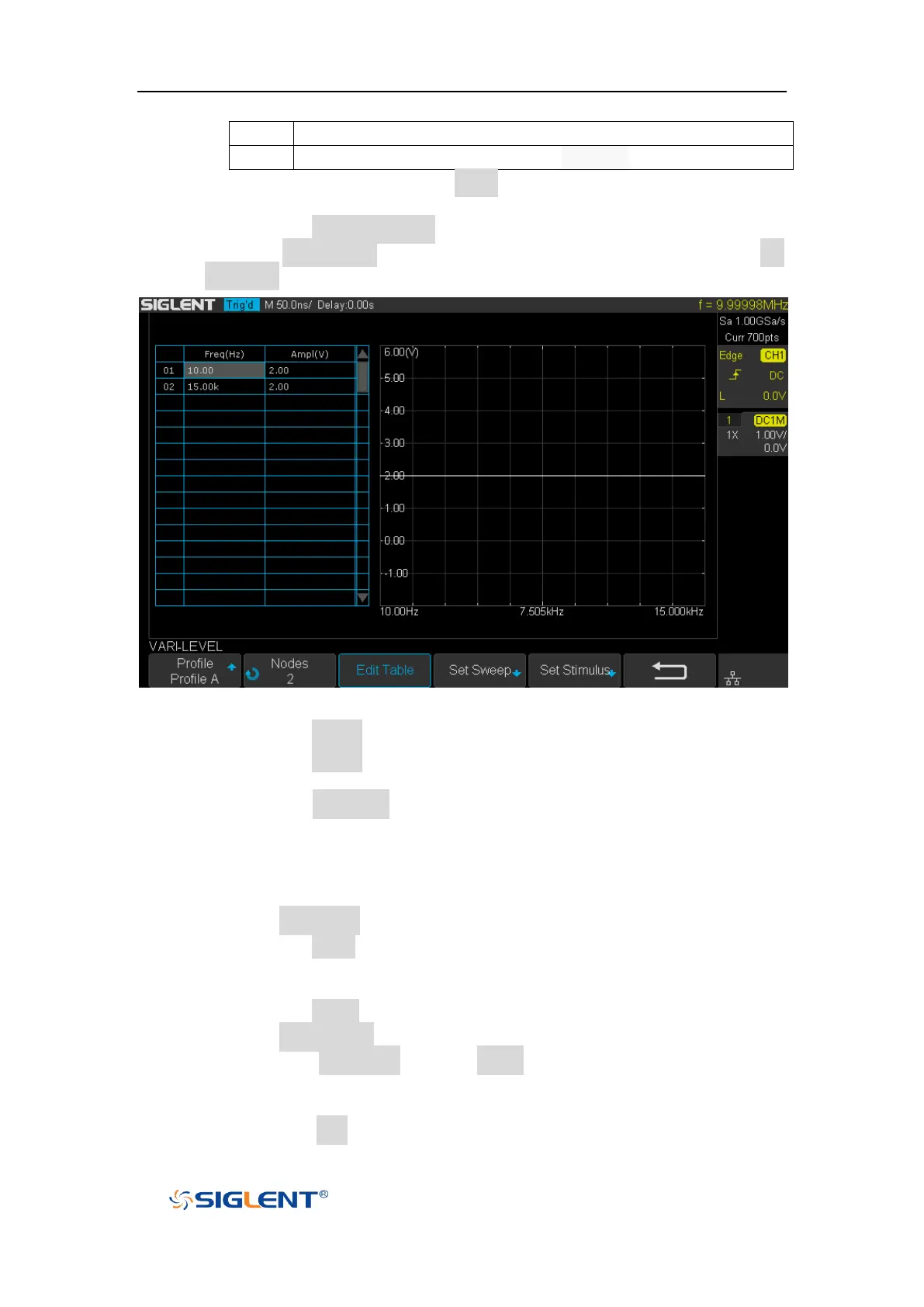
Vari-level softkey to enter the VARI-LEVEL menu.
Figure 131 VARI-LEVEL Menu
Press the Profile softkey to select the profile (Profile A~ Profile D).
Press the Nodes softkey and turn the Universal knob to set the number
of nodes.
Press the Edit Table softkey continuously to select the cell and turn the
Universal knob to select the line. When the cell is selected, set the
value by using the universal knob or virtual keyboard. "Freq" indicates
the scanning frequency value while "Ampl" indicates the scanning
amplitude.
3) Press the Set Sweep softkey to enter SET SWEEP menu.
Press the Mode softkey to select the sweep mode.
Linear: it is necessary to set the center frequency and span frequency
Decade: it is necessary to set the start frequency and stop frequency.
Press the Points softkey to set the sweep resolution.
4) Press the Set Stimulus softkey to enter STIMULUS menu.
Press the Amplitude softkey (Offset softkey) and turn the Universal
Knob to set the amplitude, or press the Universal Knob directly to enter
the parameter value in the pop-up virtual keyboard.
Press the Unit softkey and turn the Universal Knob to select the unit









 To Next Page