SDS1000X-E&SDS1000X-U User Manual
210
their default setting. Then return to the Configure menu.
Figure 138 Set Stimulus Menu
6. Press Set Channel to enter Set Channel menu. In this example, set DUT Input to
“CH1”, and DUT Output 1 to “CH2”. Other DUT Output remains “None”.
Since we want to maximize measurement dynamic range, set Channel Gain to
“Auto”. Then return to the Configure menu.
Figure 139 Set Channel Menu
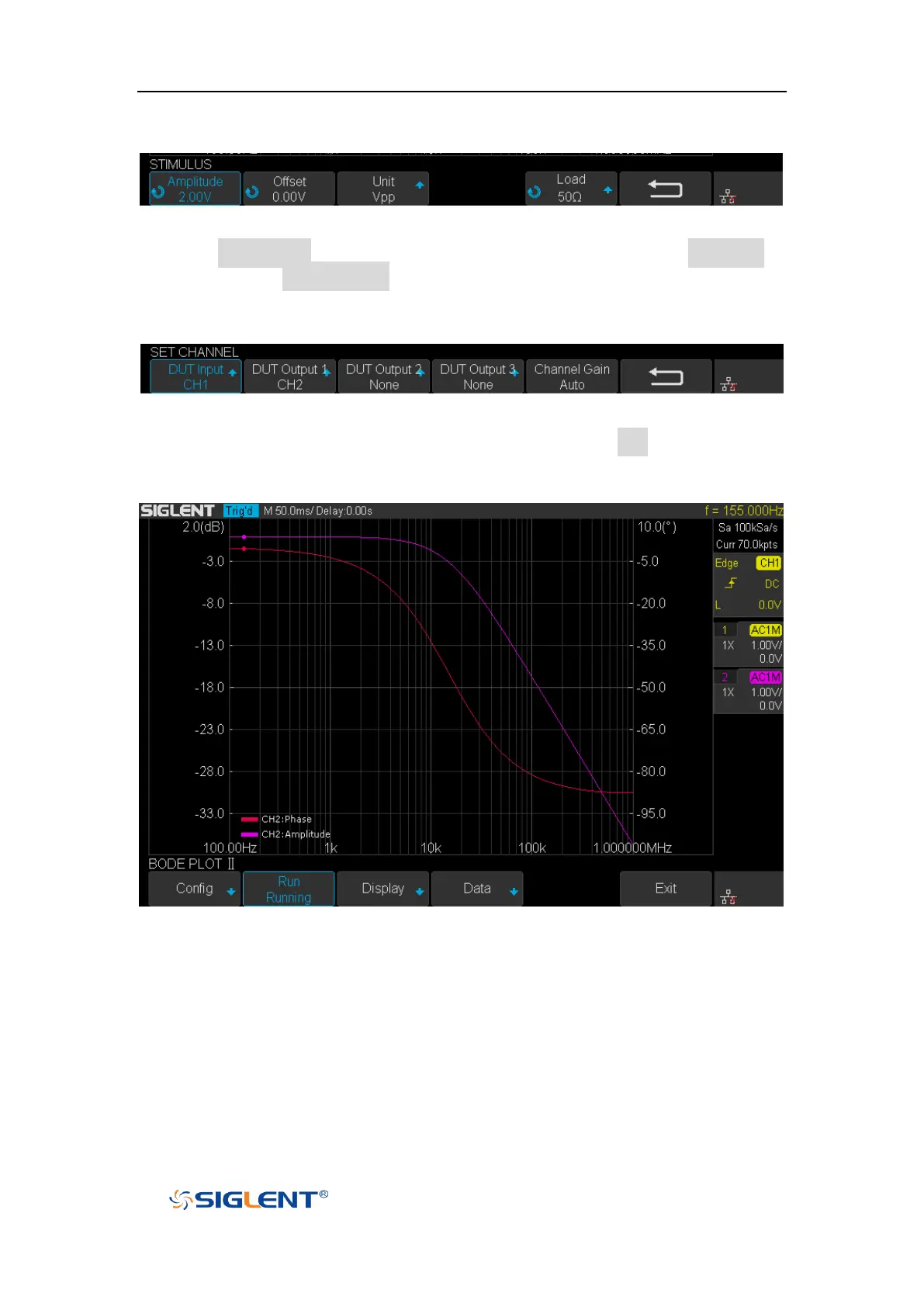
7. Configuration was done. Return to root menu and press Run, and wait for the
sweep to complete.
Figure 140 Bode Plot Sweep Curve









 To Next Page