Sirona Dental Systems GmbH 14 SIVISION 3 / SIROCAM 3 / SIROCAM C
C3
+
14.7 SIROCAM 3 / SIROCAM C integrated in the dentist element (PC)
59 06 404 D 3390
D 3390.201.01.18.02
99
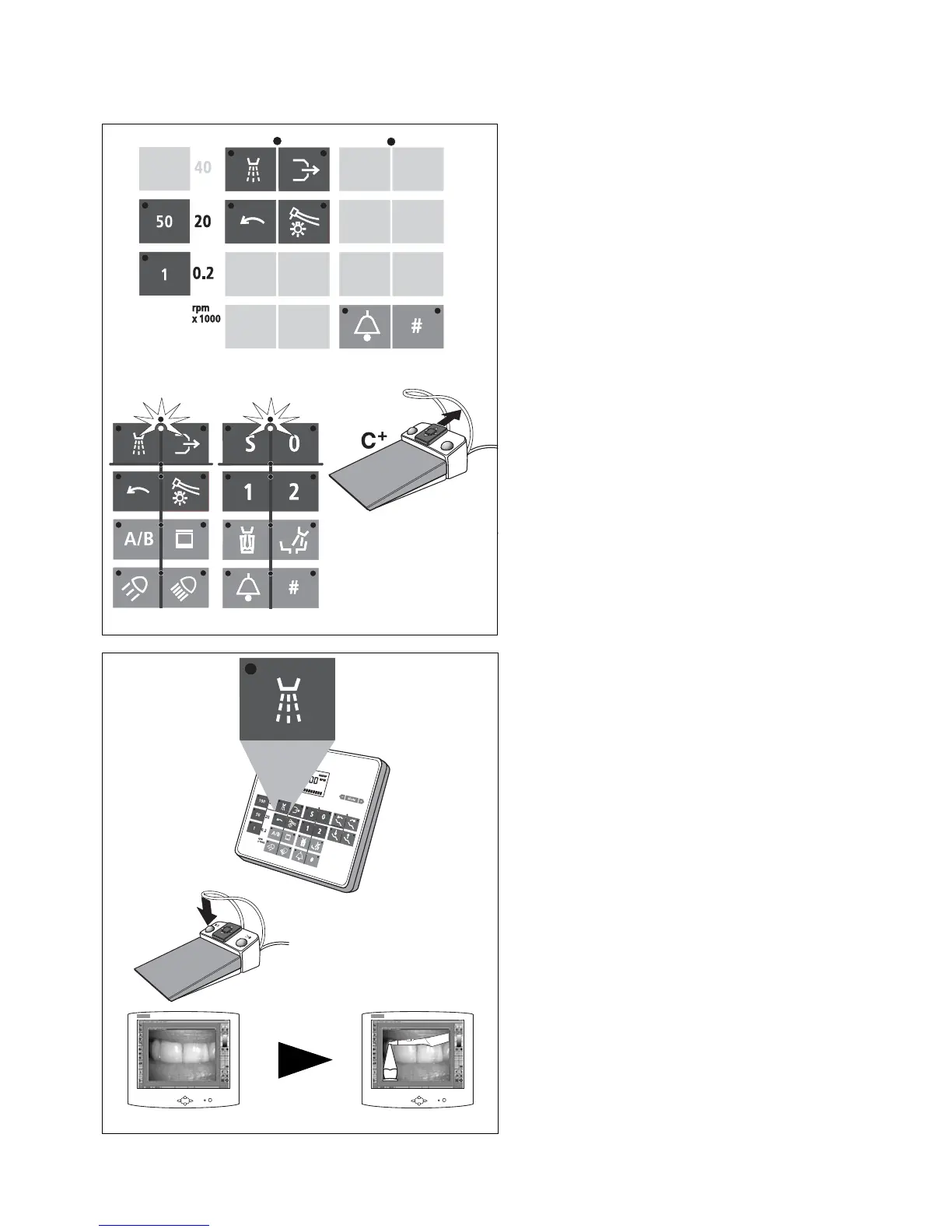
USING THE FUNCTION KEYS
Other functions, e.g. the SIDEXIS / VIDEXIS functions
Tile, Next Image, Full Frame, Zoom In, Zoom Out,
Rotate Image as well as other PC controls can be
assigned as desired to the following function keys on the
dentist element control panel:
•Spray
• Chip blower
• Electric motor CCW rotation
• Instrument light
• "50" and "1" quick adjustment keys
• Cursor forward, if the cursor is between the
spray and chip blower keys
• Cursor forward, if the cursor is between the S
and 0 chair program keys
•(With C
+
foot switch – 4-way foot control plate for-
ward.
• with instruments in place or camera picked up
• Call key
• and # key (if not already used for relay functions)
The factory settings as well as the configuration proce-
dure are described in the "PC Software for SIVISION"
Operator’s Manual.
SAVING AN IMAGE
Key example: Spray ON / OFF key on the control
panel
For this purpose, a patient must be registered in
SIDEXIS / VIDEXIS.
Manually or by cursor (using the foot switch) with instru-
ments in place or camera picked up.
With C
+
foot switch also left foot switch button (only with
camera picked up).
•Save the STILLIMAGE.
With the camera picked up, a LIVE IMAGE appears.













 To Next Page