10
Installation
Service Manual
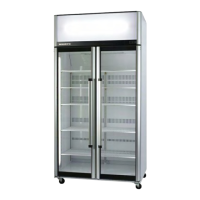
SKOPE BME-N ActiveCore
Removing
Door Handles
The door handles can be removed for transporting and moving the cabinet through doorways,
or for refitting.
Shelves
The cabinet is fitted with five layers of wire shelves which may be positioned at different heights
to suit various products.
Shelf Clips Each wire shelf is held in place with four shelf clips, which clip in the shelf support strips and
slide up and down to the required shelf position.
The support strips are numbered to help place the shelf clips. You can see the numbers in the
bottom left hand corner of the shelf clip.
Procedure 4: To remove a door handle
1. Open the door, and peel back the door gasket from behind the handle mounts on the inside of the
door frame.
2. Unscrew the handle mounts through the holes on the inside of the door frame (top and bottom
screws only), and remove the handle.
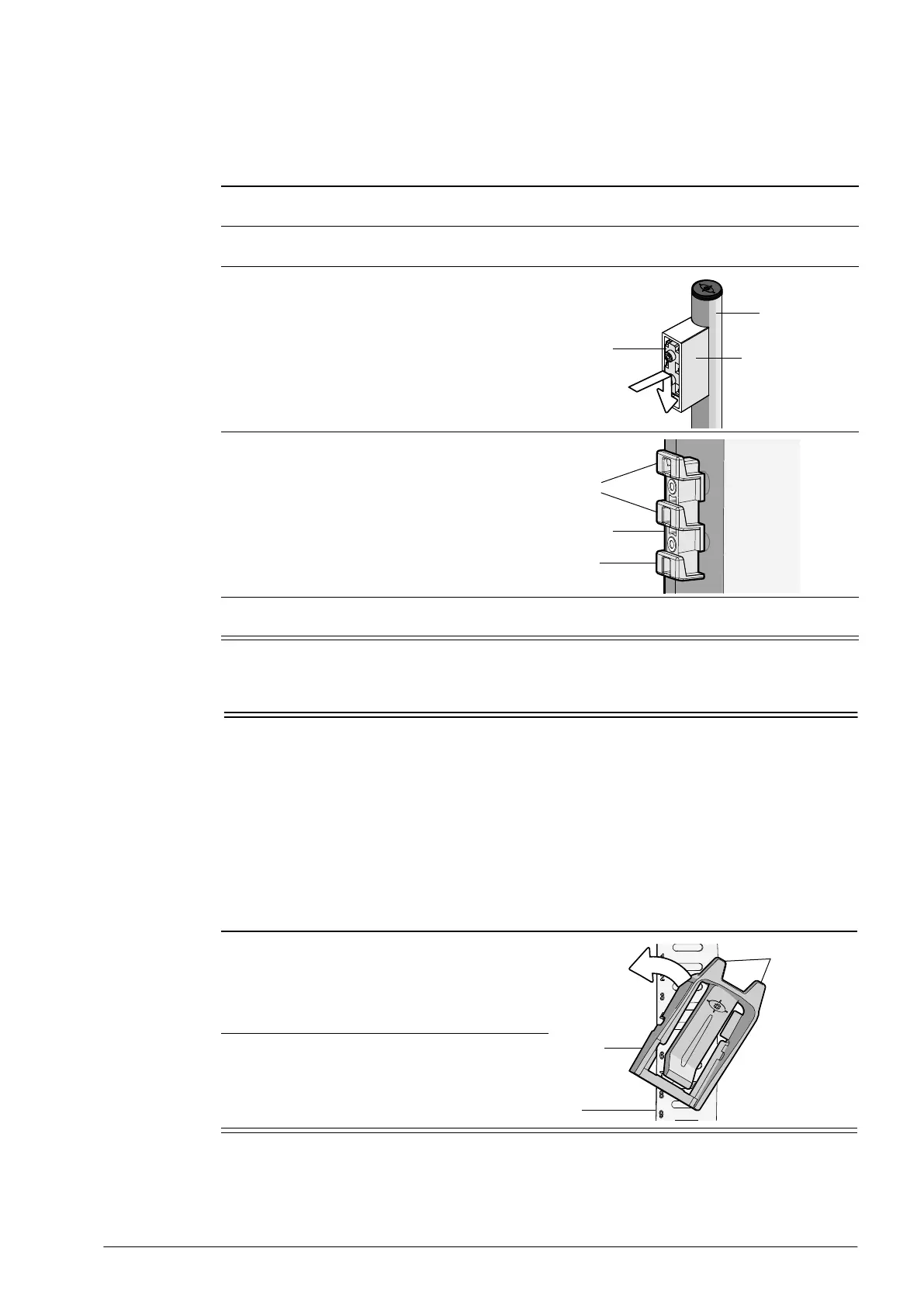
3. Remove the bracket/s from the handle mount
by pressing the bracket in and down until it
unclips from the handle mount.
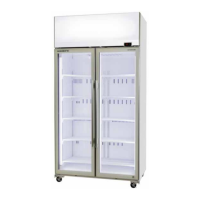
4. Fit and screw the bracket/s back onto the door.
Ensure the catches are pointing up as pictured.
5. Refit the door gasket by clipping it back into place on the inside of the door frame. If the gasket is
out of shape after refitting it, use a hair drier to heat and reshape it.
Bracket
Handle mount
Handle
Bracket
Catch
Catch
Procedure 5: To fit a shelf clip
The shelf clip twists onto the shelf support strip.
1. Position the shelf clip with the flat side up
against the shelf support strip and the two
prongs pointing up.
2. Twist the top of the clip anticlockwise onto the
shelf support strip until it locks in place.
Shelf
support
strip
Prongs
Shelf clip


 To Next Page