16
Electronic Controller
Service Manual
SKOPE BME-N ActiveCore
Wellington Drive Track App
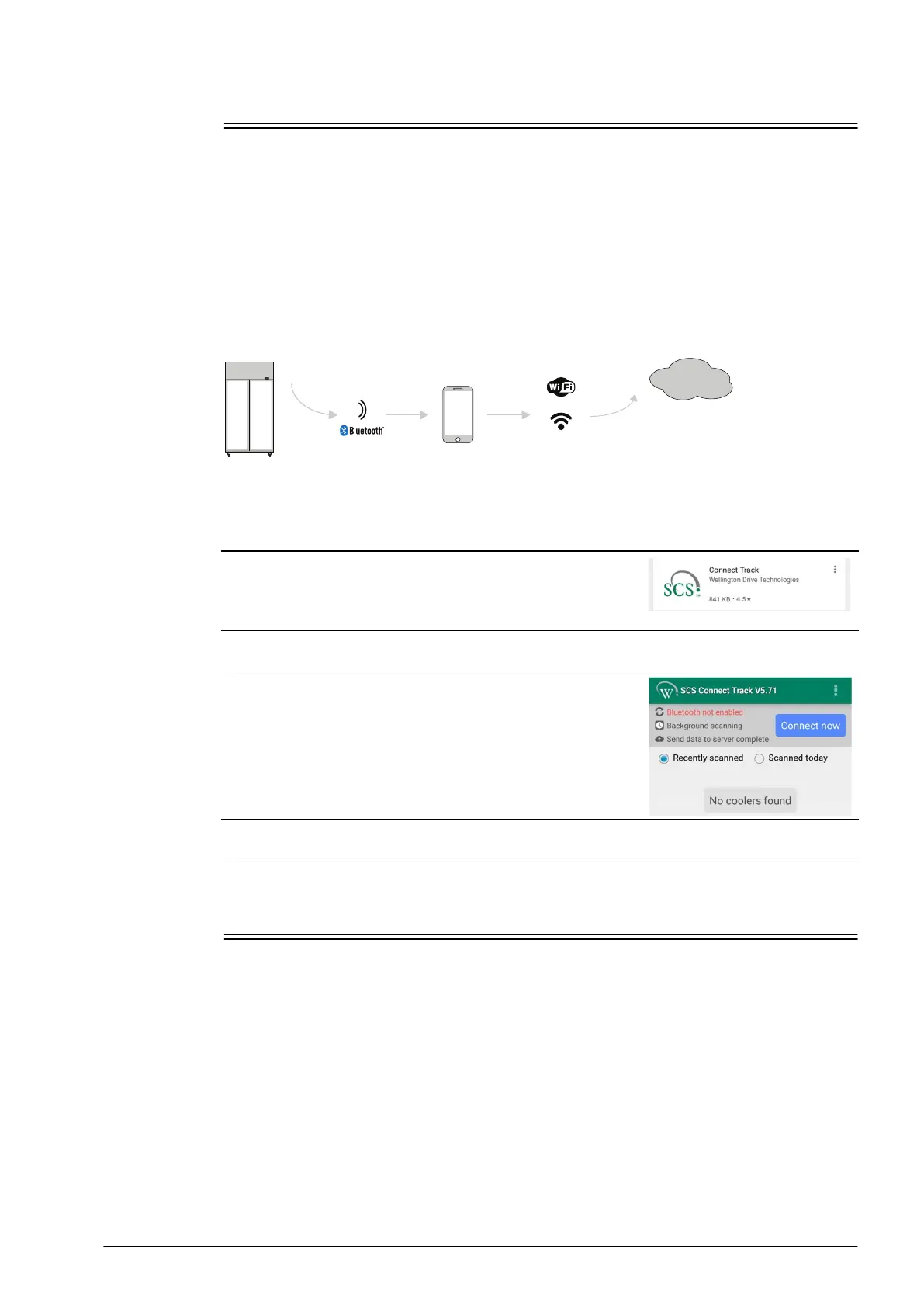
The Wellington Drive Track app for mobile devices transfers data from SKOPE equipment that
uses the SCS Connect controller to a cloud-based server.
The app works automatically in the background. When the app detects a controller, it connects
via Bluetooth to receive data from the controller and send data to the cloud. If no mobile data
connection is available, the app stores data until a connection becomes available.
SKOPE recommends that all technicians who service SKOPE equipment fitted with the
Wellington Drive SCS Connect electronic controller have the Wellington Drive Track app
installed on their Bluetooth-enabled mobile device. All technicians are also required to have
the Wellington Drive Field app installed on their Bluetooth-enabled mobile device.
Installation and
Use
Faults and Alarms
The following table explains faults and alarms that the electronic controller may log and
display.
If a fault occurs, the fault - alarm indicator is lit on the controller faceplate, but no message is
displayed. Faults do not affect product temperature.
Alarms are logged and the alarm message is displayed on the controller faceplate. Alarms may
result in abnormal product temperature.
Some faults and alarms can be cleared by the shop owner, and others can only be cleared by
a service technician.
If the cabinet is connected to the power supply and has warm product, check the SCS Connect
Field app for active fault or alarm, and investigate. If the cabinet does not have an active fault
Procedure 12: Installing the SCS Connect Track app
1. Download the SCS Connect Track app from Google Play Store
or Apple App Store.
Note: The two app versions have minor differences in
appearance.
2. Enter your unique activation code and press “Activate”. The code is provided to you by your
company’s User Manager or SKOPE Customer Services.
3. Respond to any dialogue boxes that appear and the app
should be ready to use.
If you see the pictured screen you will need to turn on
Bluetooth (Android).
4. The app is passive and runs in the background (it can track automatically). When servicing a
cabinet, the app should be opened to ensure tracking has finished before servicing.


 To Next Page