39
SKOPE BME-N ActiveCore
Replacement Procedures
Service Manual
Electronic Controller
Controller
Location
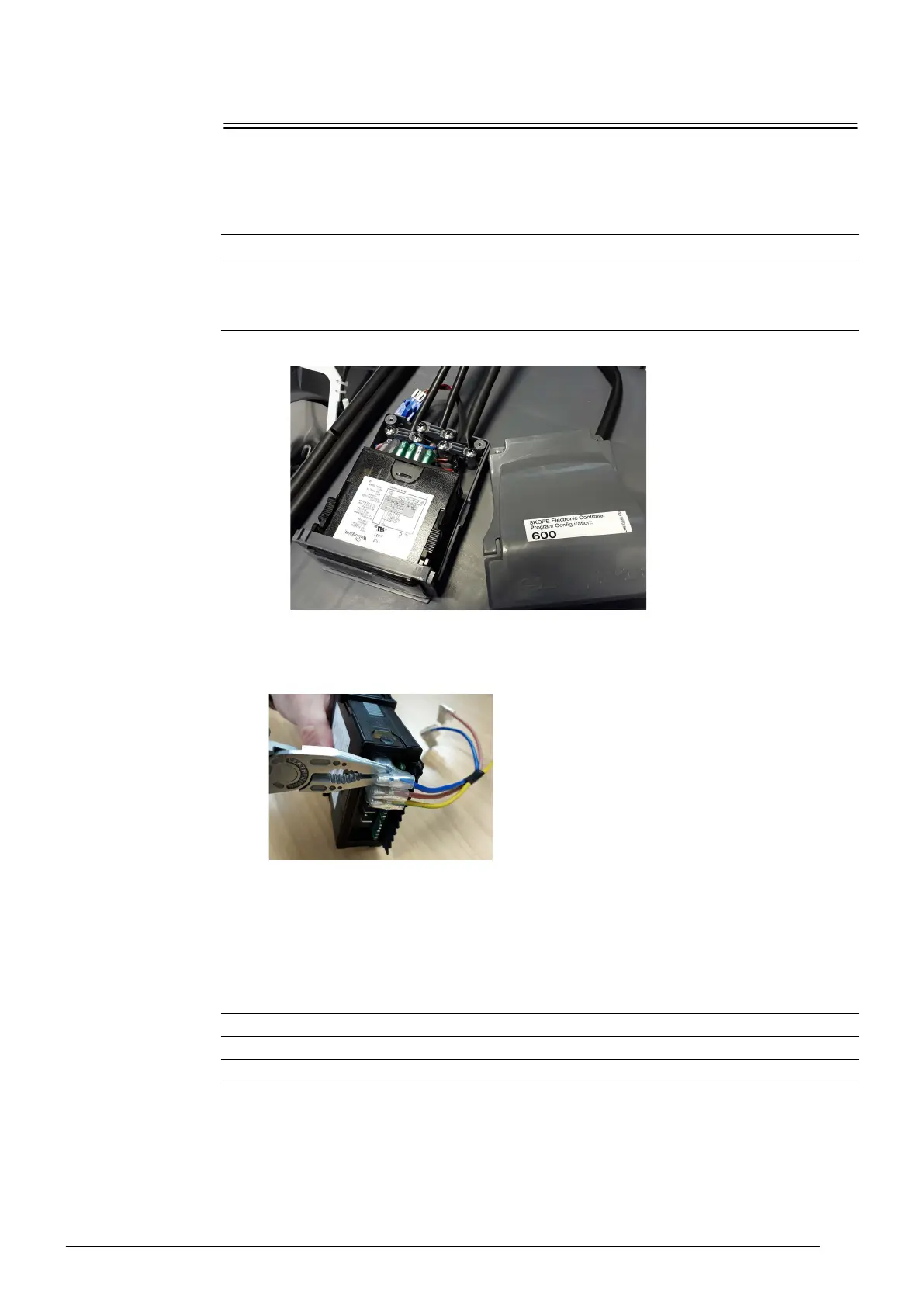
The electronic controller is located within the electronic controller box assembly.
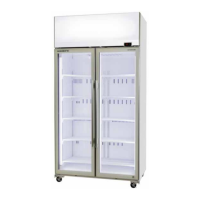
QC Terminals The terminals at the back of the controller are locking QC terminals, which cannot be pulled off
without pressing in the locking tabs.
Use needle nose pliers to unlock and gently remove the terminals.
Replacing the
Controller
Follow the steps below to replace the controller.
Note: Replacement spare part electronic controllers are not supplied with the parameter set
loaded. This must be loaded via the SCS Connect Field app after replacing the controller.
Internet access may be required.
Procedure 35: To access the controller
1. Disconnect the cabinet from the mains power supply (see page 22).
2. Open the electronic controller box assembly by undoing the two fixing screws at the rear of the
assembly.
Note: On one-door cabinets you need to move the cartridge back to access the controller box
assembly.
Procedure 36: To replace the controller
1. Disconnect the cabinet from the mains power supply (see page 22).
2. Access the electronic controller (see “Controller Location” on page 39).
3. Remove the cable clamps and disconnect the terminals from the back of the controller.


 To Next Page