34
Replacement Procedures
Service Manual
SKOPE BME-N ActiveCore
Cartridge
Cover
Remove the cartridge cover to access parts within the cartridge assembly.
4. Unplug all cartridge plugs from the cartridge electrics box.
5. Undo the two fixing screws at the base of the electrics box, and detach the electrics box from the
cartridge.
6. To open the electrics box, undo the two fixing screws on the back of the electrics box and swing
the back cover off.
Procedure 26: To remove and open the cartridge electrics box assembly (continued)
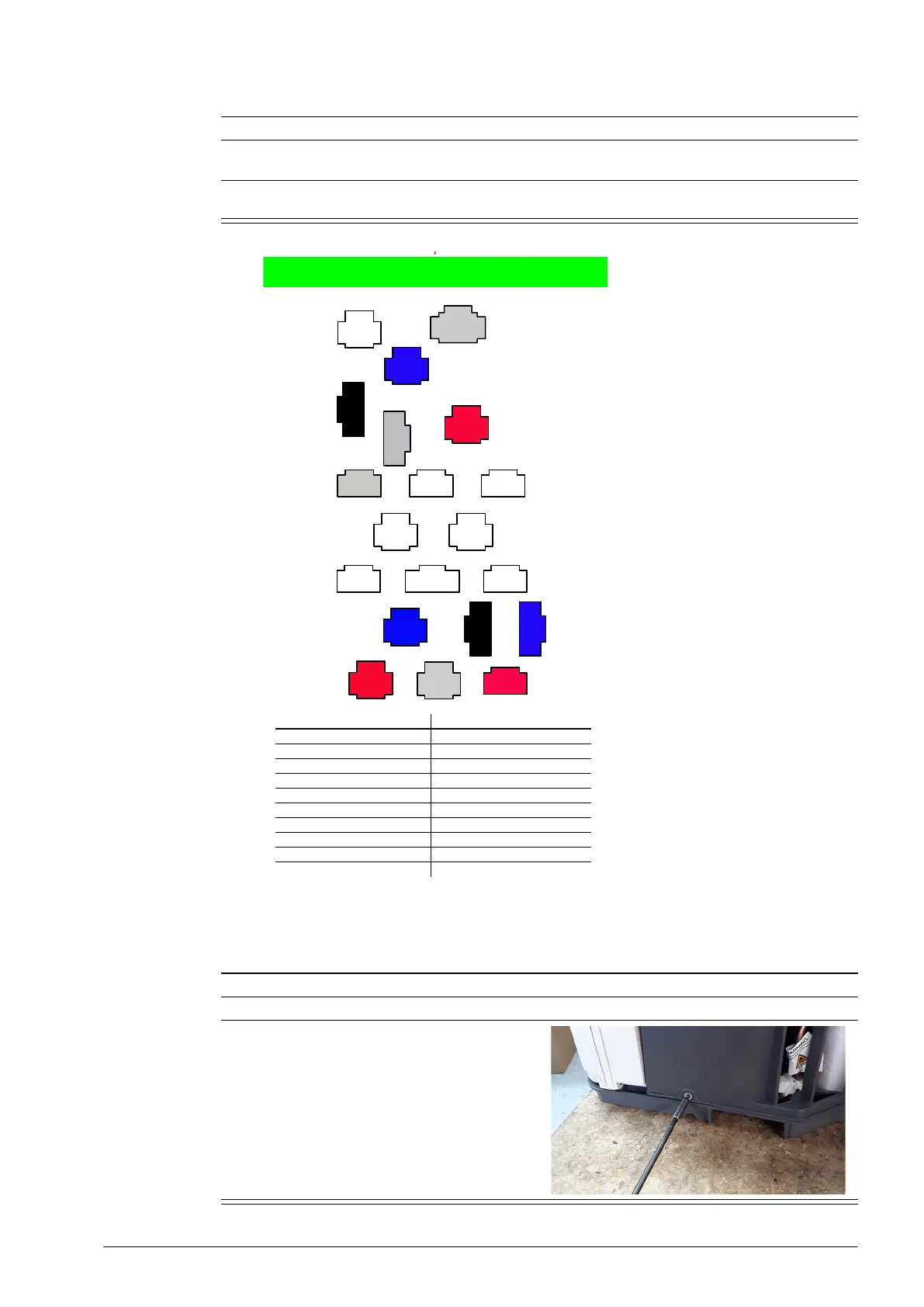
ActiveCore R290 Junction Box Layout
1
4
5
8
9
13 14
15 16
18
20
7
10
11
12
6
19
17
2
3
Key Colour Description Key Colour Description
1 n.a. Not used 11 n.a. Not used
2 White Controller Signal 12 n.a. Not used
3 Blue Controller Return 13 n.a. Not used
4BlackTrace Heating 14n.a. Not used
5 White Lighting 15 Blue Compressor
6 Red Controller Power 16 Black Evaporator Sensor
7 White Door Sensor 17 Blue Appliance Sensor
8 n.a. Not used 18 Red Condenser Fan
9 n.a. Not used 19 White Evaporator Fan
10 n.a. Not used 20 Red Condenser Sensor
/$%5HY-XO\
Procedure 27: To remove the cartridge cover
1. Disconnect the cabinet from the mains power supply (see page 22).
2. Remove the refrigeration cartridge (see page 31).
3. Unscrew the four machine screws from the
sides of the refrigeration cartridge and lift the
cover off the cartridge.


 To Next Page