24
Replacement Procedures
Service Manual
SKOPE BME-N ActiveCore
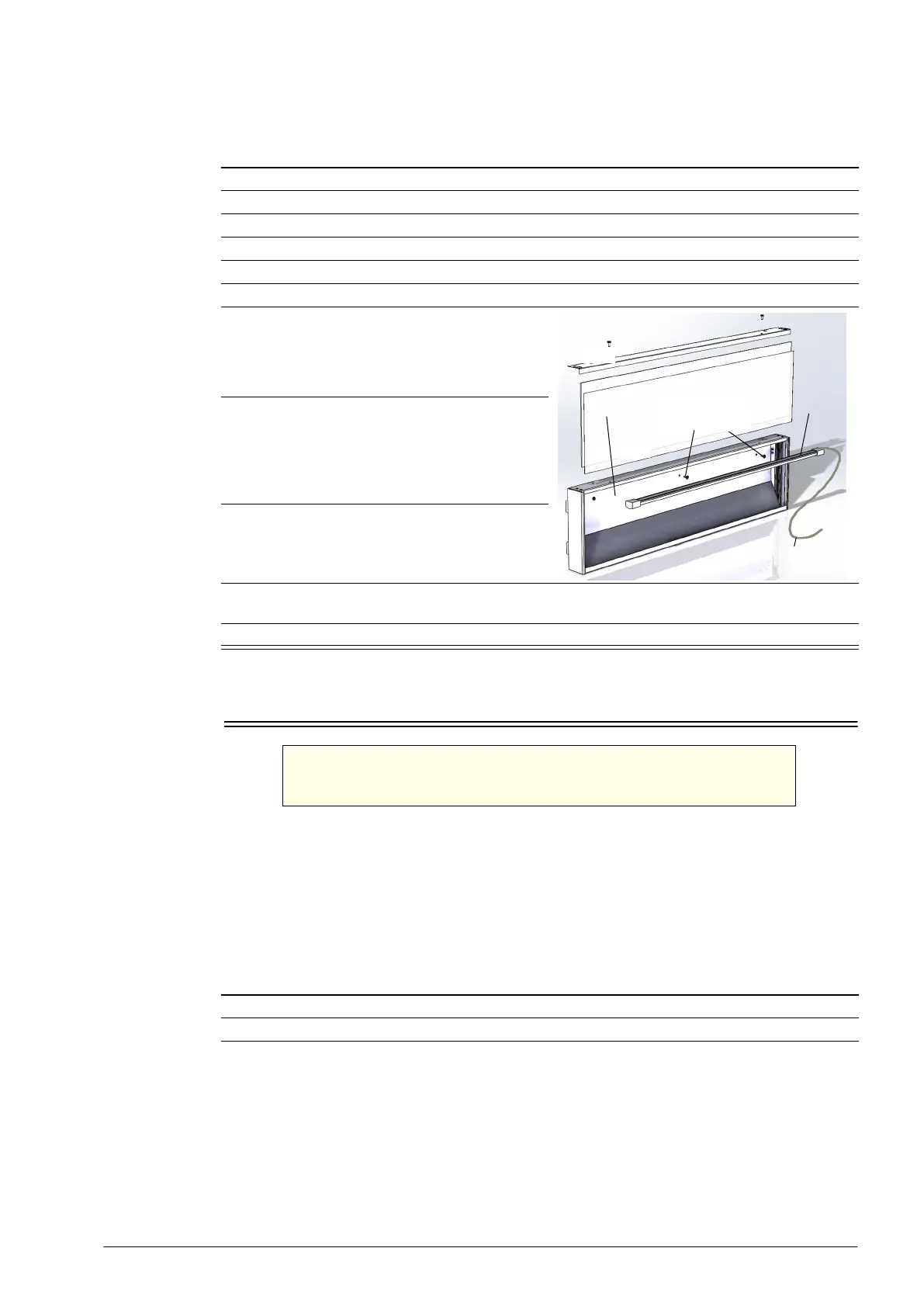
Sign Light The sign is lit by an LED modular light which can be replaced by following the steps below.
Doors
Alignment
Adjustment
If a door is out of alignment, realign it by loosening the top hinge bracket fixing screws, and
move the top of the door as required.
Height
Adjustment
A height adjustment block is fitted below the bottom hinge. As standard, the notched edges on
the bottom of the hinge and the top of the height adjustment block align to set the door to the
correct level.
Procedure 17: To replace the sign light
1. Disconnect the cabinet from the mains power supply (see page 22).
2. Undo the two fixing screws from the sign top cover and remove the top cover.
3. Remove the front sign panel/decal by sliding them up and out of the sign.
4. Remove the sign cover from the top of the sign.
5. Remove additional sign panel by sliding up and out of the sign.
6. Cut the cable tie holding the light cable at the back of the sign.
7. Undo the two most right hand sign reflector
screws.
8. Carefully pull the light plug and cable through to
the front of the sign, manipulating the reflector
as required.
9. Unclip and replace the light.
10. Push the light plug and cable back through behind the reflector and hole at the back of the sign,
and cable-tie in place.
11. Reassemble the sign, reconnect to the mains power supply and check for correct operation.
WARNING
For safe door operation the door bottom hinge bracket must
always be fitted with a split pin.
Light
Light cable (pulled
through to front)
Reflector
Reflector screws
(removed)
Procedure 18: To adjust the door height
1. Disconnect the cabinet from the mains power supply (see page 22).
2. Unscrew and remove the kick panel.


 To Next Page