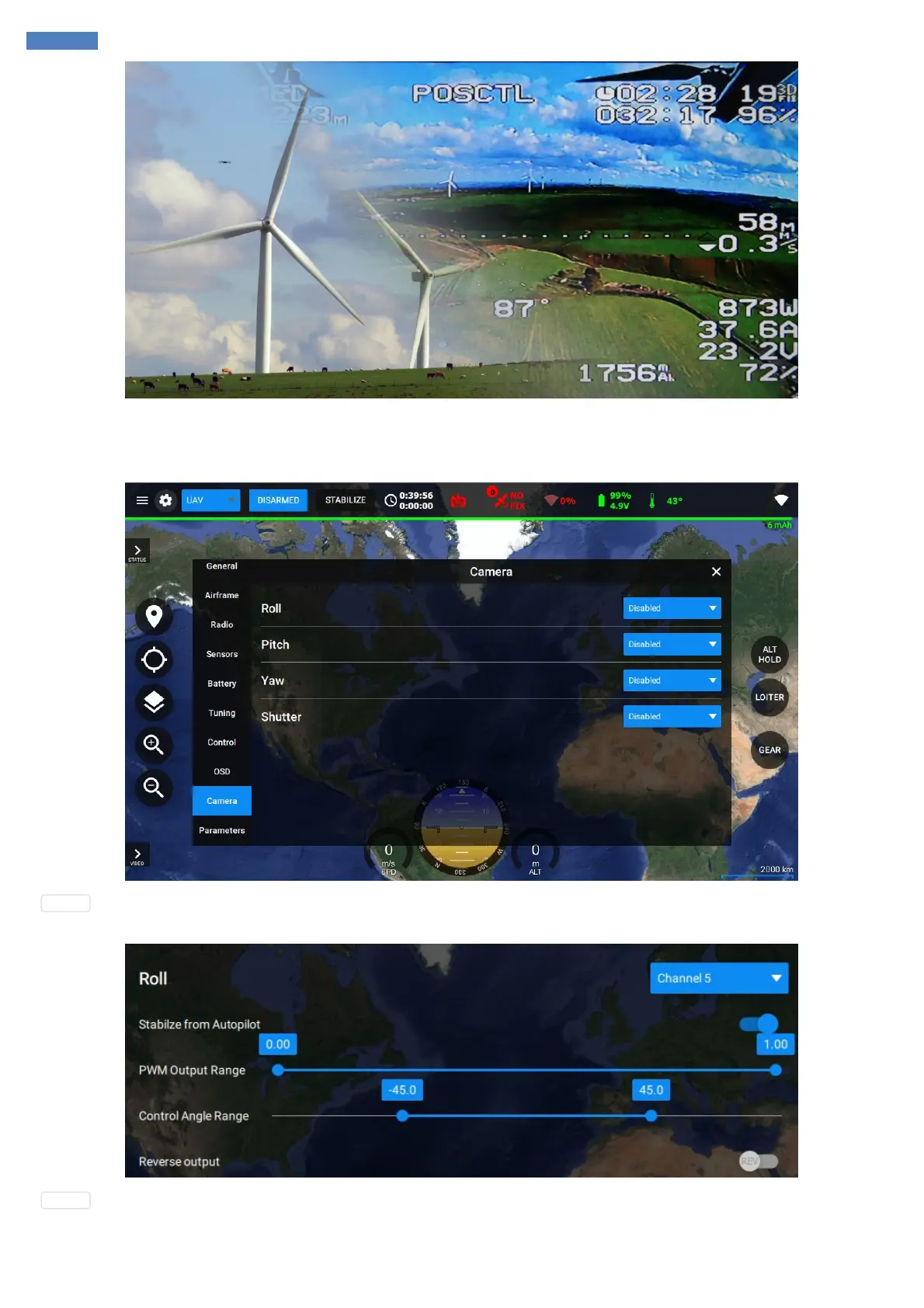
Camera
Camera tab allows you to configure the camera gimbal and shutter control settings.
Gimbal : The system supports 3-axis gimbal stabilization with flexible configuration for minimum and maximum output angles as well as
minimum and maximum raw output values on the physical layer (PWM is used). As an option, the output can be reversed.
Shutter : Shutter configuration has settings for minimum and maximum output values for the triggering pulse. Interval is the time of how long the
pulse should be in active state to initiate the shutter of the camera to trigger.



 To Next Page