EasyManua.ls Logo

Sky-Drones SMARTAP PRO - Flashing DFU (old)

Sky-Drones SMARTAP PRO
152 pages
Print Icon
To Next Page IconTo Next Page
To Previous Page IconTo Previous Page
Loading...
Drivers installation
Getting the software
Firmware update
General configuration
Standard PID presets
Updating GNSS Module
Flashing Bootloader
Flashing DFU (old)
Firmware and bootloader update via USB
Flashing DFU (old)
Firmware and bootloader update via USB
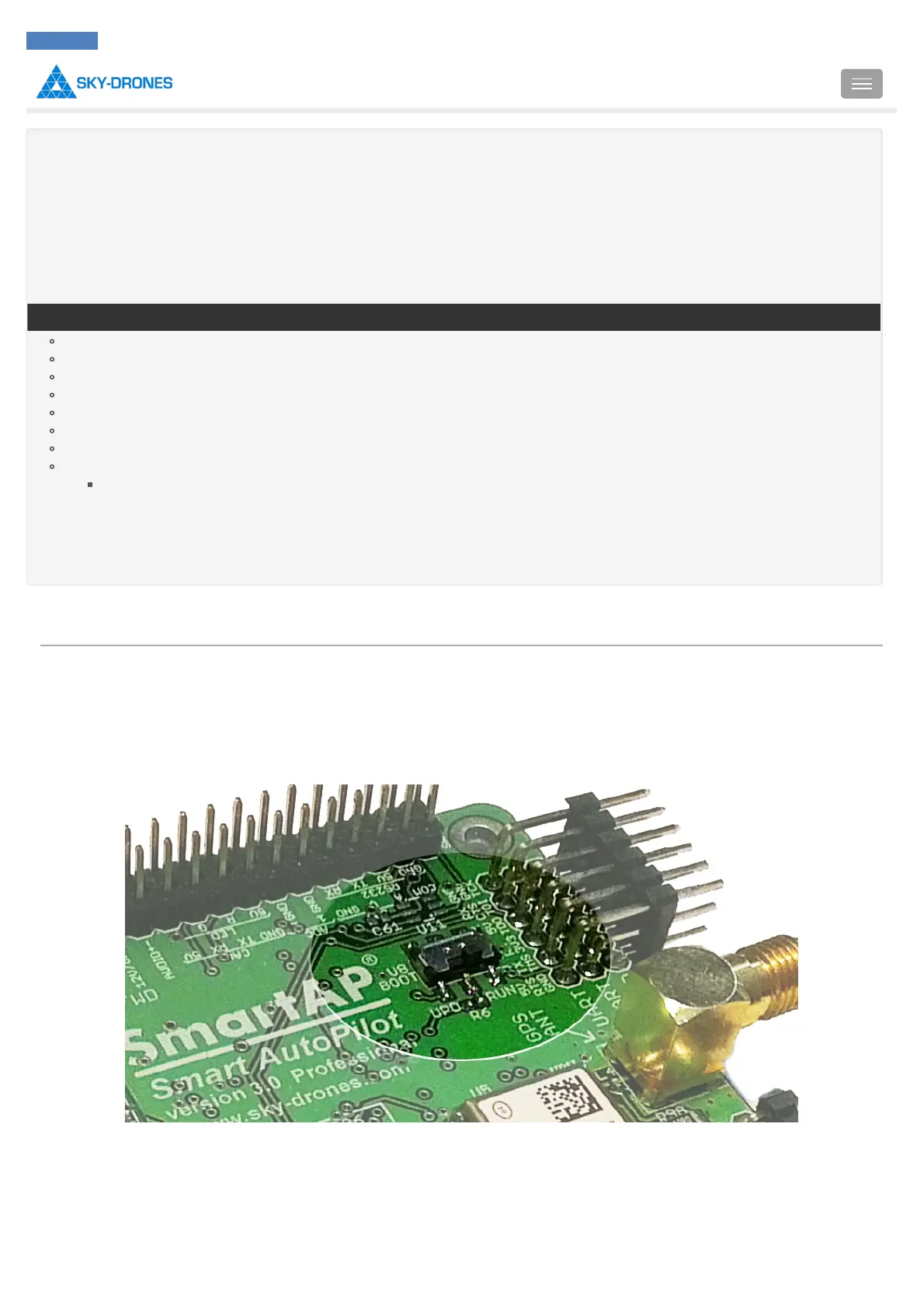
Sometimes it’s necessary to update not only the firmware, but also the bootloader. In this case you will need .dfu image of the firmware. Download
.dfu firmware file and set BOOT switch on SmartAP board to UPD mode. It will allow SmartAP running in USB firmware update mode. Connect
the board to your computer with USB cable and run DfuSe utility. Press “Choose” in “Upgrade of Verify” section and select the .dfu file you would
like to load. Then press “Upgrade”.

Introduction
SmartAP PRO
SmartAP MAX
SmartAP PDB
SmartAP GNSS
SmartLink
Autopilot configuration
Flying
Support
Revision history
SmartAP AutoPilot User’s Guide Flashing DFU (old)
Sky-Drones - SmartAP Flight Control Systems 120 / 151

Table of Contents

Related product manuals