Please, use strong password containing at least 8 symbols with at least one digit.
World pane
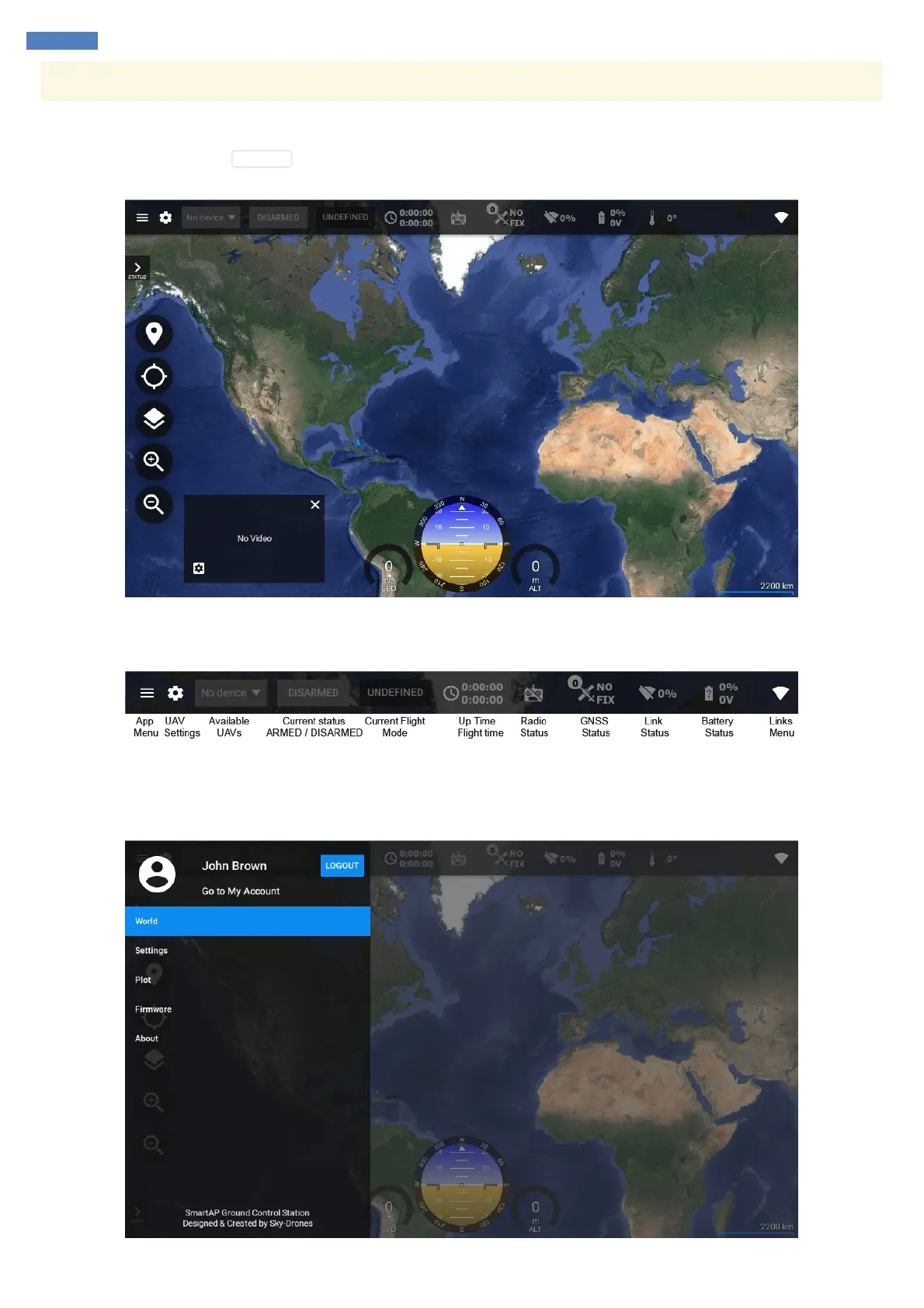
Once you fill in the details click SIGN UP . If you're registered successfully you'll get into the app and will see the main pane which is called
World.
World pane provides all necessary information about the flight and allows controlling the flight modes and planning the mission.
Toolbar gives the following general information and control:
App Menu
If you pull out the drawer from the left side or click three bars button you'll see the app menu. You can go into your account settings, log out or
switch between the application panes.



 To Next Page