Do NOT connect 5V or and power supply pin from FTDI cable to flight controller!
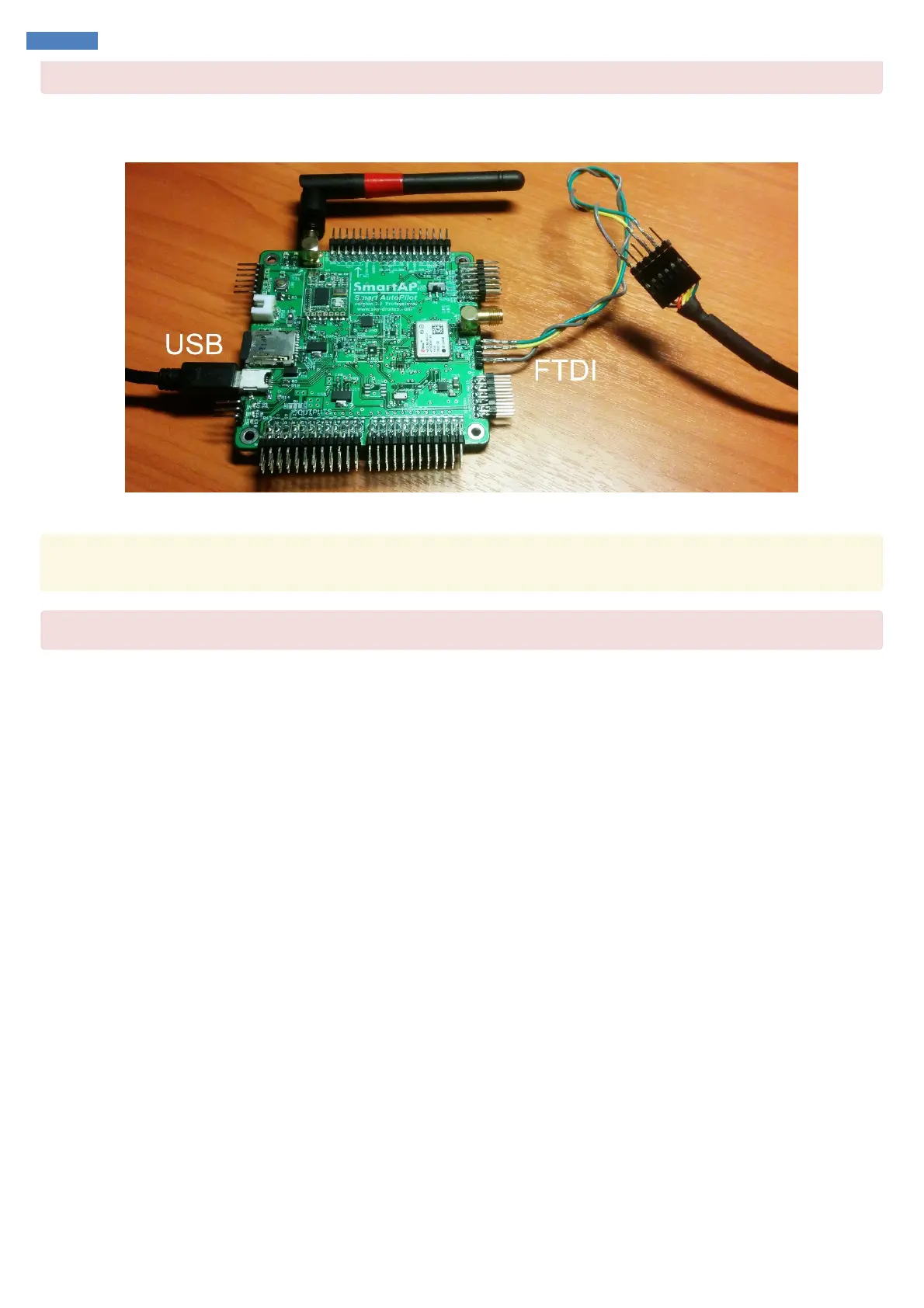
Flight controller will get the power from USB cable. Set the boot switch in UPD (“Update”) mode, connect USB cable to the flight controller and
connect FTDI cable to computer. Your setup should look as follows:
Once the connections are done, please, proceed with the update steps described above.
Troubleshooting: If it seems that there is no connection to GPS module – try to change the TX and RX pins of FTDI cable connected to flight
controller, sometimes colors meanings swapped
Do not forget to put the switch back to RUN position



 To Next Page