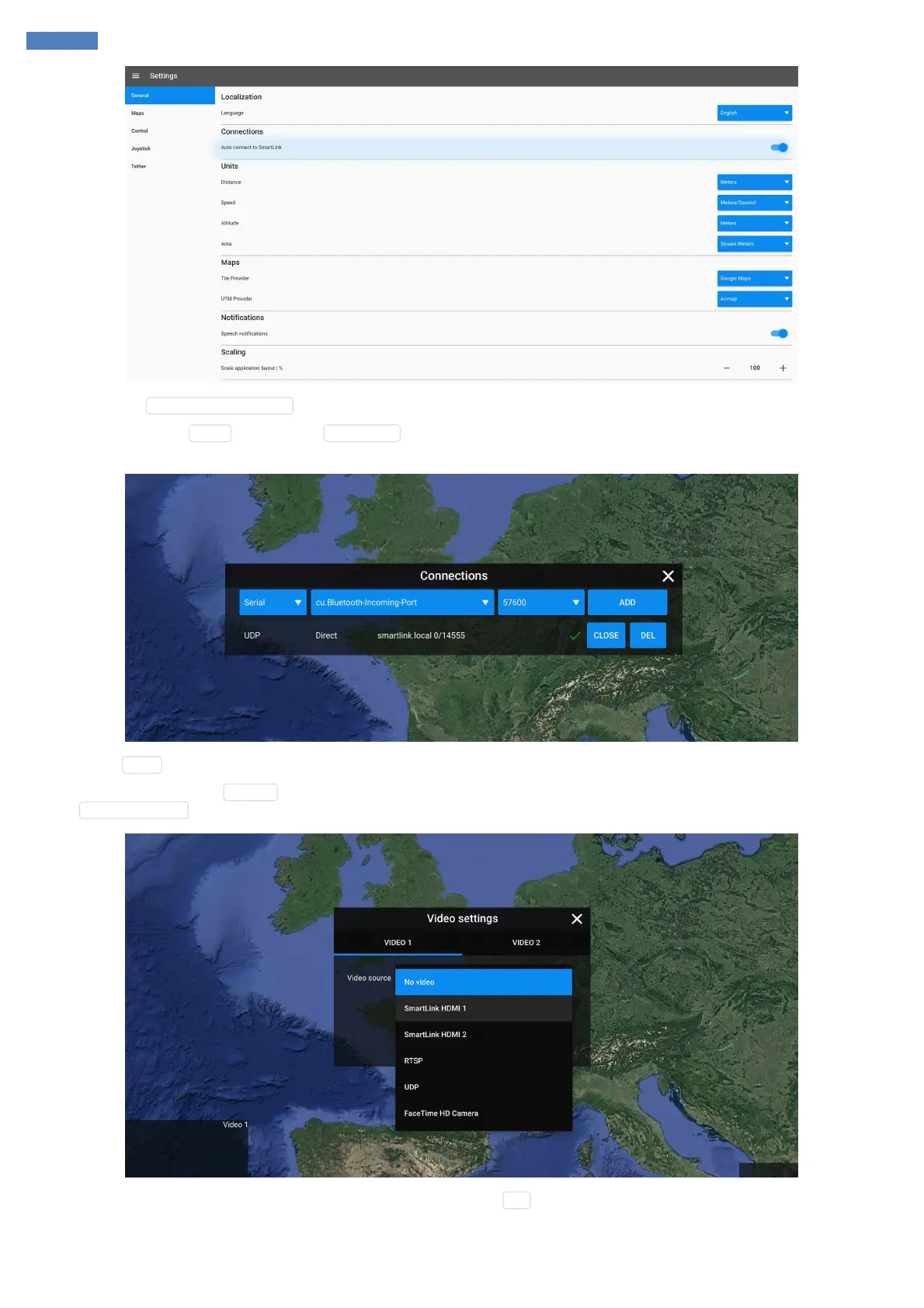
Enable the option Autoconnect to SmartLink , this will create SmartLink connection automatically.
After that, go back to the World pane and click Connections button in the top right corner. You will see SmartLink connection added. If it's not
added automatically or missing you may add it manually as shown below:
Upon clicking Open connection will be established and you should be able to see telemetry information at this step.
To set up the video click on the Settings button of the one of the video widgets and select the desired source. For this demonstration we need to
select SmartLink HDMI 1 option:
After 1-2 seconds the video feed will appear and connection status will be set to OK :



 To Next Page