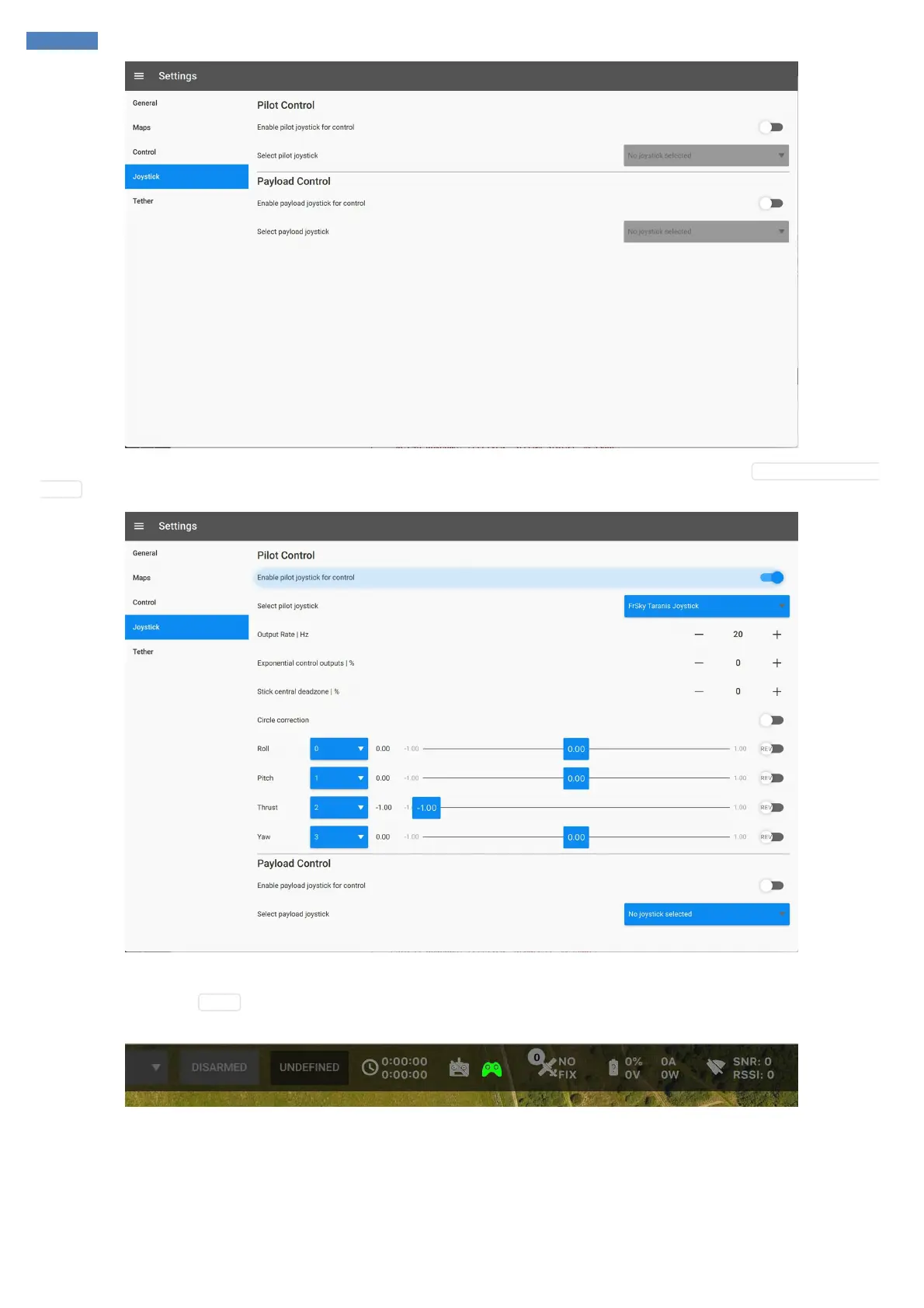
Once you've selected the joystick you will be able to assign the channels according to your preferences. Make sure that Enable pilot joystick for
control is checked, otherwise manual control messages will not be sent.
Additionally, you can connect the second joystick which will be used for payload control.
After that, if you go back to World pane you will see green joystick icon on toolbar. This means that the joystick has been configured successfully
and emits manual control signal.



 To Next Page