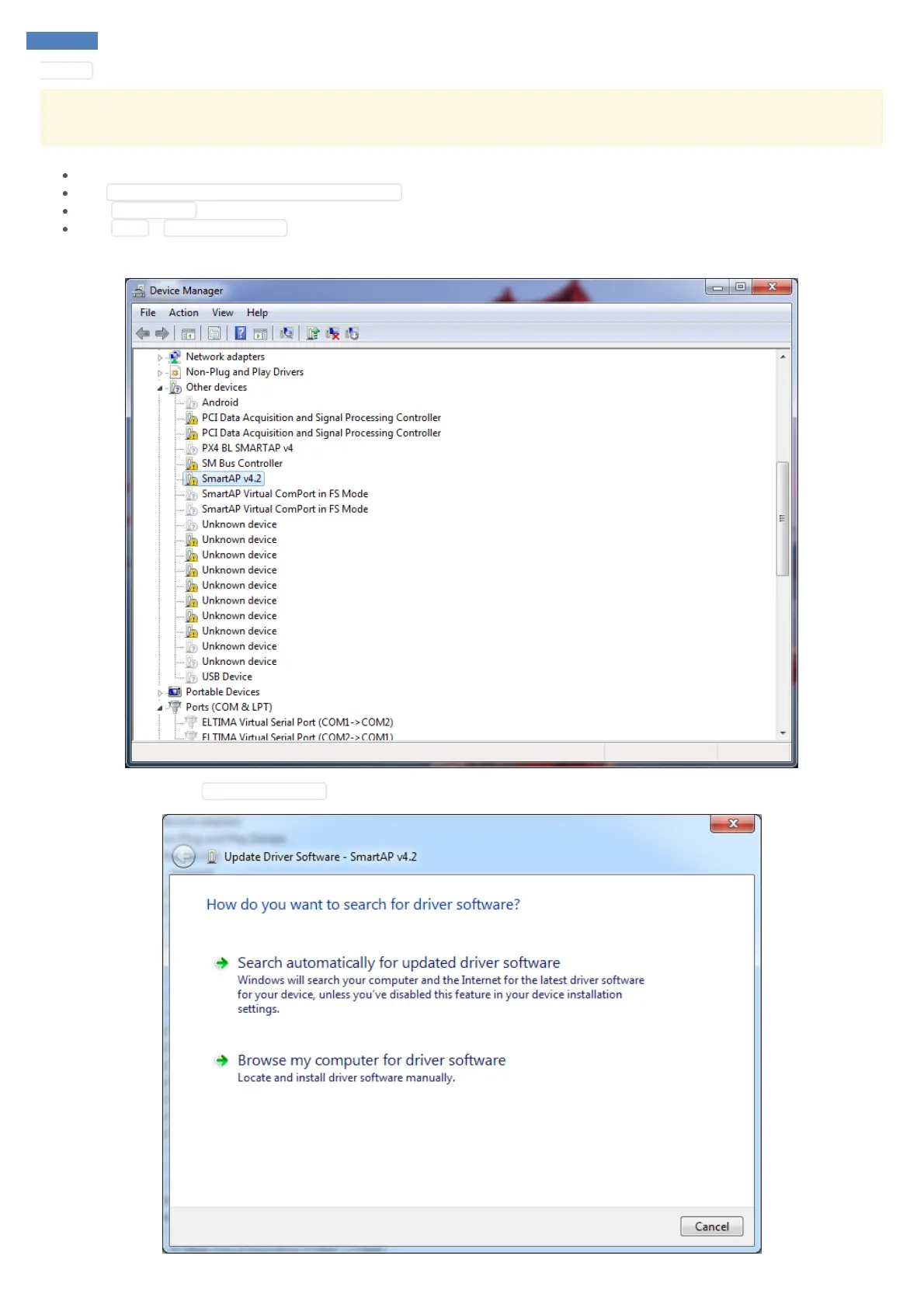
Manager you'll see SmartAP as unknown device.
If you can not see SmartAP bootloader in the devices list it's probably because the devices is hidden. To make bootloader device visible not
only for initial three seconds after power up but for longer you can enable hidden devices in windows device manager using the steps below.
Open CMD as administrator
Run SET DEVMGR_SHOW_NONPRESENT_DEVICES=1
Type devmgmt.msc to open Device manager
Click View > Show hidden devices
More information and description on the steps above can be found here
Right click on it and choose Update Device Driver .



 To Next Page