35
Skydio X2D INTL - Operator Manual © 2023 Skydio, Inc. All rights reserved.
Flight
Hand launch
Step 1 - Identify a clear area to launch, 10 ft (3 m) above, 15 ft (4.5 m) in front, and 3 ft (1 m) on either side
• Do not hand launch on windy days. If there is any wind, for your safety ensure that it is not blowing towards you
• If the wind is gusty or coming from dierent directions, consider a ground launch
Step 2 - Create a launch pad on your open hand by lightly gripping the battery to stabilize, keeping the drone
level and still
• Keep your fingers below the chassis and away from the propellers at all times
• Hold X2D at arm’s length from your body
Step 3 - Point the camera away from you
Step 4 - Ensure that the rear propellers will not make contact with your arm
Step 5 - Initiate launch using
• The controlling device - select the launch button
• Quick Launch - toggle on in the Settings menu under the Drone tab and press the battery power button four
times
Step 6 - As the propellers begin to spin up slowly relax your grip. Keep your hand still and level.
X2D will slide o your palm and take flight
• Do not push or throw the vehicle up in the air
WARNING: Failure to acquire GPS lock prior to flight over water may result in erratic flight and/or emergency landing.
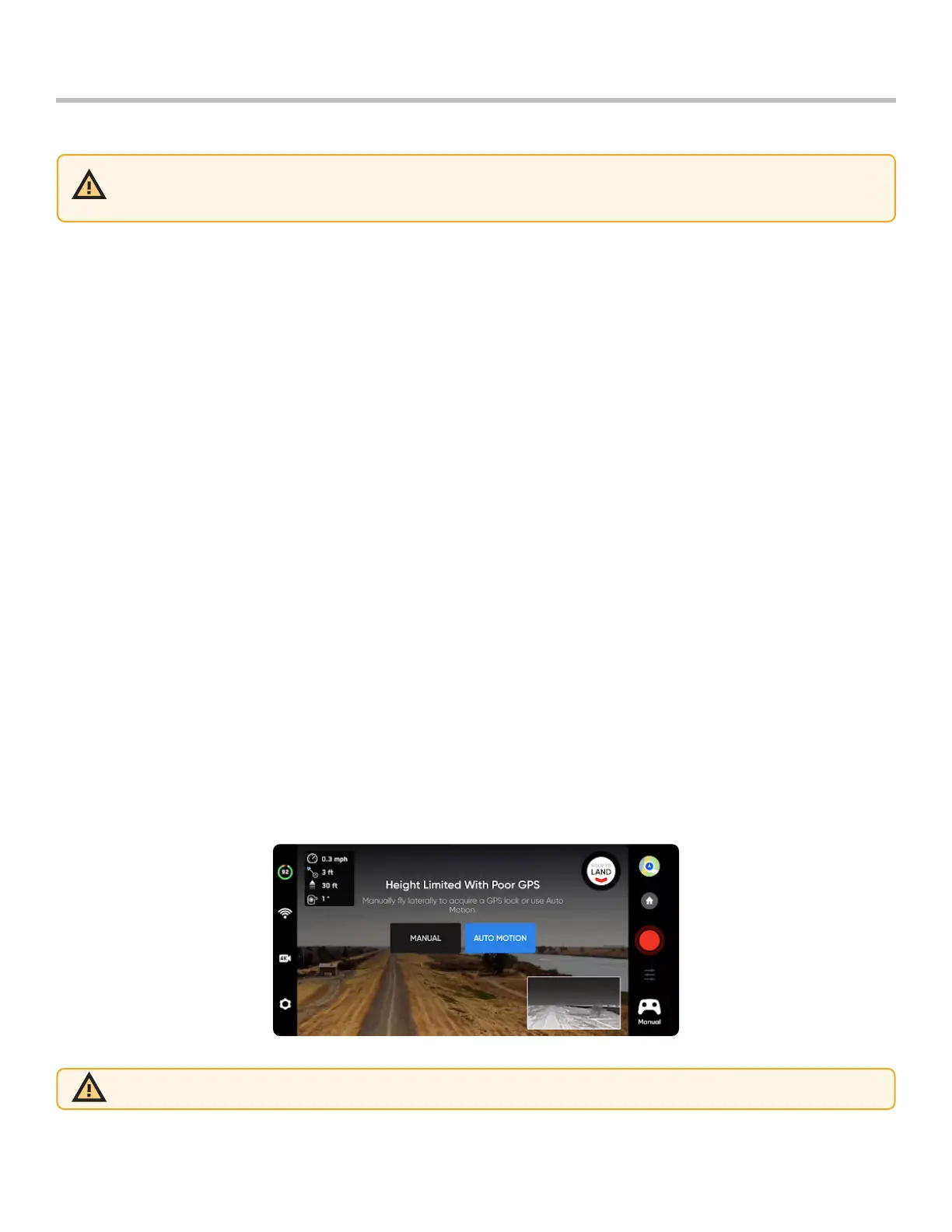
Acquire GPS Lock
Immediately after launching, fly laterally to acquire a GPS lock. This is a critical step that must be taken if you are
going to fly your drone over water.
• If you can fly your drone 33 ft (10 m) above ground level when outdoors you have acquired a GPS lock
WARNING: hand launch and landing may cause server injury if not performed properly and should only be used when
necessary. NEVER hand launch your X2D when in GPS Night Flight mode, as it may cause severe injury. To avoid injury
stay away from and do not touch rotating propellers when they are spinning.



 To Next Page