45
Skydio X2D INTL - Operator Manual © 2023 Skydio, Inc. All rights reserved.
Flight
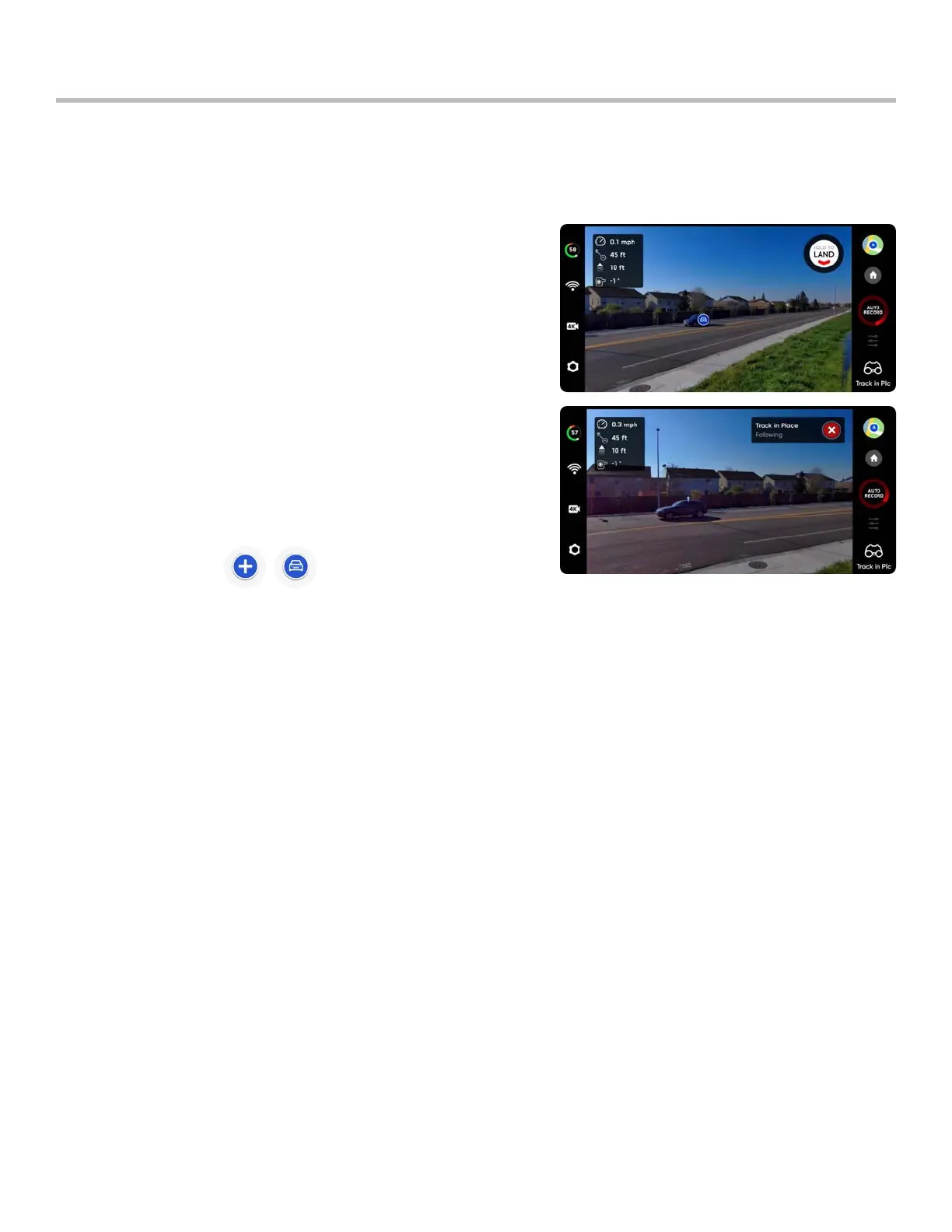
To visually track a subject, select the Track in Place skill, identify a subject of interest, then fly the drone to within 100
ft (30 m) if your subject is a person or 140 ft (40 m) if your subject is a vehicle so that Skydio X2 can detect it.
Select the subject indicator to start tracking a subject
• X2 will autonomously rotate and tilt the camera to track the
subject as it moves
Track in Place
Zoom-in while Tracking Subject
Provides a clear and enlarged view of the individual or vehicle being tracked. Allows you to start tracking a subject
and digitally zoom-in 3x
Use the controller joystick to control the height and lateral
movements
• lateral movement speed limited to 4 mph (6.4 km/h)
X2 will remain visually locked onto a tracked subject up to a
distance of:
• person - 800 feet (240 meters)
• vehicle 1,000 feet (300 meters)
Tracking will continue until the subject is too far away or blocked by
an obstruction.
The subject indicators represent a person or vehicle that is available for tracking. When in the Track skill, tapping the
indicator will command X2 to enter autonomous flight mode with the selected object as the tracking subject. For
best tracking performance:
• track one person or vehicle at a time. Skydio X2 does not track pets or animals.
• to be available for track the subject must be visible on the Fly screen
• if the subject indicator does not display, fly closer and ensure that the subject is framed in the center of screen
Subject indicator



 To Next Page