34
Skydio X2D INTL - Operator Manual © 2023 Skydio, Inc. All rights reserved.
Flight
Before you begin your first flight, please read and follow all of the safety guidelines https://skydio.com/safety.
Launch
First flight
NOTE:
Skydio X2D requires a stable GPS connection to fly greater than 33 ft (10 m) above the launch point. To fly
higher than 33 ft (10 m), lateral flight in all directions may be required to establish heading.
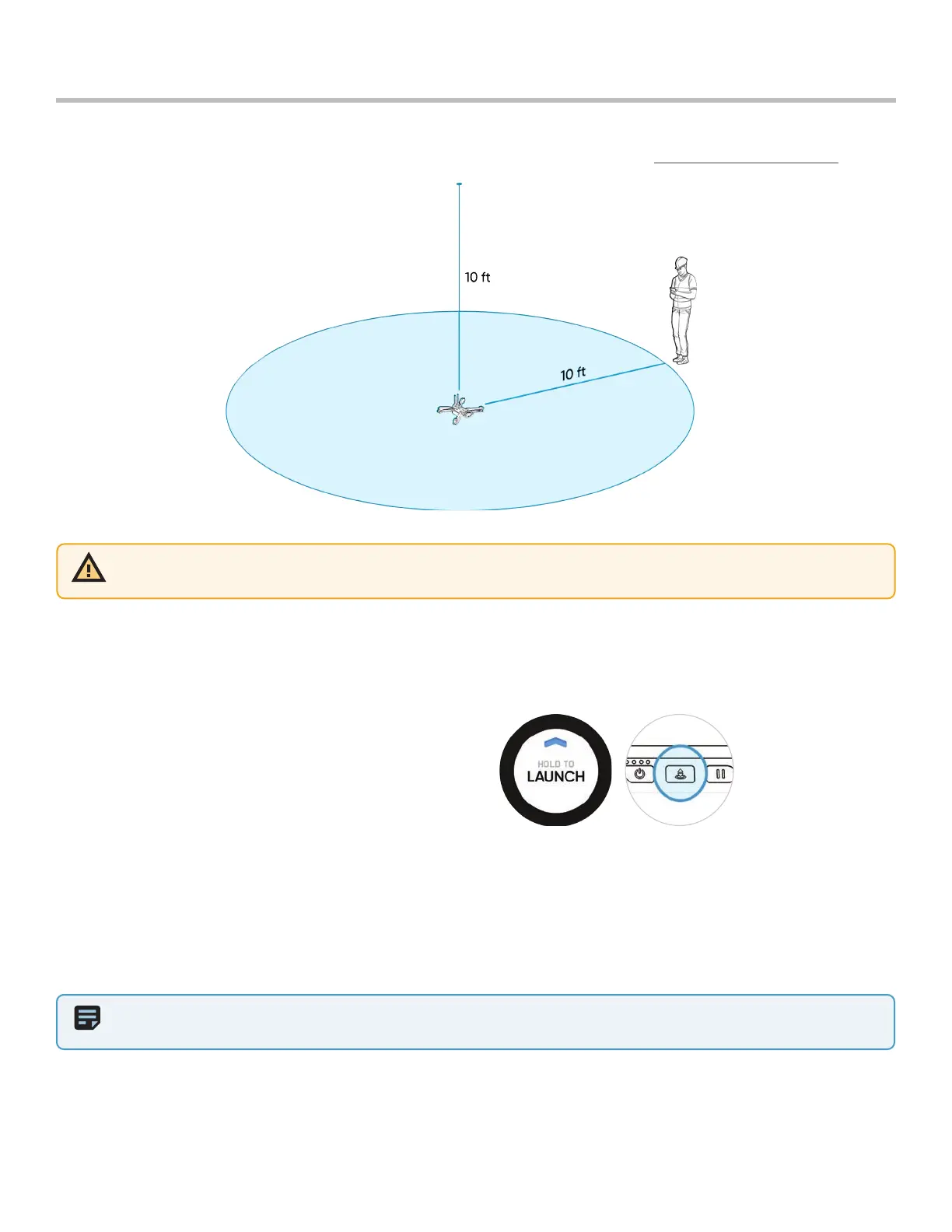
Step 1 - Find a clear area to launch
Step 2 - Place X2D on a flat, stable surface
Step 3 - Select Launch on the Fly screen or Press and hold the Launch/Land button on the Controller
• X2D will arm and ascend to 10 ft (3 m) and hover in place
WARNING: Skydio recommends flying your Skydio X2 in normal daylight or brightly lit conditions will full obstacle
avoidance to get comfortable with the system before attempting to fly at night or with reduced obstacle avoidance.
Obstacle avoidance is disabled when in GPS Night Flight Mode.



 To Next Page