49
Skydio X2D INTL - Operator Manual © 2023 Skydio, Inc. All rights reserved.
Flight
Scout
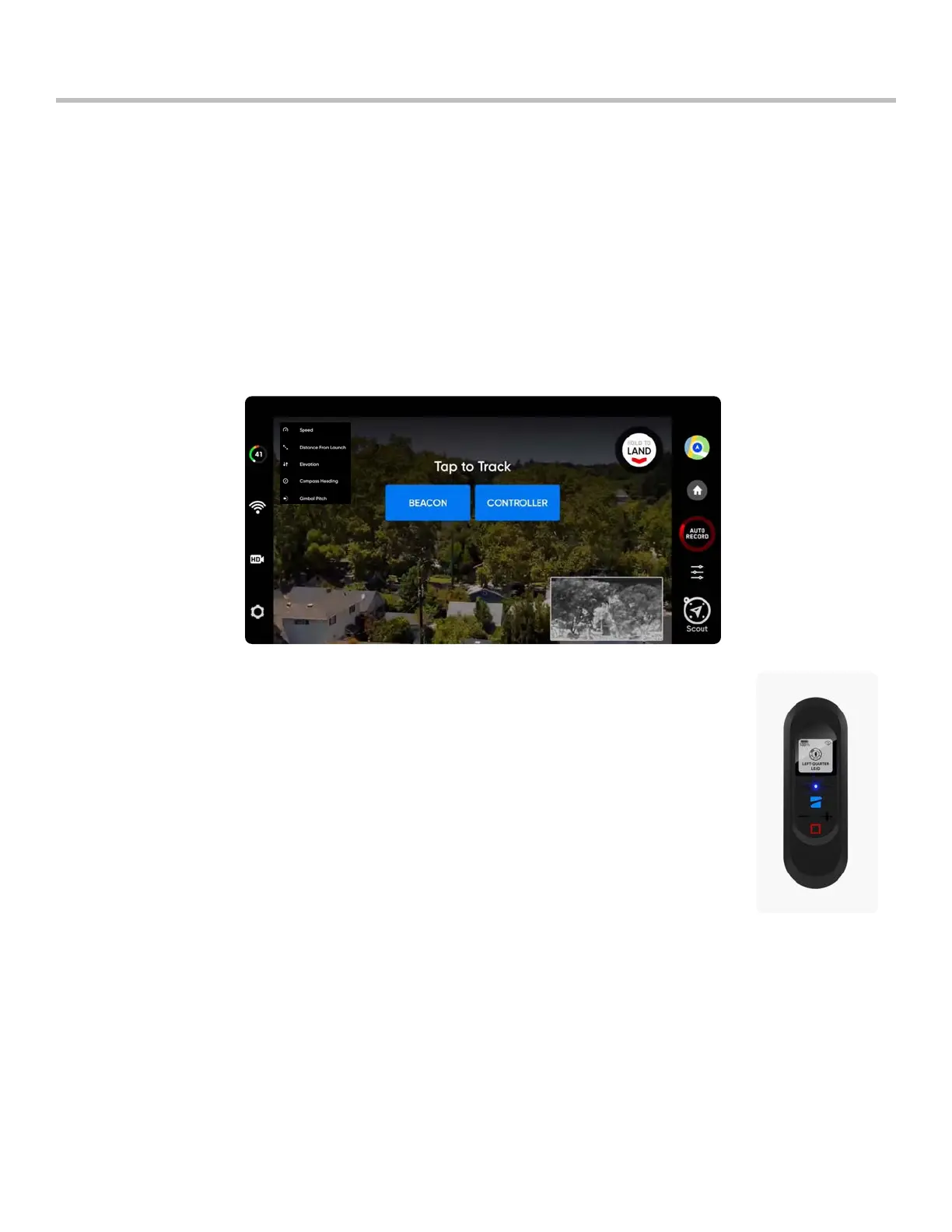
Scout flight skill simplifies the tracking of moving subjects to oer real-time situational awareness. Scout allows you
to track and follow a GPS position at long range, with the ability to adjust and reposition your drone on the fly. Skydio
Scout supports GPS tracking of the Skydio Enterprise Controller or Skydio Beacon.
To initiate Scout:
Step 1 - Select Begin Flight and launch
Step 2 - Select Scout from the skills menu
Step 3 - Tap to track:
• Skydio Enterprise Controller OR
• Skydio Beacon - will only display if the X2 is connected to the Beacon
Skydio Beacon is used as a GPS tracking device with limited manual steering capabilities, the
ability to start and stop Scout, and Return to Home. You have the option to lock Beacon controls
to mount Beacon on a moving subject without the risk of unwanted button inputs.
Pair Skydio Beacon (optional):
• Power on Skydio X2
• Power on Skydio Beacon - press and hold the Skydio logo button for three seconds
• Connect Beacon to the drone using the USB-C cable
• Successful connection will display Connected to Skydio-XXXX
Lock Beacon Controls (default)
• To disable, select the Device settings menu and the Beacon tab
• Unlocking Beacon is persistent across flights but not power cycles
Skydio Beacon



 To Next Page