73
Skydio X2D INTL - Operator Manual © 2023 Skydio, Inc. All rights reserved.
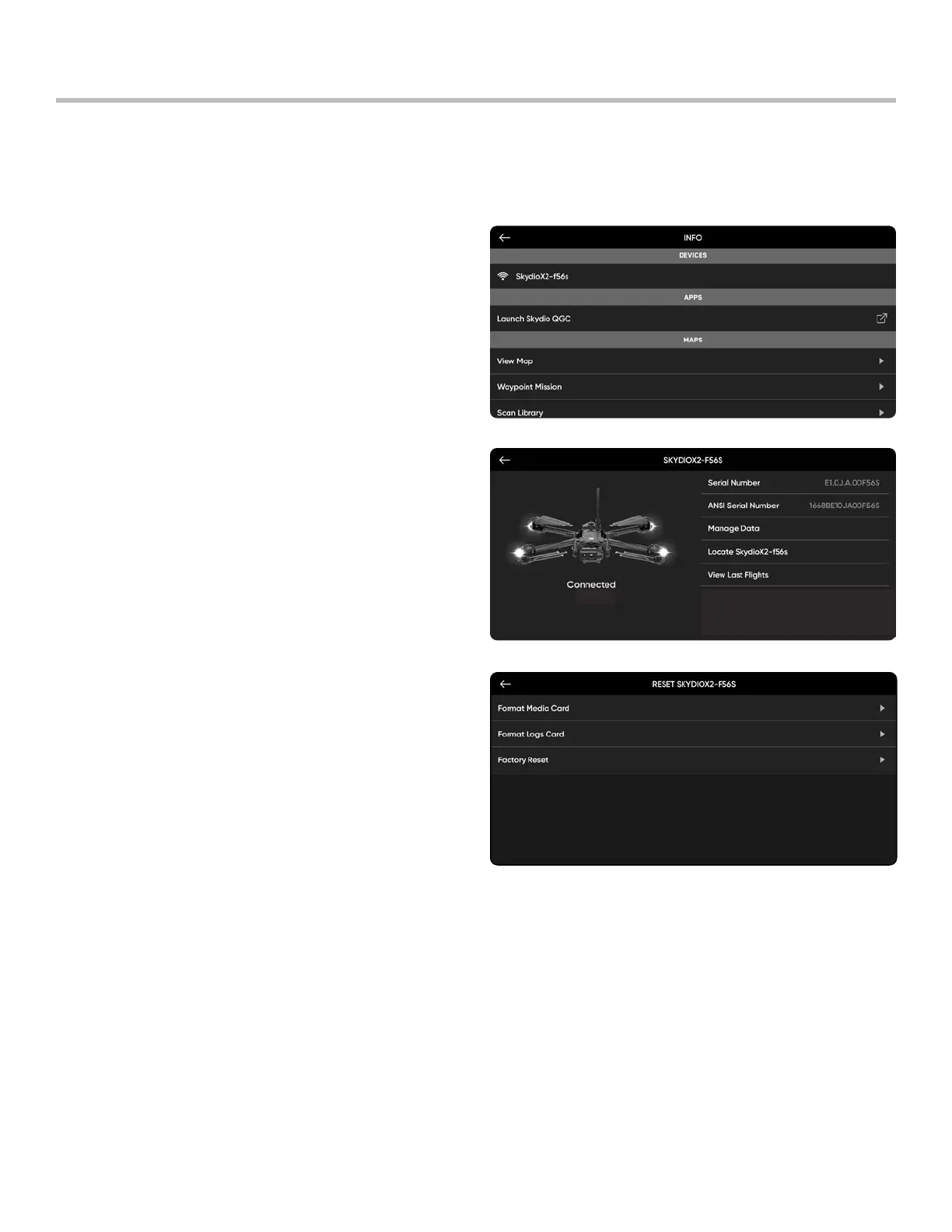
Skydio X2D has two SD memory cards, one for storing media and another for recording flight logs. Each card will
need to be formatted separately as-needed. Before formatting your SD card, please ensure any data has been
copied or saved on another device.
Step 1 - Select the INFO menu
Step 2 - Select the vehicle name under Devices
Step 3 - Select Manage Data
Step 4 - Select Format Media Card or Format Logs
Card, depending on which card needs to be cleared
Maintenance
Format memory cards
Memory Card Overwrite
Manage your media storage space by automatically deleting old media ensuring that you always have enough
storage space to conduct a full flight. Toggle this setting on to automatically delete the oldest media stored on the
SD memory card. This setting will persist across flights and power cycles.



 To Next Page