20
Skydio X2D INTL - Operator Manual © 2023 Skydio, Inc. All rights reserved.
Pre-flight
Encryption
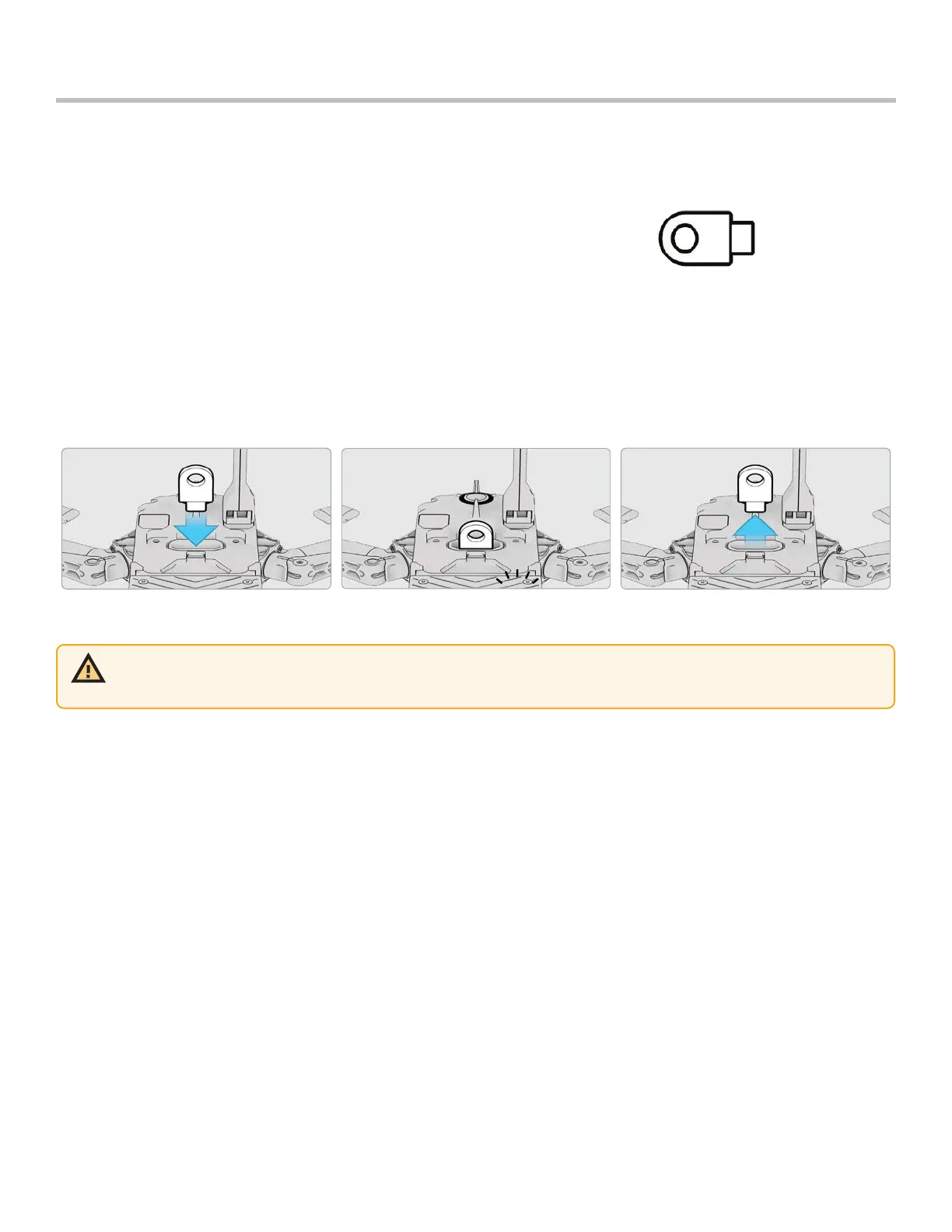
Before you can use the encryption feature on your X2D, you need to provision the vehicle using the Encryption Fob.
Provisioning the system for encryption pairs that particular Encryption Fob to the vehicle, so it is important to store
the fob with the vehicle. To set up your vehicle for encryption:
Step 1 - Power on Skydio X2D
Step 2 - Insert the Encryption Fob into the USB-C port on the vehicle
• the lights on the fob will begin blinking
Step 3 - Remove the Encryption Fob when the lights turn o
• you only need to provision the system one time
• Skydio X2D media will now be encrypted
WARNING: provisioning the system for encryption pairs that particular fob to the vehicle, so it is important to store the
Encryption Fob with the vehicle. Using a dierent Encryption Fob will overwrite the provisioning and assign the vehicle to
the new fob. All encrypted data generated with the original fob will be erased.



 To Next Page